
After reviewing the CRO techniques in the last article, it is time to talk about tools.
I recommend reading the previous article first and then this one, so you can connect each technique with its tool.
I should also tell you that this list is ordered in the way I think is most convenient for a business that has never done CRO, taking into account ease of execution and the cost of each technique on the one hand, and the information it provides on the other.
The techniques I just explained are carried out using tools, so in this section I am going to mention the ones you need to execute each of them, so you know what they are.
Surveys and ORM to review customer feedback
To find out how to improve conversion, it is ideal to look at what people say about us, both the good -to promote it- and the bad, so we can fix it and stop it becoming a barrier to purchase.
ORM
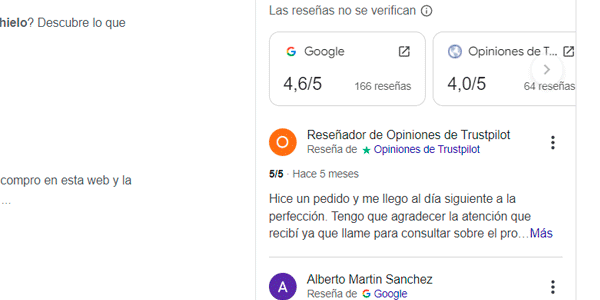
We can start by reviewing our ORM, which is our online reputation.
To do that, we will review user opinions in the directories where we appear, which are usually:
- Google Maps.
- TrustPilot.
- Facebook.
- Industry directories (El Tenedor, TripAdvisor, TopDoctors, El Abogado…).
Even if we never registered on one of them, someone may have left a review. In that case, we will claim the profile and start managing it, replying to every review, both positive and negative.
And 92% of internet users say reviews influence them. More than 60% would not buy or hire a service with a rating below 4 stars.
If we add to this that one negative review carries the weight of 5 positive ones, the importance of ORM for conversion is obvious.
Google Forms and Hotjar for surveys
But besides public reviews, we will also need another type of feedback. And that is where surveys come in.
On the one hand, if what we want is a quick survey for someone we think got stuck at some point during the purchase process (for example, at checkout), we can implement Hotjar and ask whether they had any problem and what kind it was.
Also, because we are doing it with Hotjar, we can link the user's answers to their session recording, giving us all the context we need to understand the problem and fix it.
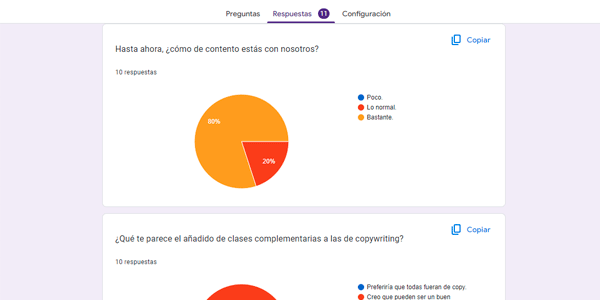
However, if what we want is a somewhat longer survey, to ask about our company, the service, logistics or whatever else, we will need a tool such as Google Forms, which lets us create all kinds of surveys.
There are prettier ones, such as SurveyMonkey, but Google's has everything we need and is very easy to use.
We can send this survey by email to customers, or add a pop-up with the link once they are inside the customer area.
Word or Excel templates for heuristic analysis
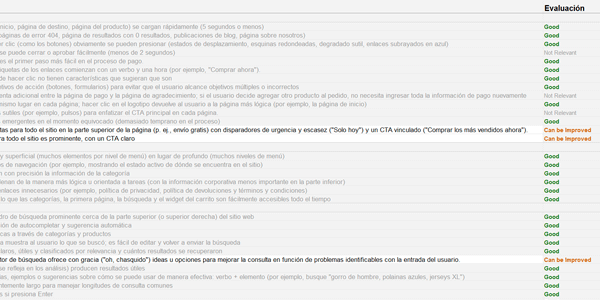
We will need nothing more than an office suite and a browser –if it is a website- or a mobile phone –if it is an app- to carry out the heuristic analysis.
Also, with even a little experience or interest in the subject, we can do it ourselves by comparing ourselves with the competition, without needing to hire an expert.
That said, if you can, I would recommend hiring someone to do it. Apart from the fact that this is what I do for a living, I will also tell you that having analysed many websites of many kinds -not just yours and your competitors'- broadens your mind and gives you other points of view.
And it is not expensive either.
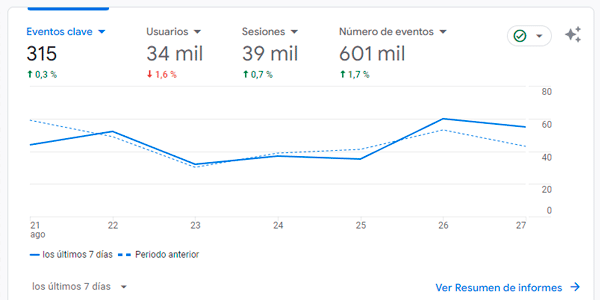
Google Analytics: the king of digital analytics
Here, of course, our beloved GA4 is our go-to tool, because it is the industry standard.
The first thing is to review its implementation and the quality / reliability of the data collected. If we consider it adequate, we can start reviewing data and forming hypotheses.
If the data is not reliable enough, the implementation must be fixed first.
There is nothing more dangerous than making decisions based on… wrong data.
Besides Google Analytics, other tools you may come across are Adobe's solution in very large projects, or Matomo, generally in smaller projects.
In addition, when we have paid campaigns, reviewing the relevant platforms is a must. And the creatives too, of course.
Because if any of the principles mentioned earlier are violated there (Congruence is a classic), the conversion rate will go down the drain.
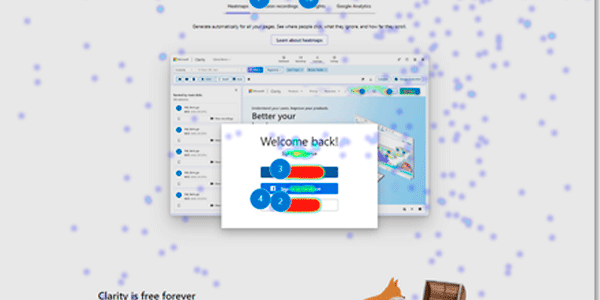
Hotjar (again) and Microsoft Clarity for heatmaps and session recordings
Both tools are very good.
Clarity is completely free, while Hotjar has a sufficiently powerful free plan and affordable paid plans.
Besides being free, Clarity has an AI that summarises reports so we do not have to review everything if we do not want to. Right now it is still rough, but it will undoubtedly improve.
It also lets you view user sessions in real time, so it can help with customer service.
Hotjar, however, lets you add the surveys I mentioned earlier.
Finally, both integrate more or less well with GA4.
So, taking everything into account, here is my recommendation: if you are going to use surveys, use Hotjar. Otherwise, use Clarity.
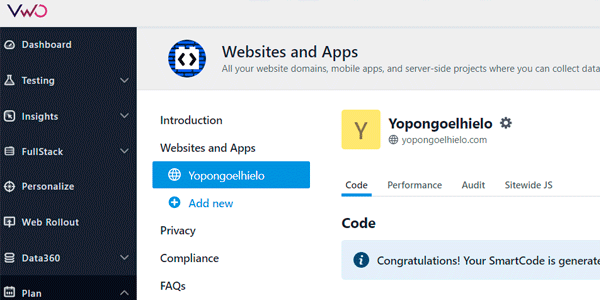
VWO for A/B tests
Honestly, when Google killed Optimize it was a blow for the many of us who used it.
It was an extremely powerful tool that had everything you could ask for and, on top of that, a free plan.
VWO was one of the pioneers in A/B testing, in fact, it was the one I started with.
At the time, the cost was prohibitive for medium-sized businesses (35k euros a year), but now, after Google Optimize shut down, they have launched a free plan, so take advantage of it.
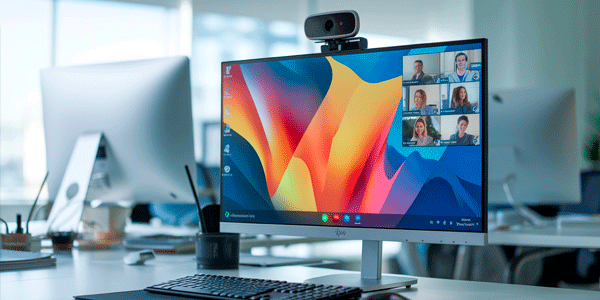
PC with screen recorder, microphone and webcam. Enough for a user test
A user test is complicated to organise, but the tools themselves are very basic:
- A software tool that records what the user does on screen. You can use the one built into the PC or another one. I use oCam, in case that helps.
- A microphone to capture their answers and comments.
- Optionally, a webcam so you can review the user's expressions.
That, plus a room with a PC / mobile phone, is enough to carry out a user test.
And with that, we finish the article, but careful, keep reading…
More about CRO…
Did you like the article?
Well, here you can continue with the rest of the articles in the CRO series:
- CRO tools (the one you are reading).
If you want to receive a new article by email every Thursday, subscribe here. So you do not miss a single one.
And if what you are looking for is help with your digital project, tell me about it here.
Frequently asked questions
What tools are needed for CRO?
It depends on the technique you want to apply, but the article groups tools for reviewing feedback, analysing data, creating heatmaps, recording sessions, launching A/B tests and running user tests.
Why is reviewing ORM useful in CRO?
Because reviews directly influence purchase decisions. Negative opinions can hurt conversion and positive ones can strengthen trust.
What tools can be used to collect customer feedback?
Hotjar lets you launch surveys on the website and link answers to session recordings. Google Forms works for longer surveys sent by email or from the customer area.
What is needed to perform a heuristic analysis?
A Word or Excel template, a browser if you are analysing a website, or a mobile phone if you are analysing an app is enough.
Why is Google Analytics important in CRO?
Because it lets you review data, detect problems and formulate hypotheses. But first you need to check that the implementation and data quality are reliable.
What tools does the article recommend for heatmaps and recordings?
Hotjar and Microsoft Clarity. Clarity is free, while Hotjar stands out because it lets you add surveys.
When should you use Hotjar and when Microsoft Clarity?
If you are going to use surveys, Hotjar makes sense. If you do not need surveys, Clarity is a very powerful free option.
What tool is recommended for A/B tests?
The article mentions VWO as an interesting alternative after Google Optimize shut down, especially because it has a free plan.
What is needed to run a user test?
A computer or mobile phone, screen-recording software, a microphone and, optionally, a webcam to review the user's expressions.
What is the recommended order for starting with CRO tools?
The article orders the tools for businesses that have never done CRO, prioritising ease of execution, cost and the information obtained.

Leave a Reply