
In this other article I told you about the best free digital tools. The ones I use.
But today I am narrowing the focus and talking about the SEO tools I work with.
There are free, freemium and paid ones. I will explain which plan I use for each and why, so that if you want to push SEO in your project, you know where to start.
I will start with the free ones.
Free SEO tools
Well, there are not many that are 100% free, but there are a few.
Google Search Console
Just because it is Google's "official" tool, you should already take it into account.
It is not the best at almost anything, but it gives you a general, if not very deep, review of your website.
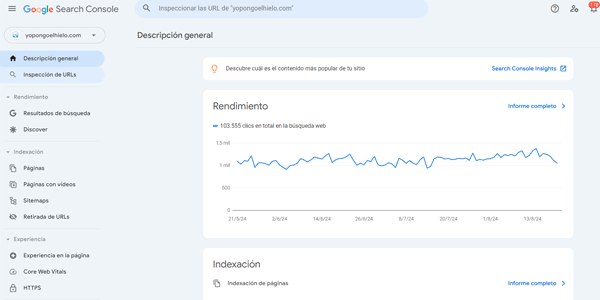
What I use it for
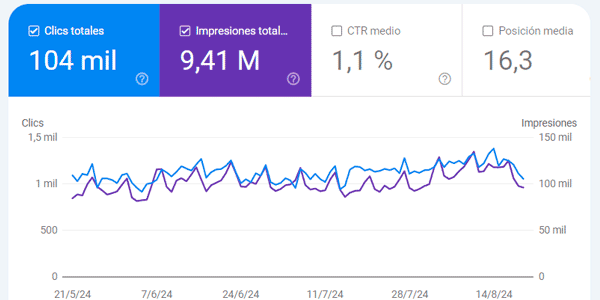
To see how traffic and impressions on Google evolve:
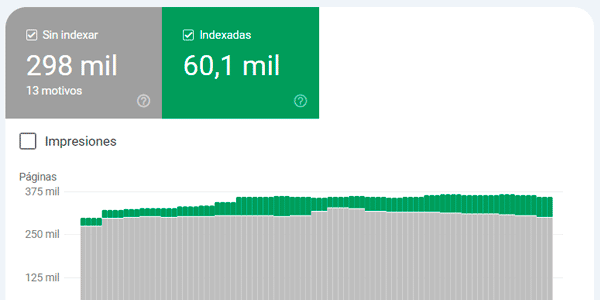
To see indexed pages and why other pages are not indexed, which is often exactly what I am looking for, especially on large sites:
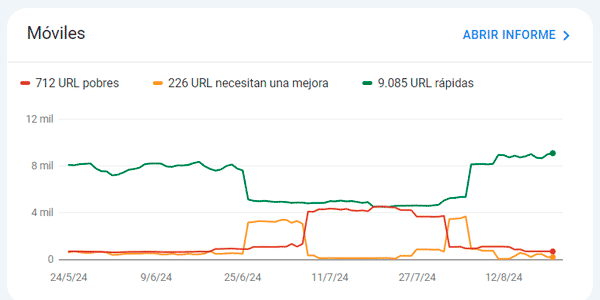
To see Core Web Vitals overall:
To submit the website's sitemaps:
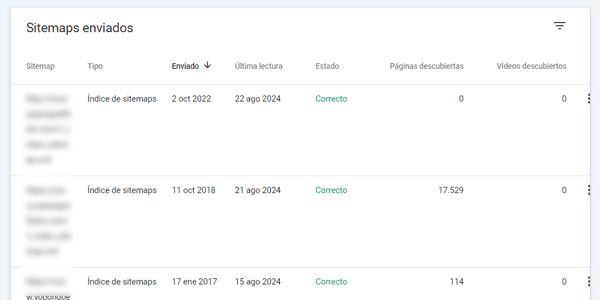
I also use the tool for a few specific things, such as checking Merchan Center product listings, reviewing a link, discovering new keywords and adding them to the position-tracking plan and similar tasks. But the cases above are definitely my main uses.
SEO PRO Extension
It is a browser extension that tells you everything, or almost everything, you need to know about the on-page SEO of a specific URL:
- Headings.
- Image alt text.
- Links.
- Semantic markup.
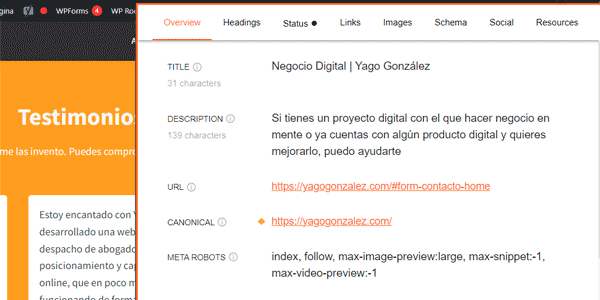
And all with a single click. Convenient and very useful.
Bonus: Xenu
I am adding this one because I used it a lot in the past, although nowadays I barely touch it because I use another paid tool I will talk about later: Screaming Frog.
It is a crawler that is free and, although it focuses mainly on analysing broken links on a website, it also works for auditing basic meta tags (title, description, etc.):
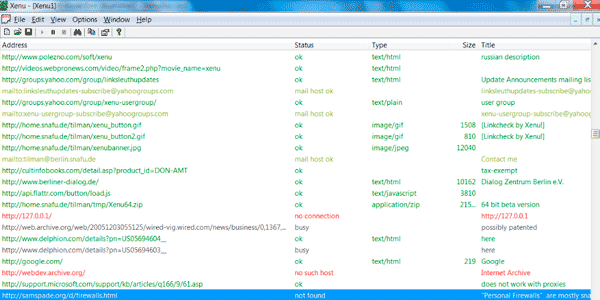
If Screaming Frog's free plan with 500 URLs is not enough for you and you do not want or cannot pay for the licence, give Xenu a try.
Freemium SEO tools I use on a free plan
In this case, I regularly use two.
SEMRush
Probably my favourite. The problem is that it is not cheap unless you sell plenty of SEO service hours to several clients, in which case it pays for itself.
That is why I do not have the paid version, although to me it seems the most complete of them all.
What I use it for
For lots of things. For example, to see how a project is evolving:
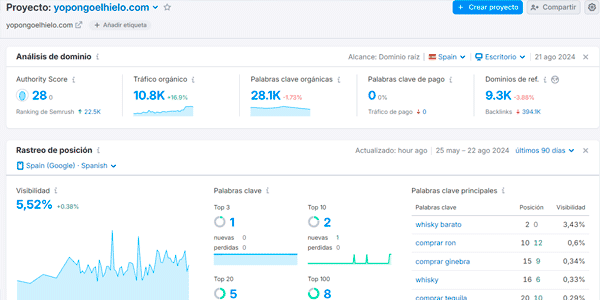
Organic traffic, authority, keywords… Whatever you need.
I also use it to find out who my competitors are on Google. And to analyse them:
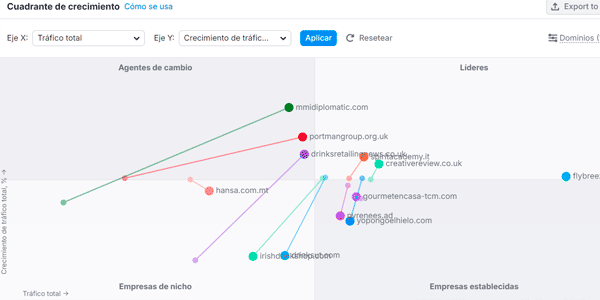
I should say that they have restricted this feature on the free plan. Before, you could filter competitors by country; now it only shows the whole world, which makes little sense except for large projects.
You can still see the estimated traffic of competitors from a specific country at a given moment. It is not exactly the same as the above, but it can still help:
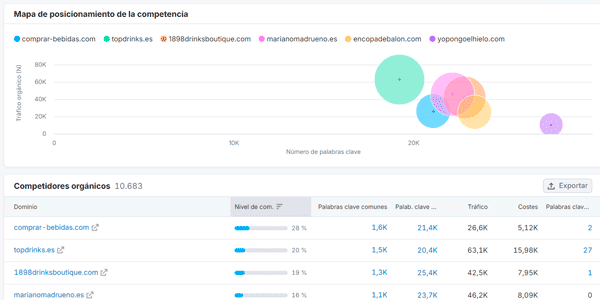
I also use it to analyse my links (backlinks) and those of competitors:
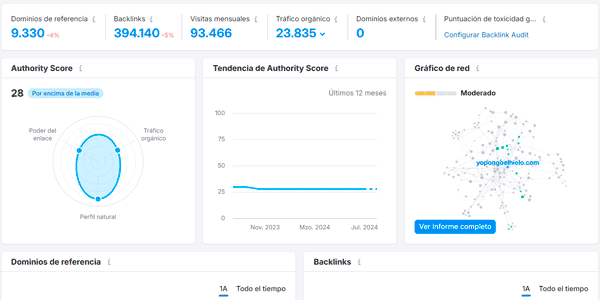
And finally, to discover new keywords during keyword research

SEMRush has many more features, but these are generally the ones I use 90% of the time.
SimilarWeb
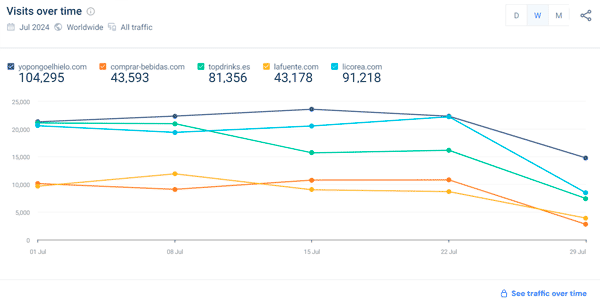
This is the most accurate tool for estimating website traffic that I have found.
Although it has a huge number of features, I have not tried most of them.
I use it "only" to see how our project compares with competitors in terms of traffic:
SEO tools I am happy to pay for
Google Ads Keyword Planner
Although you can use it for free, its main SEO value for me—giving me the exact number of monthly searches for a keyword on Google—is lost, because it returns ranges that are far too broad.
What I use it for
Mainly for two things:
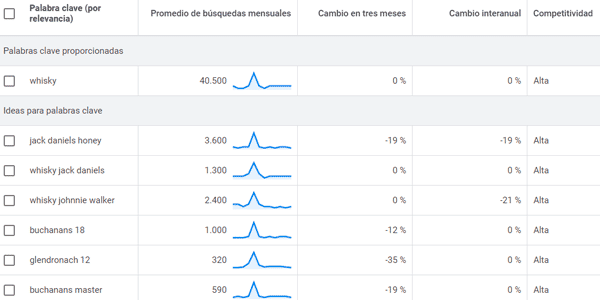
The first is to get ideas during the initial keyword research:
The second, and most valuable, is what I mentioned above: getting the exact number of searches for every keyword I am going to track in a project:
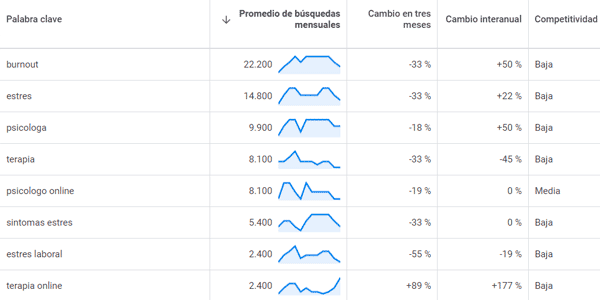
That helps me define the SEO plan at every level: website structure, categories, blog content, link building, etc.
SEO PowerSuite
A suite that includes four tools:
- RankTracker: to see how your keywords evolve in the SERPs.
- WebSite Auditor: to analyse your project's on-page SEO.
- SEO SpyGlass: also called "Backlink Checker", it lets you study your backlink profile and your competitors' profiles.
- Link Assistant: to keep track of your link-building plan.
What I use them for
Each one for its own job.
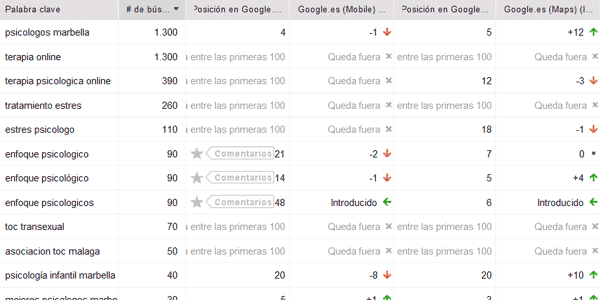
The one I use most is RankTracker, which is basically why I pay for the full suite.
In my monthly SEO analyses, the first thing I check is changes in rankings for my keywords:
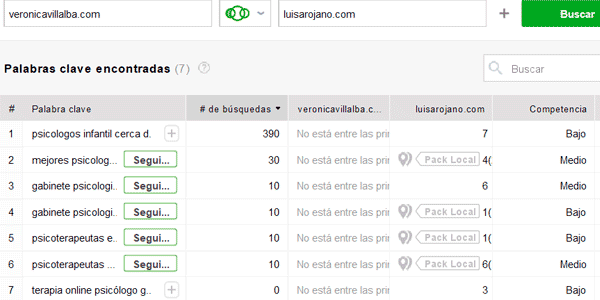
I also use it to find keywords that competitors rank for and I do not:
Finally, it also helps me get a broad view of the project's SEO evolution and the status of competitors:
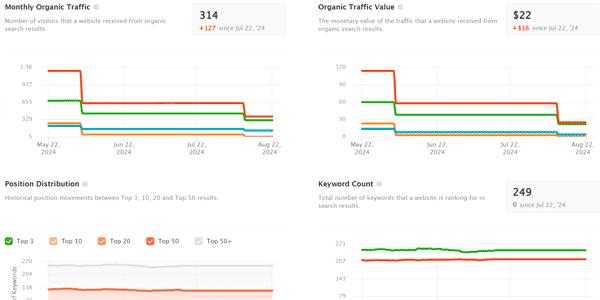
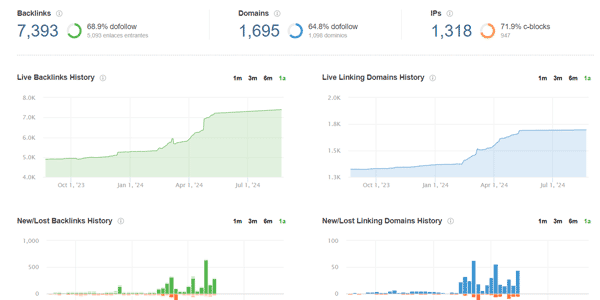
The other tool in the suite I use is SEO SpyGlass. I use it to review my backlinks.
At a general level:
And individually:
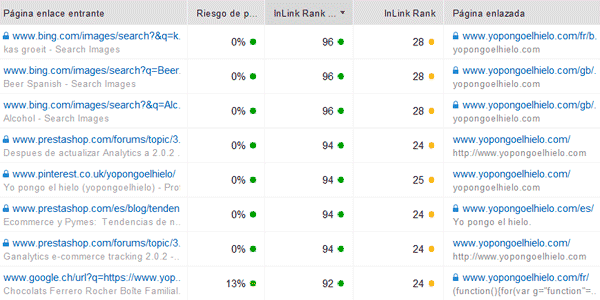
And competitors' links, in case I can pick up any for my own project:

Although I have used WebSite Auditor on several projects in the past, I think it is worse than Screaming Frog, so I barely use it now. If I did not pay for Screaming Frog, I would use it more.
I have not used Link Assistant for a long time. In this case, that is because for link building I prefer to buy links directly, thanks to the time it saves.
Screaming Frog
The Swiss army knife of on-page SEO.
This tool is genuinely amazing. It lets you analyse practically anything that is inside a website.
What I use it for
First, to see how many URLs a project has:
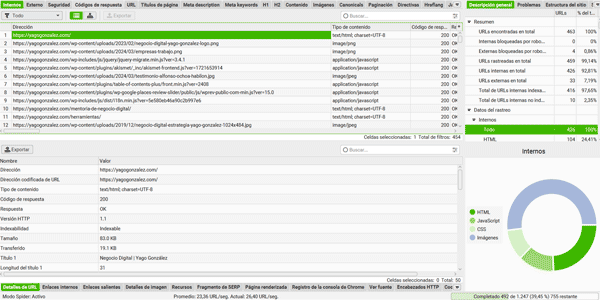
Once you have crawled the entire website, you can see things such as the main on-page SEO errors:
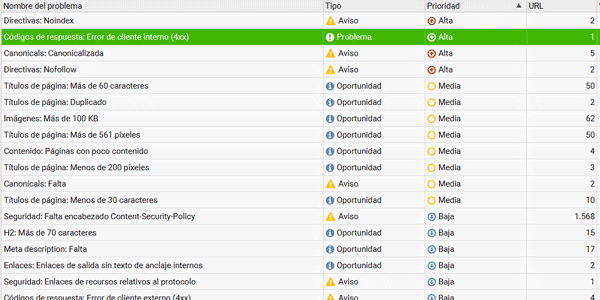
You know: 404s, missing titles, duplicate titles, headings, images, broken internal links, etc.
Also the weight of images:
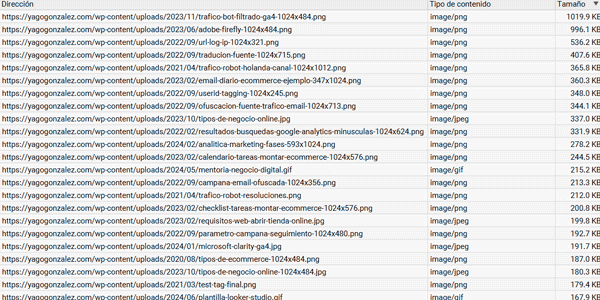
And see how the WordPress plugin you installed to "optimise image weight" is nowhere near doing it properly.
This is the most basic stuff, but you can also check more advanced things such as:
- Whether the GTM / GA4 / Facebook Pixel tag is present on every page of the site.
- The semantic markup of each URL.
- Its Core Web Vitals.
And one of my favourites: extracting the prices of your competitors' products. But do not say that one too loudly; it is a secret…
Non-SEO tools I use in SEO projects
There are four, and they are essential for me. Even though they have little to do with SEO.
Without them I could not carry out an SEO plan. You will soon see why.
Google Analytics
The tool that tells me whether my SEO efforts produce financial results.
Here I check conversions and revenue from the organic channel:
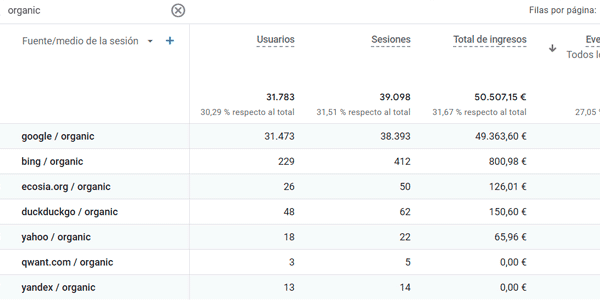
And I separate home-page SEO, which may be attributed to the company's own momentum or to branding campaigns:
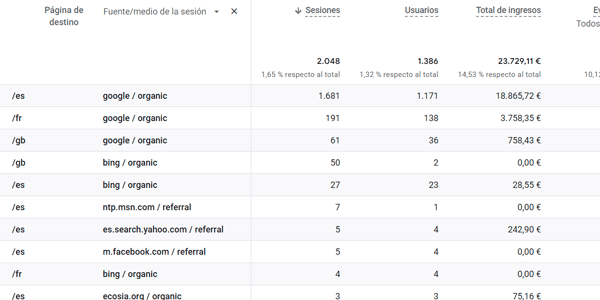
And generic SEO. The rest of the URLs:

The free version is enough for 99% of projects in the world.
X-Mind
It is a mind-mapping application I use when I start a project to jot down ideas that I will later execute or move into other documents.
It helps me lay it out like this:
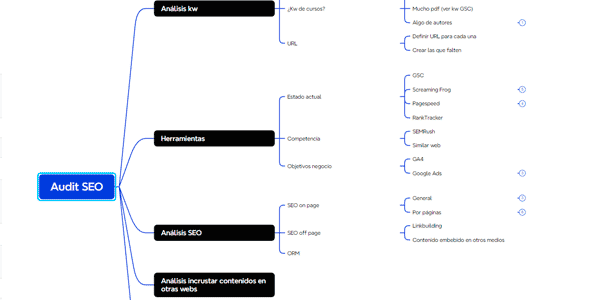
I do this before the audit and also during it, because new points to review always come up. It is a living document.
I only use the free plan because there is no lifetime plan. If there were, I would buy it without hesitation.
Notion
I use this to note down things I need to review and delivery dates:
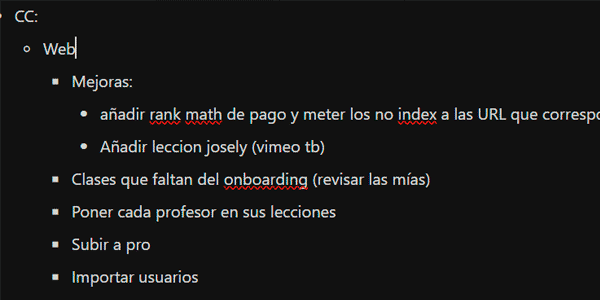
It is my digital replacement for Post-it notes.
Microsoft Office package
I use it exactly as you would imagine:
- Word to draft two documents:
- My own working document.
- The final audit document, which I deliver to the client as a PDF.
- Excel for two other documents:
- The audit document.
- The project's time-tracking document.
- PowerPoint for presentations, if needed.
The usual, right?
Conclusions
So, what do you think of my toolkit?
The truth is that, as you can see, it is nothing very complex.
Nor complicated.
Nor expensive.
Because I am clear that in SEO, having good tools helps, but the foundation is experience and common sense.
So you can start by replicating my stack in your project. I have already told you how and what I use each thing for, so you can start today.
Also, if your CMS is WordPress or PrestaShop I have one more little gift for you:
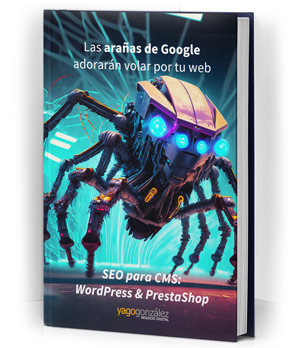
I think you will be interested in this
Sign up and get the guide with everything you need ready to implement it starting today and get those little spiders and their algorithms to like you a little more every day.
Plus, every day in your inbox you will receive a trick or tip—a good one—to improve your business or digital project.
A guide on how to optimise these CMSs for SEO.
And if you combine it with what I explain:
- In this article.
- In this other one about how to analyse demand, which focuses on ecommerce but can be extrapolated to any service.
- And this final one about link building…
…It should be more than enough to get your project into shape.
And if you see that you need a little more training or help, we can talk.

Leave a Reply