
You have an ecommerce business with a solid volume of traffic and a relevant position in your sector.
You talk to brands and they want to be on your website.
It's the perfect time to implement a Retail Media strategy and monetize that hard-earned traffic even further – not just through orders.
You have two options:
- Talk to platforms that make it easy for you in exchange for a recurring fee.
- Do it the low-cost way and build it yourself.
At Yo pongo el hielo, we chose the second route.
So, besides setting up the advertising spaces you'll sell to brands, you need to be able to give them metrics on the performance of their campaigns.
And the best solution I've found for this requirement is to use GA4.
Because it comes with everything you need out of the box. And it's free.
That simple.
That easy.
Retail Media formats and KPIs you can measure with GA4
I think the ones I'm going to show you are enough to give you an idea of what you can measure in your case.
And even if you use a different format, I think the links I've included will show you how to measure it.
That said, I want to make it clear that we're talking about the KPIs you usually need, not hyper-specific metrics and measurements.
#1. Banners
Is there anything more classic in digital advertising than a banner?
I don't think so, honestly. So I'll start with that.
At Yo pongo el hielo we have several:
On the home page:
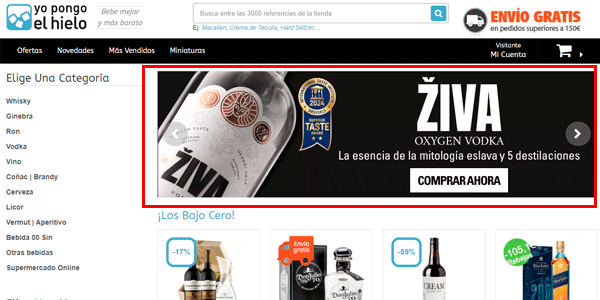
In categories:
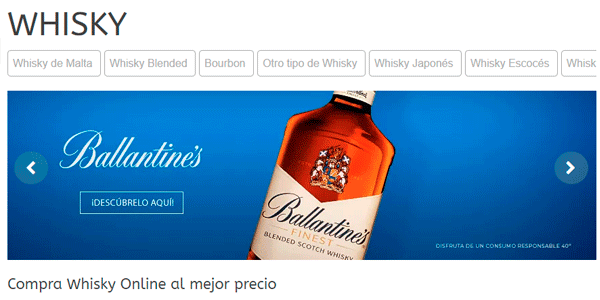
In brand Stores:
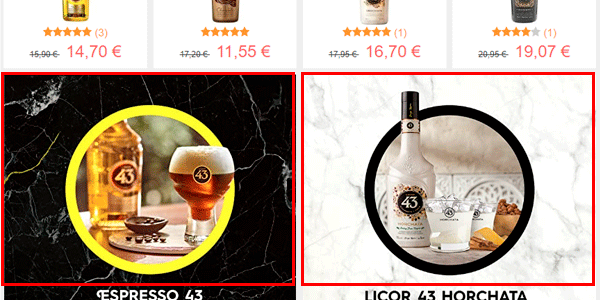
Or some on more specific pages:

Right, for all of them we measure the same two metrics:
- Impressions.
- Clicks.
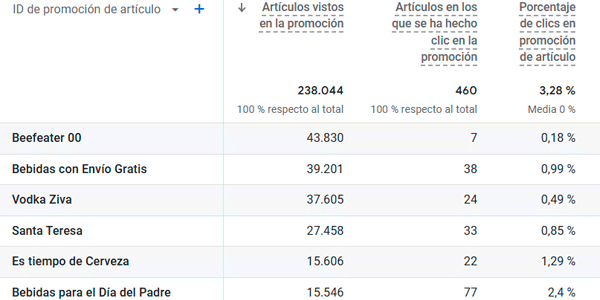
And to do that, we rely on the ecommerce features view_promotion and select_promotion in GA4.
By firing both events on your website when appropriate via JavaScript (you have examples in the links above), we'll start collecting the data we need and can see it in reports like this:
#2. Brand Days
The Zumosol cousin of banners (if you're 40 or older, you'll get the reference).
This format:
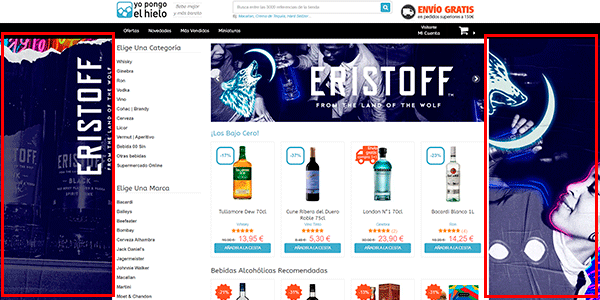
And since they're close cousins of banners, we measure the same thing (impressions and clicks) using the same GA4 events:
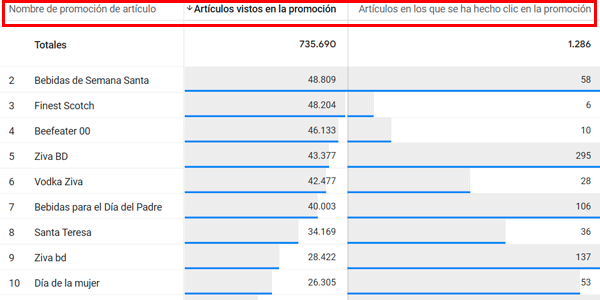
It's important to pay attention to the dimension and metric names in the report if you want to reproduce it. In this case, GA4 is much less intuitive than Universal.
#3. Product listing formats
Here we change tack, although only slightly.
In this case, the metrics worth saving are:
- Product impressions in the list (event select_item)).
- Clicks on the product.
- Add to cart.
- The product's position in the list (whether it's first, second, third…). It's a parameter of the select_item event above.
- The list name. Because an online store has several product lists. It's a parameter of the select_item event above.
Product lists
Let's look at examples of different types of product listings.
Featured products:
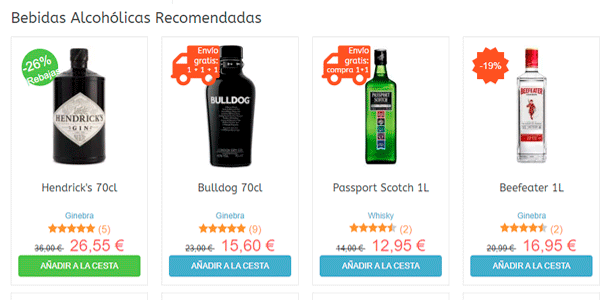
Best-selling products:
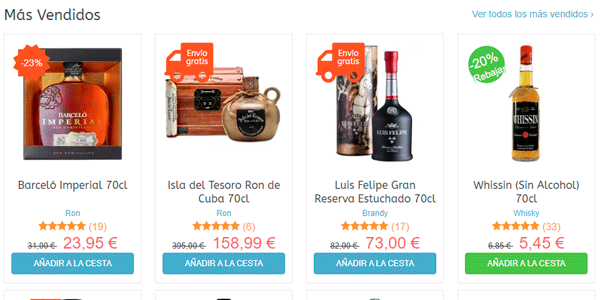
Categories:
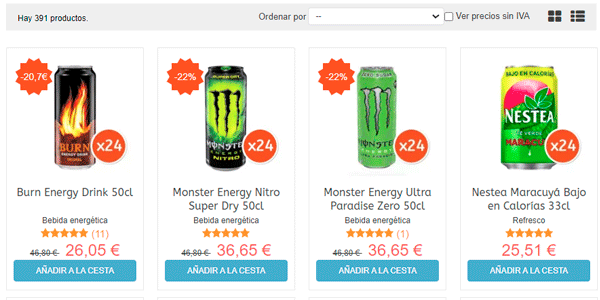
Alternative products:
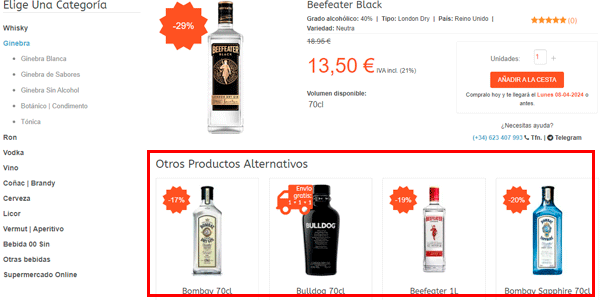
Recently viewed products:
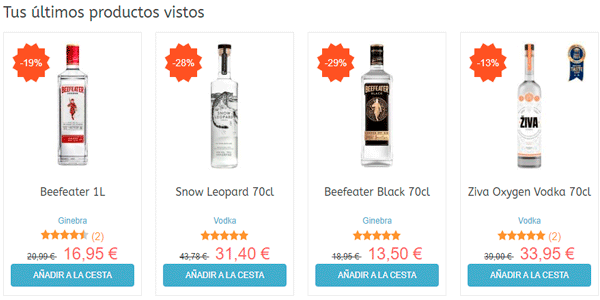
Once product tracking is implemented in the listings, the reports will show things like this:
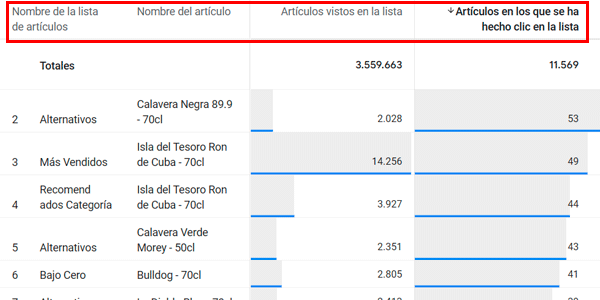
And again, pay attention to the dimension and metric names so you can reproduce the report.
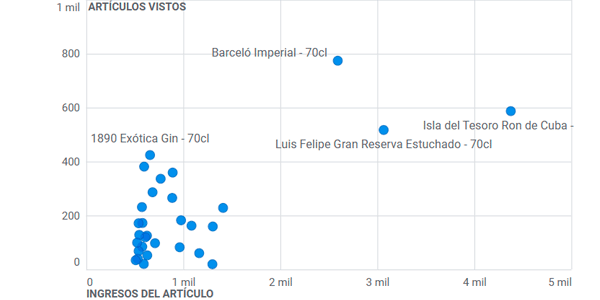
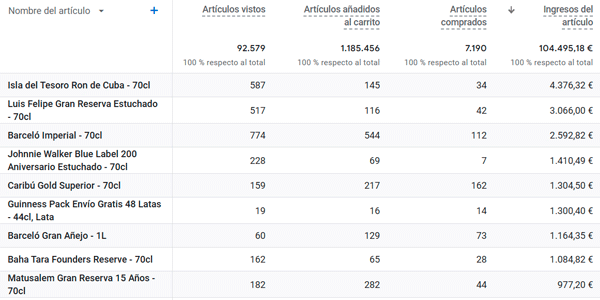
#4. Product performance
In this case we focus on the product itself, not the list, as in the previous point.
So, what we can measure here is:
- Product page impressions.
- Times added to cart.
- Units sold (event parameter purchase)).
- Product revenue (event parameter purchase))..
And we'll have reports like these:
Or this one:
Conclusion
As you can see, it's a complete, standard and relatively simple system for measuring the performance of your Retail Media campaigns.
If you liked the system, here are more GA4 tricks you might not know.
And if you want to receive one every Thursday, all you have to do is subscribe to my newsletter. Gift included.

Leave a Reply