
If you want to upgrade a small or slim PC without spending much, there are plenty of interesting used graphics cards for between €20 and €50. Some can even handle gaming reasonably well, video editing and multiple 4K monitors.
But before looking at performance, there are two problems:
- Making sure the graphics card fits in your PC.
- Making sure your power supply can handle it..
That's why I've put together this comparison of the best options, so you know what you're really getting for your money.
Before buying: low profile doesn't mean single slot
A graphics card that's low profile (or low-height) is shorter than a conventional one so it fits in slim PCs or SFF (small form factor). ). But it can take up one or two slots in thickness and that's the catch.
In certain HP ProDesk and EliteDesk SFF machines, for example, a dual-slot GTX 1050 Ti Low Profile won't fit. A Quadro P620 or P1000, which only takes up one slot, can be a good alternative. That's exactly what happened to me and the research I did to find the best alternative is the basis of this article.
You also need to check the power supply and the wattage supported by the PCIe slot. A GTX 1050 Ti draws up to 75 W, and some SFF machines with 150 W power supplies aren't designed to handle it.
Finally, look at the video outputs, especially for different setups:
- A setup with two 4K monitors.
- An HTPC connected to a 4K TV and soundbar with separate cables.
- Mini DisplayPort outputs that require adapters.
For example, having one HDMI and one DVI port won't give you two 4K connections at 60 Hz.
The contenders: 11 cheap low-profile graphics cards
These are the eleven cards we're comparing. Prices are second-hand reference prices set for this article, while the scores come from VideoCardBenchmark's PassMark G3D Mark and can change as new measurements are added.
The photos show specific models. So, especially with GeForce cards, always check the board manufacturer (brand): the outputs and thickness can vary between versions.
NVIDIA Quadro P400
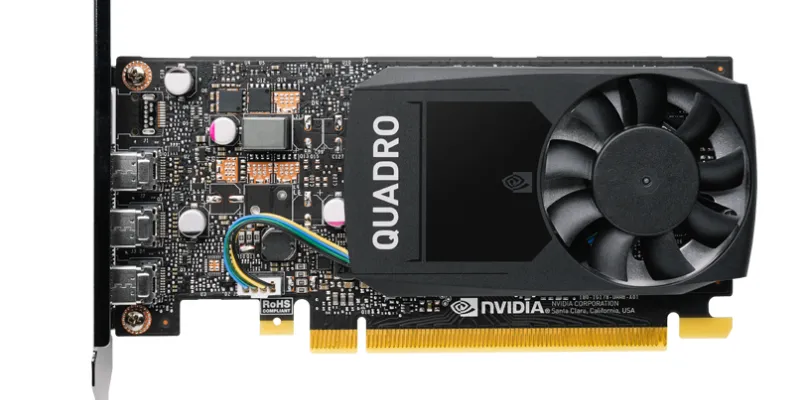
- Model: NVIDIA Quadro P400
- VRAM: 2 GB GDDR5
- CUDA: 256 cores
- VideoCardBenchmark: 1,666 points
- Video outputs: 3 Mini DisplayPort 1.4
- Second-hand price: €20
The least powerful Quadro we're comparing. With a maximum 30 W draw and a single-slot design, it makes good sense for a budget HTPC or multiple monitors. For gaming or AI work, though, it falls well short.
NVIDIA Quadro P600
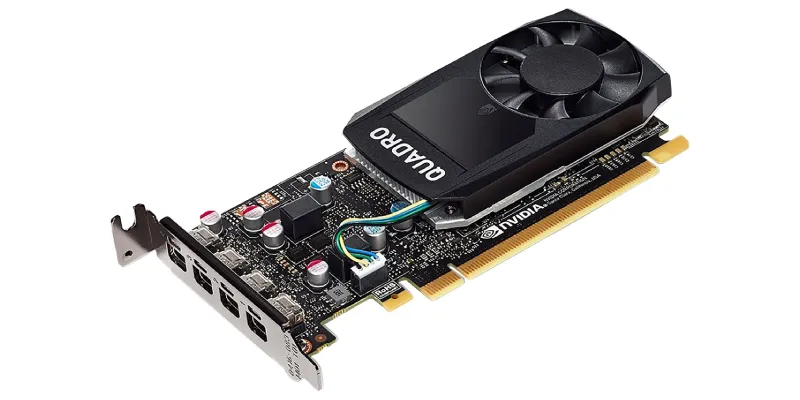
- Model: NVIDIA Quadro P600
- VRAM: 2 GB GDDR5
- CUDA: 384 cores
- VideoCardBenchmark: 3,335 points
- Video outputs: 4 Mini DisplayPort 1.4
- Second-hand price: €25
The P600 improves considerably on the P400 without much extra power draw: it remains single-slot and draws up to 40 W. At €25 it offers an appealing PassMark-to-price ratio, although I'd choose a P620 if I found one for the same price.
NVIDIA GeForce GT 1030 GDDR5
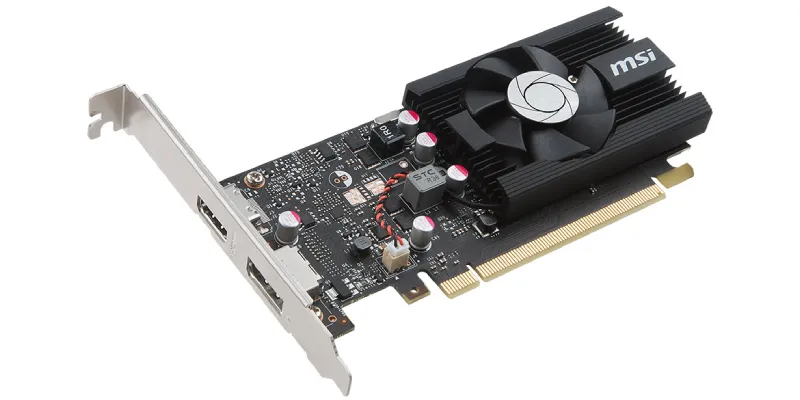
- Model: MSI GeForce GT 1030 2G LP OC, as a reference
- VRAM: 2 GB GDDR5
- CUDA: 384 cores
- VideoCardBenchmark: 2,395 points
- Video outputs: HDMI 2.0b and DisplayPort 1.4a on this model; other versions have DVI-D
- Second-hand price: €20–30
Overall, it's the most limited graphics card I've tested. It didn't give me much trouble in Photoshop, but I noticed a big difference when exporting video because it lacks NVENC. It can work for a simple HTPC, but check the connections carefully and avoid the DDR4 version.
NVIDIA Quadro P620
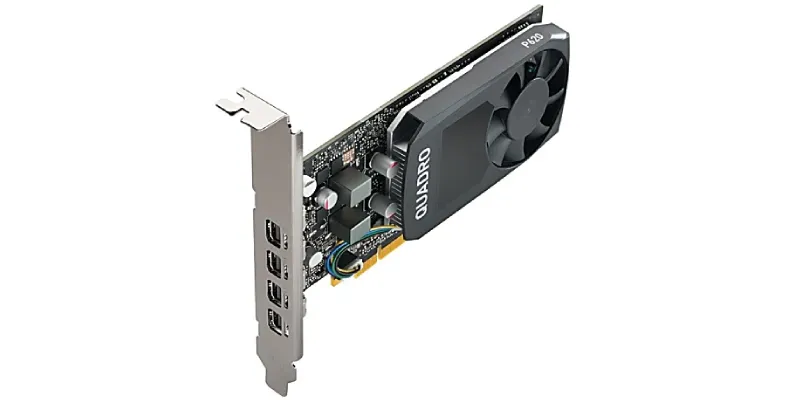
- Model: NVIDIA Quadro P620
- VRAM: 2 GB GDDR5
- CUDA: 512 cores
- VideoCardBenchmark: 3,723 points
- Video outputs: 4 Mini DisplayPort 1.4
- Second-hand price: €25–35
I bought it for €25 on Wallapop, and you can already read my full Quadro P620 review. For Photoshop, Premiere, several 4K monitors and an SFF with a modest power supply, I think it's an excellent buy. Its 2 GB of VRAM is the main drawback.
NVIDIA GeForce GTX 1050 Low Profile
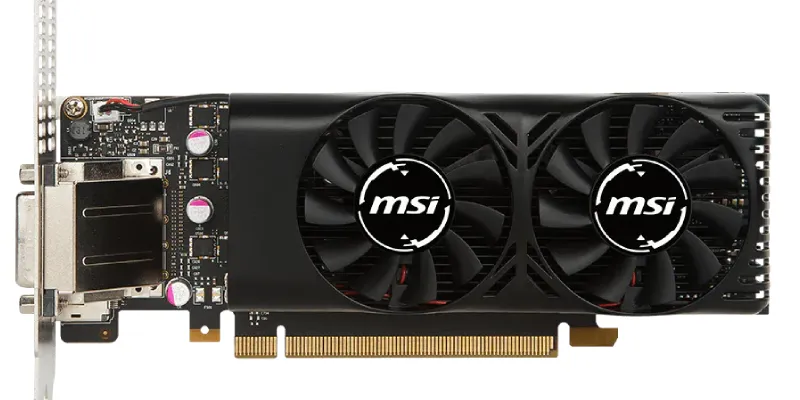
- Model: MSI GeForce GTX 1050 2GT LP, as a reference
- VRAM: 2 GB GDDR5
- CUDA: 640 cores
- VideoCardBenchmark: 5,051 points
- Video outputs: DisplayPort 1.4, HDMI 2.0b and DVI-D
- Second-hand price: €40
This one is much more gaming-oriented, although LP versions such as this MSI take up two slots and draw up to 75 W. I owned a regular 2 GB GTX 1050, and in eFootball its limitations compared with the Ti were obvious. For just €10 more, it's worth stepping up.
NVIDIA Quadro P1000
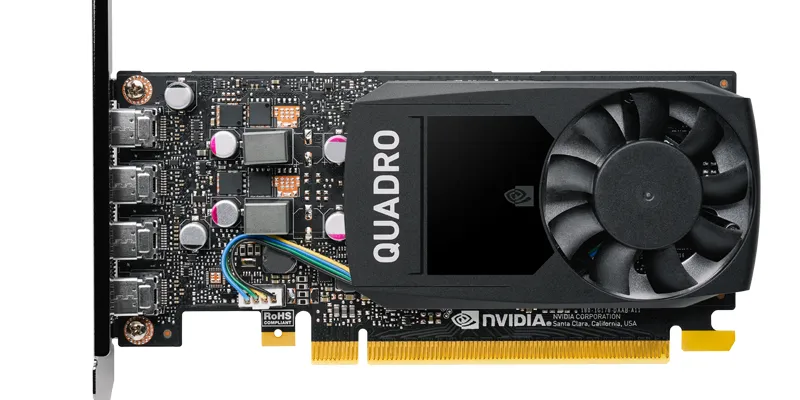
- Model: NVIDIA Quadro P1000
- VRAM: 4 GB GDDR5
- CUDA: 640 cores
- VideoCardBenchmark: 4,534 points
- Video outputs: 4 Mini DisplayPort 1.4
- Second-hand price: €50
My favourite when the computer only has room for one slot and the budget stretches to €50. It has twice the VRAM of the P620, draws 47 W and is more useful for Upscayl and local AI. I've also published a Quadro P1000 review based on my own experience.
NVIDIA GeForce GTX 1050 Ti Low Profile
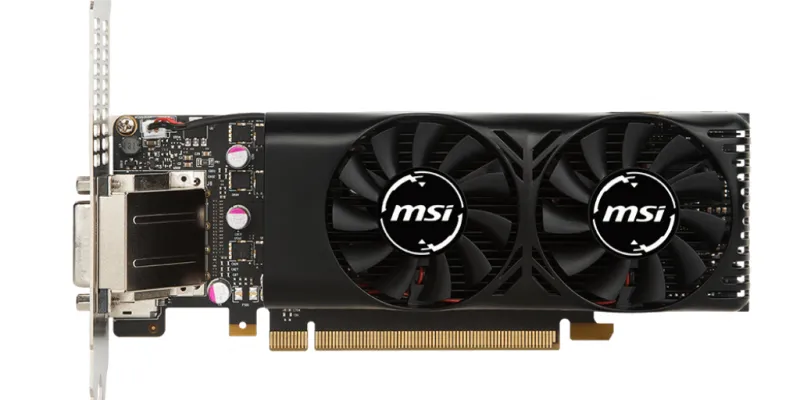
- Model: MSI GeForce GTX 1050 Ti 4GT LP, as a reference
- VRAM: 4 GB GDDR5
- CUDA: 768 cores
- VideoCardBenchmark: 6,368 points
- Video outputs: DisplayPort 1.4, HDMI 2.0 and DVI-D
- Second-hand price: €50
For me, the most interesting card in the group if you want to game and your PC can accommodate it. I owned one and it also worked very well for Photoshop and video editing, although gaming was where it stood out most. But it takes up two slots and draws up to 75 W, so check the space, power supply and PCIe power capacity before buying.
NVIDIA T400 with 4 GB
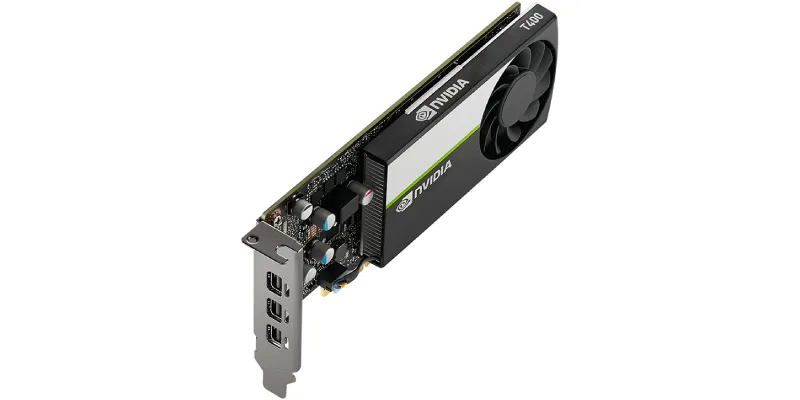
- Model: NVIDIA T400 4GB
- VRAM: 4 GB GDDR6
- CUDA: 384 cores
- VideoCardBenchmark: 3,812 points
- Video outputs: 3 Mini DisplayPort 1.4
- Second-hand price: €80
A modern, very low-power alternative: just 30 W, one slot and 4 GB of memory. On paper it's attractive for productivity and compact PCs, but at €80 it's hard to recommend over a P1000 at €50 unless you specifically need its features.
AMD Radeon Pro WX 4100
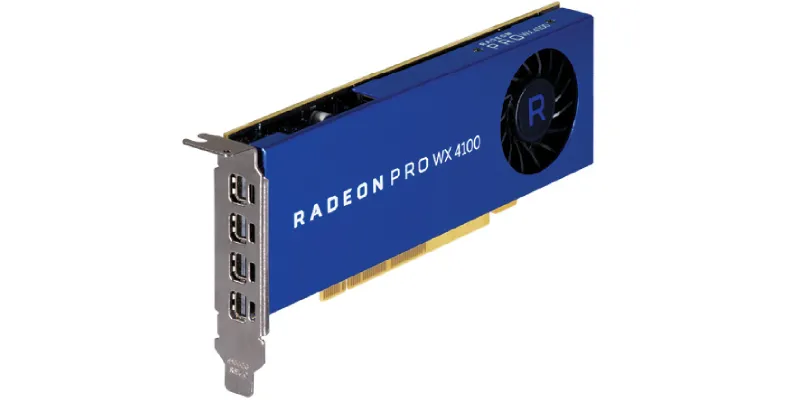
- Model: AMD Radeon Pro WX 4100
- VRAM: 4 GB GDDR5
- CUDA: No CUDA; uses 1,024 stream processors
- VideoCardBenchmark: 3,698 points
- Video outputs: 4 Mini DisplayPort 1.4
- Second-hand price: €100
It's a compact, single-slot professional card with good connectivity. It can be useful with certain OpenCL-compatible applications, but it doesn't offer CUDA. At €100, I struggle to justify it against the cheaper NVIDIA cards in this comparison.
NVIDIA T600
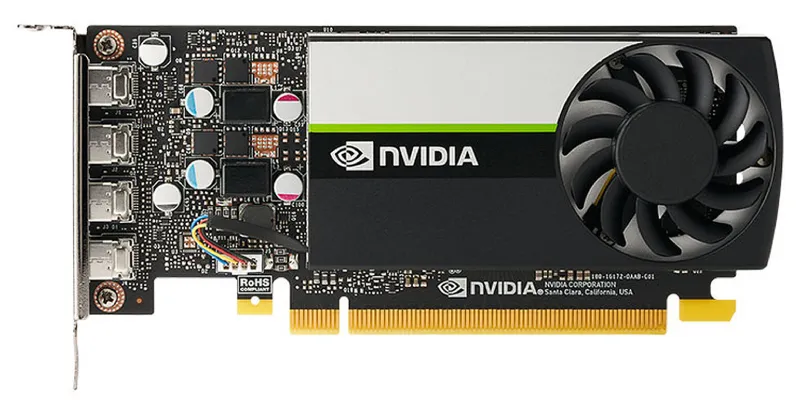
- Model: NVIDIA T600
- VRAM: 4 GB GDDR6
- CUDA: 640 cores
- VideoCardBenchmark: 6,376 points
- Video outputs: 4 Mini DisplayPort 1.4
- Second-hand price: €120
This really is an interesting professional option: 40 W, single-slot, four monitors and 160 GB/s of bandwidth. Its graphics performance is on a par with the GTX 1050 Ti, but it costs considerably more. It makes sense if you need that particular combination of power, low consumption and single-slot size.
AMD Radeon RX 6400 Low Profile
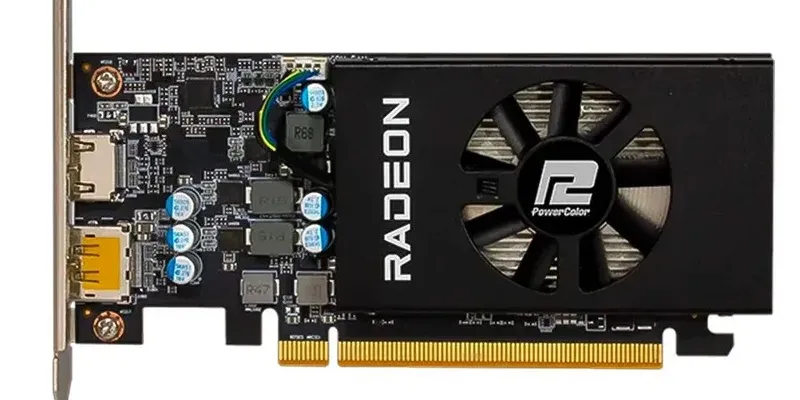
- Model: PowerColor Radeon RX 6400 Low Profile, as a reference
- VRAM: 4 GB GDDR6
- CUDA: No CUDA, as it's AMD; uses 768 stream processors
- VideoCardBenchmark: 7,755 points
- Video outputs: HDMI 2.1 and DisplayPort 1.4a
- Second-hand price: €140
It's the most powerful of these eleven according to PassMark, and single-slot low-profile versions exist. However, it uses PCIe 4.0 x4, something to bear in mind with older PCIe 3.0 PCs (you won't get its full performance). It also lacks hardware H.264/H.265 encoding, so I wouldn't choose it for video editing.
Besides, €140 is the upper limit of what I consider “cheap”.
Comparison table
These are the approximate second-hand prices I've used as a reference and their estimated PassMark G3D Mark scores.
| Graphics card | VRAM | Price | Max. power draw | G3D Mark | Performance/€ |
| Quadro P400 | 2 GB | €20 | 30 W | 1,666 | 83 |
| Quadro P600 | 2 GB | €25 | 40 W | 3,335 | 133 |
| GT 1030 GDDR5 | 2 GB | €20-30 | 30 W | 2,395 | 80-120 |
| Quadro P620 | 2 GB | €25-35 | 40 W | 3,723 | 106-149 |
| GTX 1050 LP | 2 GB | €40 | 75 W | 5,051 | 126 |
| Quadro P1000 | 4 GB | €50 | 47 W | 4,534 | 91 |
| GTX 1050 Ti LP | 4 GB | €50 | 75 W | 6,368 | 127 |
| NVIDIA T400 | 4 GB | €80 | 30 W | 3,602 | 45 |
| Radeon Pro WX 4100 | 4 GB | €100 | 50 W | 3,698 | 37 |
| NVIDIA T600 | 4 GB | €120 | 40 W | 6,379 | 53 |
| Radeon RX 6400 LP | 4 GB | €140 | 53 W | 7,755 | 55 |
Notes:
- Prices are second-hand reference figures.
- The scores are PassMark averages.
- Thickness also depends on the manufacturer: the GTX 1050 LP and 1050 Ti LP versions we're considering usually take up two slots, whereas single-slot RX 6400 models exist.
Now let's see how they perform in four different situations and which I'd pick for each.
1. Gaming: which gives you the most performance per euro
If we divide the VideoCardBenchmark score by the price, the Quadro P600 and P620 fare surprisingly well. A P620 for €25 offers nearly 149 points per euro.
But there's a gaming problem that PassMark doesn't capture very well: graphics memory..
I saw it myself with the regular 2 GB GTX 1050 and 4 GB GTX 1050 Ti. For example, in eFootball by Konami the difference in favour of the Ti was quite noticeable. In other games it was less obvious, but those extra 2 GB made the difference.
Verdict
That's why, if gaming were my priority, the GTX 1050 Ti LP for €50 would be my minimum choice, provided the PC has space for two slots and can power it. At sensible graphics settings, it performs impressively for the price.
The €40 GTX 1050 is interesting too, but for ten euros more I'd take the Ti without hesitation.
If my PC only had room for single-slot cards, I'd pick the Quadro P1000 for €50 over the T400, T600 or RX 6400 purely on price. If money isn't an issue, the RX 6400 is the best option here.
2. Image and video editing: Photoshop, Upscayl and Premiere
In Photoshop, the differences between these cards aren't as dramatic as you might expect.
Even the GT 1030, despite being the weakest I've tested, worked reasonably well. Some filters might have stuttered a bit more, but I wouldn't rule it out if you only do light Photoshop work.
The GTX 1050 Ti isn't just for gaming, of course. It performs very well in image and video editing, although the improvement over the less powerful Quadro cards isn't especially striking.
With Upscayl, when it comes to upscaling images with AI, on the other hand, I've noticed that memory and processing power matter. My 2 GB Quadro P620 works, but performs much worse than the 4 GB Quadro P1000..
Verdict
For Premiere, there's another essential factor: hardware video encoding. The GT 1030 doesn't have NVENC, and in my tests the difference in video rendering was considerable. The GTX 1050, 1050 Ti and Pascal Quadro cards can take advantage of it in compatible formats.
At €50, I'd choose the GTX 1050 Ti if it fits in the PC. If I need a single slot, I'd take the P1000.
3. Local AI and agents: VRAM rules
When running AI models on your own computer, three things matter: amount of VRAM, computing power and memory bandwidth..
VRAM determines how much of the model you can keep on the GPU. CUDA cores and memory speed affect how quickly it can process that data. If part of the model remains in RAM, PCIe transfers also come into play.
I've used the P620 to partially accelerate a 32-billion-parameter coding model. It works, but its 2 GB severely limit how much processing you can offload to the GPU.
Verdict
That's why I'd rule out 2 GB cards if local AI is your priority. Among the 4 GB options, the GTX 1050 Ti offers a compelling combination of price, CUDA and bandwidth..
For a PC limited to single slot, I'd choose the T600, unless the budget was really tight, in which case I'd stick with the P1000.
Important: if you use agents that call cloud-hosted models, the graphics card in your computer barely affects response speed. Here we're mainly talking about running local models.
4. HTPC: playing movies in every format
For an HTPC, my priorities change completely.
At a minimum, I'd want hardware decoding of 10-bit 4K H.265/HEVC and an HDR10-compatible output. The cards selected are candidates for this use, although you need to check the exact combination of drivers, player, connections and television.
Once that requirement is met, I want to spend as little as possible and keep power draw low. But there are two situations where the connections determine what you should buy.:
If you have an older soundbar or AV receiver that can't handle 4K HDR video, you may need one output to the television and another to the audio system to get multichannel sound.
Some GT 1030 cards have HDMI and DVI, while others have HDMI and DisplayPort. Don't buy one without checking the exact model and what video and audio it can carry.
And if you want productivity with two 4K monitors at 60 Hz, you also need two suitable outputs. Quadro cards with multiple Mini DisplayPort connectors have a considerable advantage here, although you might need adapters.
Verdict
A Quadro P400 with a €20 price and maximum 30 W power draw is already an attractive option for this. So is a GT 1030 GDDR5 for €20, especially if you can find a passively cooled model that will even let you play the odd game.
Important: bear in mind what I said above about video outputs.
Summary: which graphics card I'd buy for each use
| Your priority | My choice |
| Spend as little as possible on an SFF | Quadro P620, for €25–35 |
| Gaming, if two slots fit | GTX 1050 Ti LP, for €50 |
| Gaming with a single slot | RX 6400 if the price isn't an issue; otherwise Quadro P1000, for €50 |
| Photoshop, Premiere and Upscayl | GTX 1050 Ti, if the PC can accommodate it |
| Productivity or AI with a single slot | Quadro T600 |
| Budget HTPC | Quadro P400 or GT 1030 GDDR5, depending on connections and price |
Conclusion: what's the best cheap low-profile graphics card?
For €50, I think the GTX 1050 Ti Low Profile is the most well-rounded buy in this comparison. It has 4 GB of VRAM, enough power to game with adjusted settings, and works well for editing. But check the space, power supply and PCIe power capacity before buying it.
If your PC only has room for one slot, my favourite is the Quadro P1000. And if you want to spend as little as possible, the P620 is still an excellent option for €25.
The others can make sense in specific cases, but at current prices I find it hard to recommend a T400 or T600 over these alternatives unless it's for AI-related work.
Before jumping onto Wallapop, check your case and power supply carefully. Finding a bargain is great, but discovering it doesn't fit when it arrives at your door is no fun at all. None.
Frequently asked questions
What's the difference between low profile and single slot?
Low profile means a graphics card is shorter in height.Single slot means it only occupies one slot in thickness. A card can be low profile and still take up two slots.
Which cheap low-profile graphics card would I buy for gaming?
The 4 GB GTX 1050 Ti Low Profile for around €50, provided the PC has room for two slots and sufficient power.
Which graphics card would I choose for an SFF with only one slot?
The Quadro P1000 if the budget stretches to €50. For less money, the P620 at €25–35 is an interesting alternative.
What does a graphics card need to play 4K HDR movies?
10-bit HEVC decoding, an output compatible with 4K HDR and a correctly configured playback chain. Also check the connectors if you use an AV receiver or multiple displays.

Leave a Reply