
In a previous post I explained how to create an AI video for your business's social media.
There you can see the workflow we use at Yo pongo el hielo to create a complete video that we will publish on our social profiles and whose reach will be organic. In other words, those videos are not designed to be promoted.
They are not what we would normally call “video ads”.
But the fact that those videos were not ads does not mean you cannot create advertising videos for your business thanks to AI.
Ever since I attended Upscale Conf and saw what could already be done in audiovisual creation with AI, I have not stopped thinking about it. Or experimenting.
What I bring you in this article is the result of those tests.
And it is the fastest workflow I have found for making a video ad with AI.
Important: I said the workflow was the fastest, not the best.
There are optional steps that can improve the result. I will talk about them in a future article, once I have drilled this process enough to believe it can compete with traditional filming in the quality league.
Today, with AI, we are only competitive in the speed league.
Which is not bad either.
Right, this is the video I created and will use for the explanation.
Let's look at the full production process.
#1. Think and define
As with any project, the first thing is to know what we want to do: what the video's objective will be and what topic it will revolve around.
In the example, we have:
- The objective: the video will advertise my e-commerce business Yo pongo el hielo during the Christmas campaign and increase sales and brand awareness.
- The theme: in this case it is simple. At Christmas we get together with the people we love, and perhaps the greatest demonstration of that affection is the toasts.
As I said, in this case the idea was handed to us on a plate, but when we cannot think of a theme or are in a hurry, we ask ChatGPT for a few ideas.
Once we have one we like, we move on to the next step.
#2. The ad script
Again, we could write it ourselves, but even with experience it would take quite a while. Without experience, even longer.
So we open our beloved ChatGPT and tell it something like:
As an expert screenwriter, write a 30-second video ad script for an e-commerce business that sells all kinds of beverage brands. The ad is for a Christmas campaign, when people get together with family and friends, catch up, raise their glasses and share plenty of laughter and hugsOf course, edit whatever you need or think is appropriate.
In this case, the result was as follows:
Scene 1: Emotional opening
[Visual] A house lit with Christmas lights. A soft bell melody plays. We see a door opening as a group of friends and relatives hug one another when they arrive.
[Voice-over]:
"Christmas is the time to be together again, to share stories and laughter… and to toast the moments that bring us together."
Scene 2: The table is set
[Visual] The camera shows a decorated table filled with glasses, bottles of different drinks and laughter all around. Someone pours wine, another pours a sparkling drink, and a child raises a glass of soda.
[Voice-over]:
"In our online shop you will find all the brands you love. From the perfect toast to the flavour that brings memories back."
Scene 3: Moments of connection
[Visual]
- A father tells a joke while everyone else laughs.
- Two friends clink their glasses.
- A grandmother holds up her glass beside her grandson while everyone raises theirs.
[Voice-over]:
"Because every drink has a story, and this Christmas we want yours to be unforgettable."
Scene 4: Inspiring close
[Visual] The group toasts in unison with broad smiles. The e-commerce logo appears on screen beside a phrase.
[Voice-over]:
"This Christmas, raise a glass with us. [E-commerce name], where the best brands arrive straight at your table."
[Final screen]:
E-commerce logo + Tagline: "Your toast, our passion" + Website URL
[Audio]
Chimes and a cheerful Christmas jingle that ends with laughter and the sound of glasses clinking.
Is there any detail you would like to adjust or add?
At this point I ask for new versions or edit whatever I do not like.
I keep doing that until it sounds right in my head.
#3. The storyboard
This step will help us get a clearer idea of what our ad will look like.
So I tell ChatGPT something like this:
Now I need the storyboard with every shotAnd this is what I get:
Storyboard for the Advertising Spot: "Christmas, a Taste of Togetherness"
Shot 1: "The arrival"
Description: Medium shot. A family enters a house decorated for Christmas, hugging and laughing as they reunite.
Angle: Front-facing shot from chest height.
Duration: 3 seconds.
Details: Christmas lights can be seen twinkling in the background.
Shot 2: "Hugs and warmth"
Description: Close-up. Two smiling people embrace, capturing the emotion.
Angle: Static camera at face height.
Duration: 2 seconds.
Details: The background is blurred to highlight their expressions.
Shot 3: "The table is ready"
Description: Overhead shot. A table decorated with candles, glasses and several bottles of drinks.
Angle: Top-down view focused on the details of the bottles and glasses.
Duration: 3 seconds.
Details: The guests' hands begin to interact, pouring drinks.
Shot 4: "The group toast"
Description: Wide shot. All the guests are gathered around the table, raising their glasses.
Angle: The camera tilts slightly upward to create a dynamic, warm effect.
Duration: 4 seconds.
Details: The laughter is synchronized with the sound of glasses clinking.
Shot 5: "Personal moments"
- Shot 5A:
Description: Close-up of a father telling a joke, with the others laughing in the background.
Angle: Slightly from the side to capture the natural expression.
Duration: 2 seconds. - Shot 5B:
Description: Medium shot of two friends clinking glasses while laughing.
Angle: Central focus on the glasses.
Duration: 2 seconds. - Shot 5C:
Description: Detail shot of a grandmother raising a glass with her grandson, both smiling.
Angle: Close-up of the hands raising the glasses.
Duration: 2 seconds.
Shot 6: "The final toast"
Description: Wide shot. The entire group, seen from a slightly low angle, raises their glasses in a shared toast.
Angle: Slight low-angle shot to emphasize unity and joy.
Duration: 4 seconds.
Details: The soft lighting creates a warm, welcoming tone.
Shot 7: "Closing and branding"
Description: Detail shot. A glass is raised and remains in the centre of the frame while the e-commerce logo and the tagline "Your toast, our passion" appear.
Angle: Fixed focus on the glass; blurred background.
Duration: 4 seconds.
Details: The Christmas jingle ends as bells and laughter sound in the background.
Total duration: 30 seconds.
Would you like to visualize the storyboard with images, or do you need to adjust it before continuing?
Here I will tell you that you can treat it as a guide, because it will definitely change during editing. You will understand why later.
#4. The storyboard images
In my view, this is the key step in the entire process.
Depending on what I achieve here, my ad will be better or worse.
It is impossible to get a good video from a bad image. So it is worth spending the necessary time here, because it will save you a lot of time trying to “fix” the prompts we will use to generate the videos.
In most cases, the problem is the storyboard image.
So, when ChatGPT asks me that question in its last response, I say yes: I want to visualize the images.
And it gives me this:
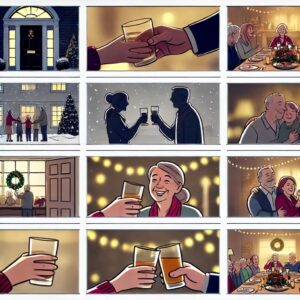
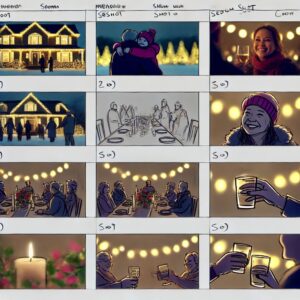
Which, honestly, is very poor and useless to me. So I ask it to give me the images separately:
Create the image for each shot separatelyAnd it will generate them one by one until we have them all:
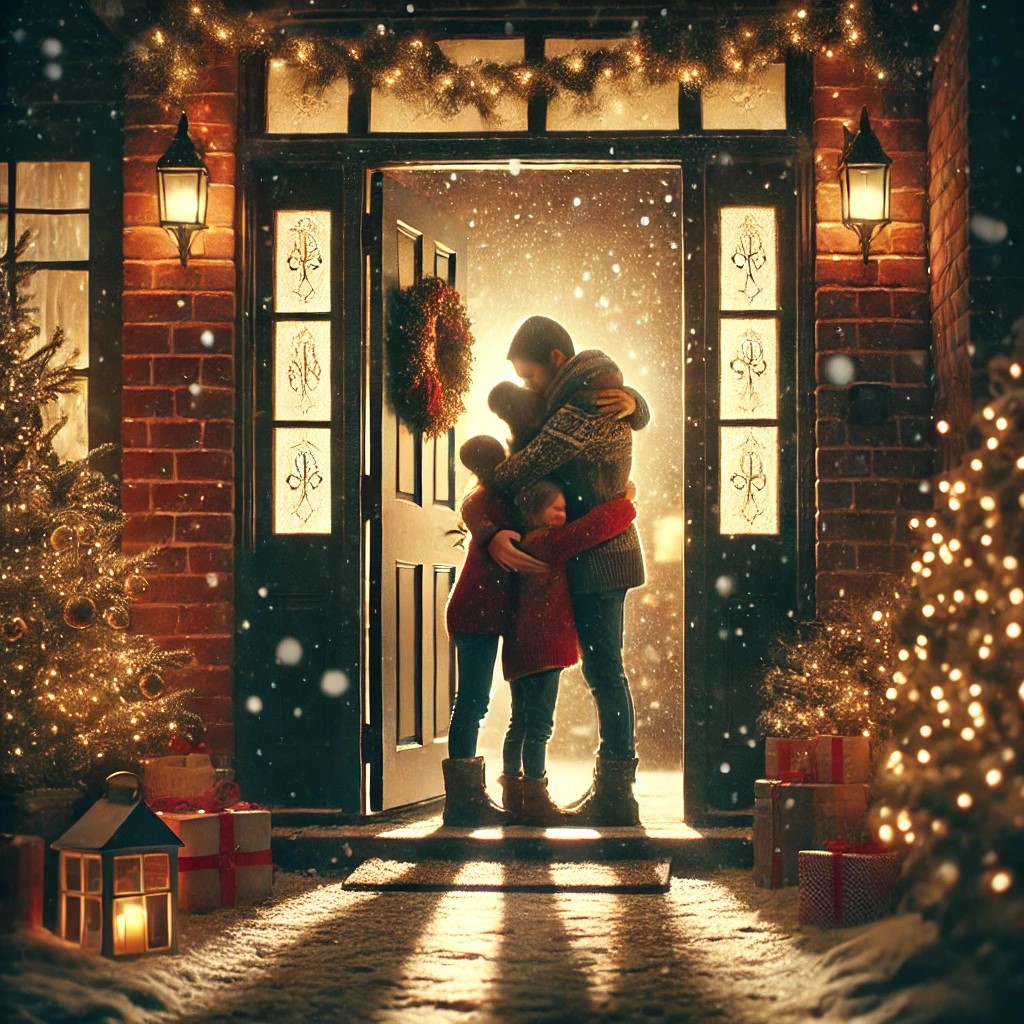

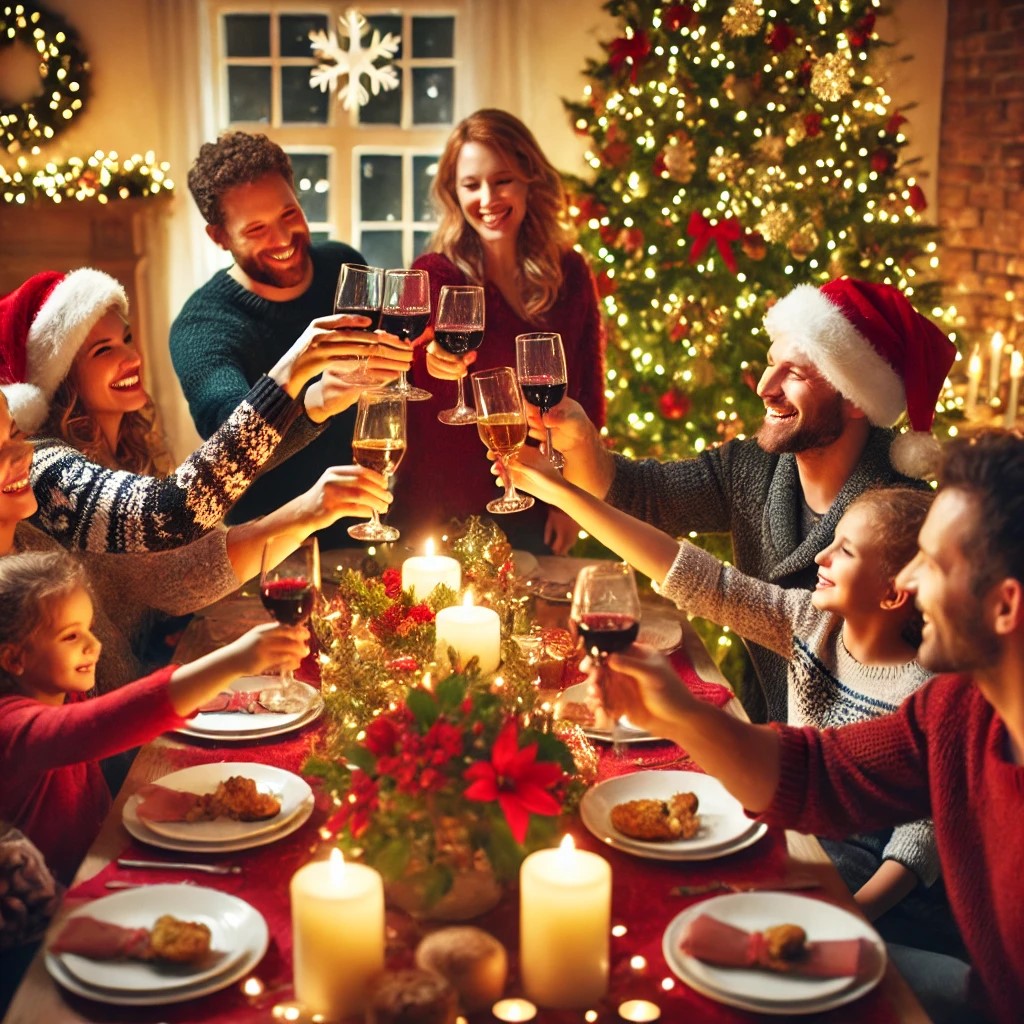



Right, once you have them, you will be able to get an idea of the story the ad is telling.
At this point you will notice whether a shot is missing, and you will have to ask for it.
I asked for these two because I felt the ad needed a little more of an introduction:
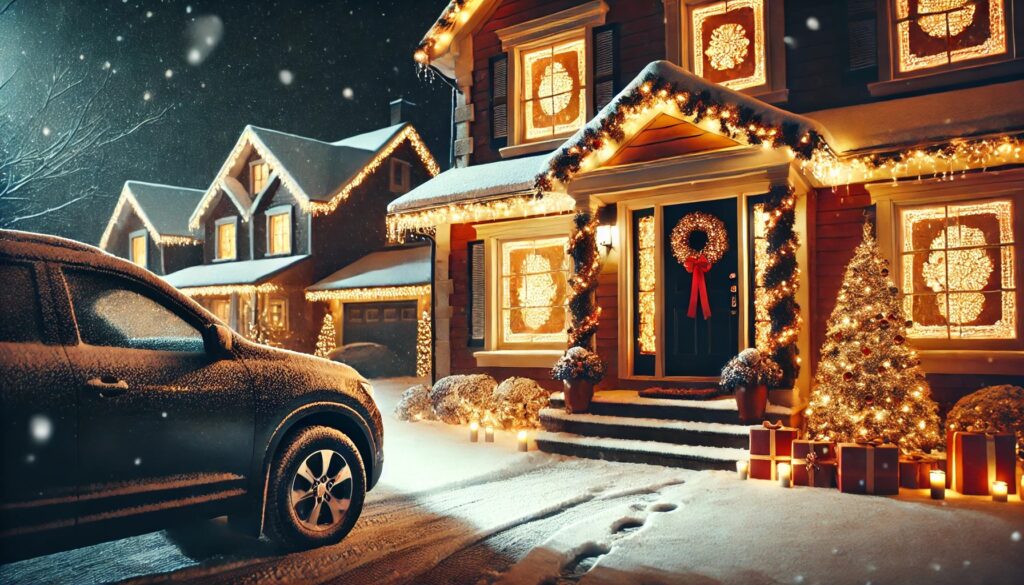
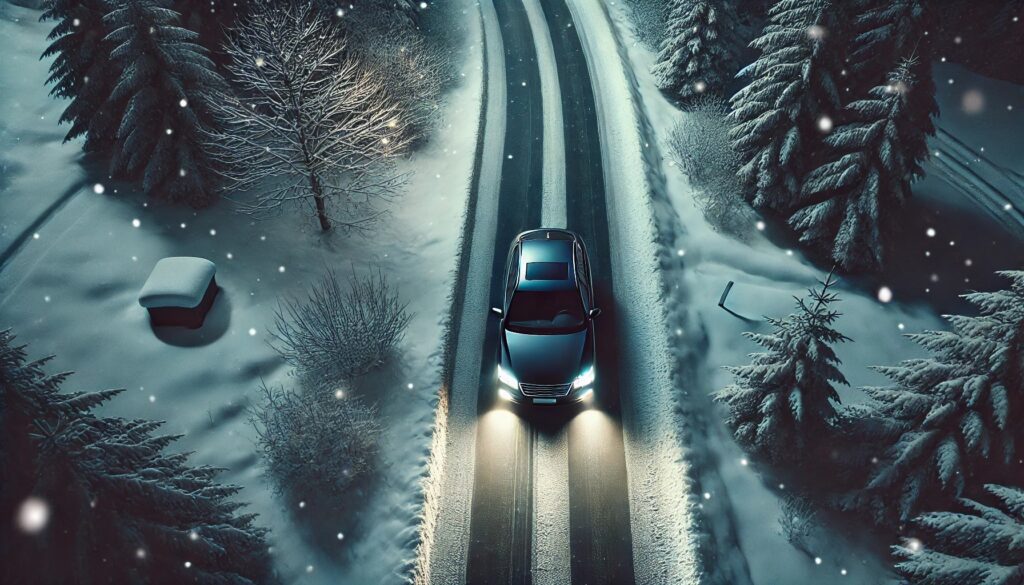
You can also tell it to change or retouch another one:
Remove the Christmas tree and presents from that shotOnce you are happy with all the material, we move on.
#5. Change the image format (optional)
At this point, depending on the channel the ad is intended for, I will need a square, widescreen or vertical video.
In my case, because I want a traditional ad, I ask for them in 16:9 format:
Can you give me the images in 16 / 9 format?This step may fail in ChatGPT. The poor thing struggles with it.
Try again until it gives you what you need. In the end you will have this:
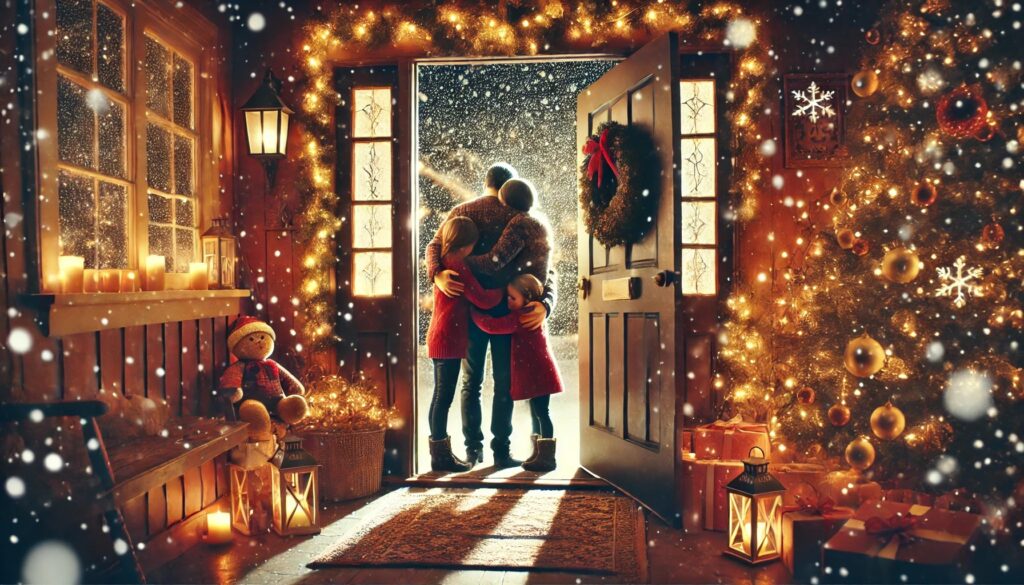

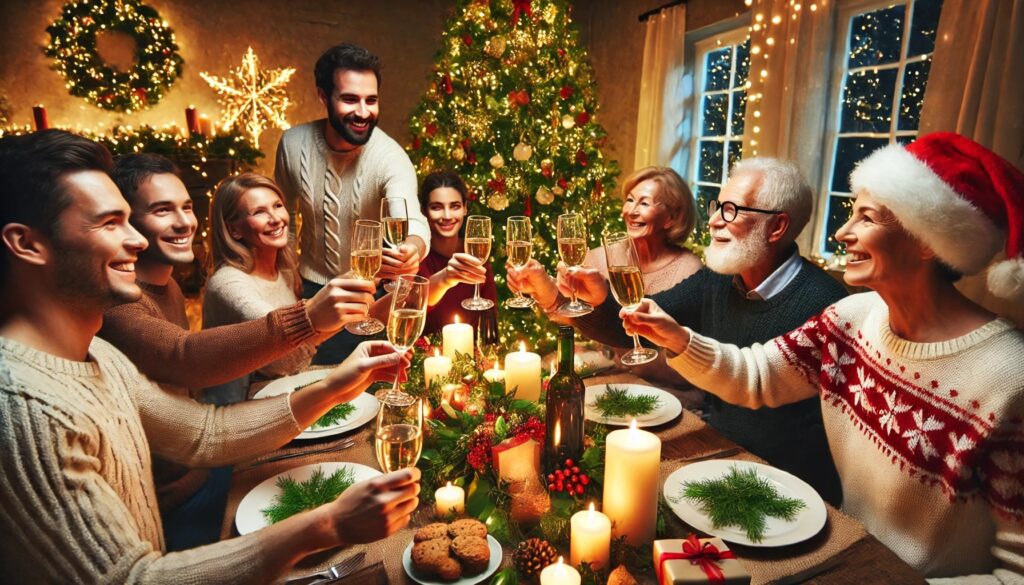



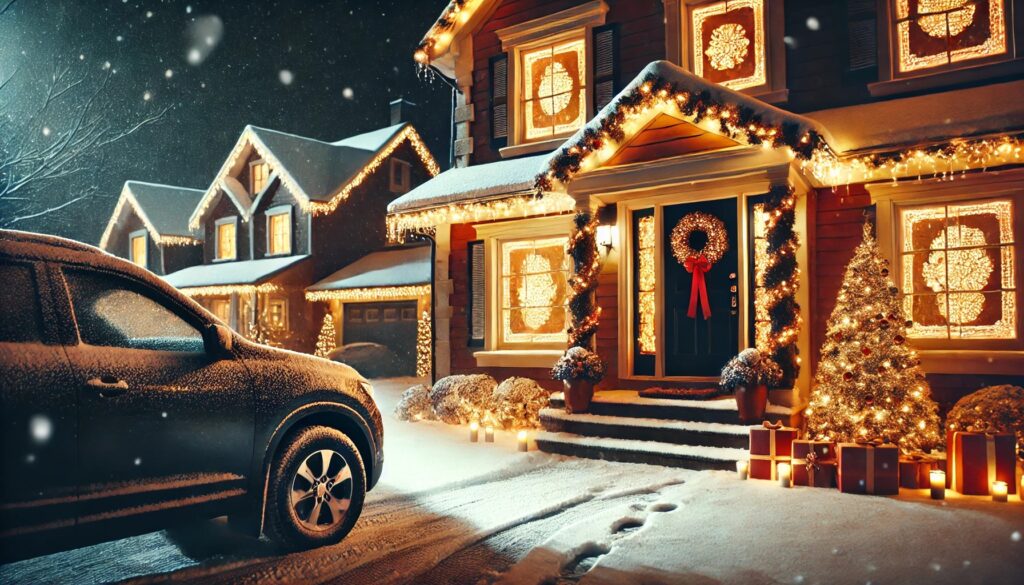
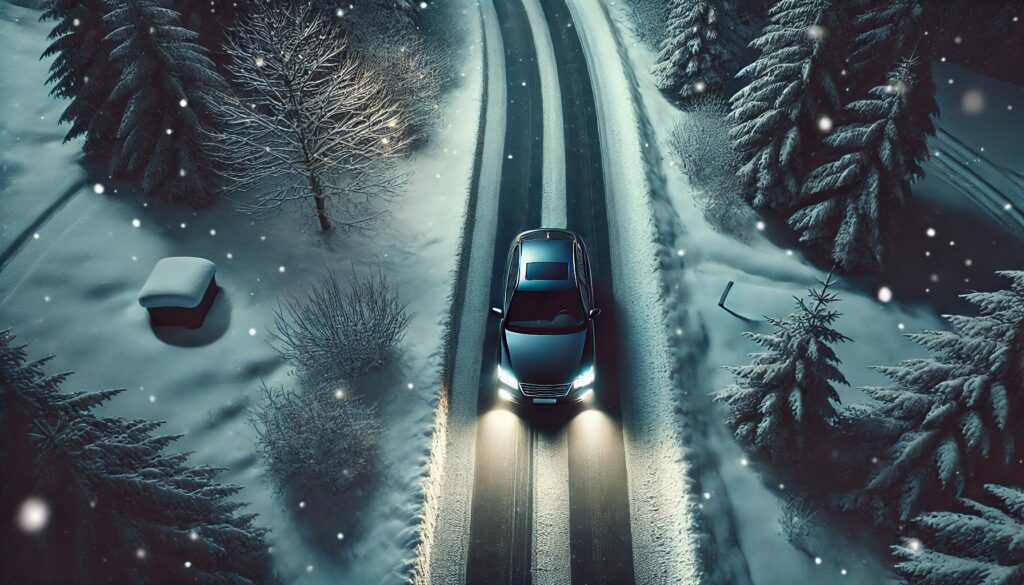
As I said before, the quality of the images will determine 80% of the video's final quality (the rest will come from the editing and audio).
In this example, I did not notice it, and look:
There is snow inside the house.
Impossible to remove later with the video prompt. Below I show you the final video clip generated from this image after many attempts.
That is why, repeat the process here until you get what you need.
Or…
#6. Retouch an image if necessary (optional)
Sometimes, however much you insist with different prompts, you may not get anything you like from what ChatGPT gave you in the previous step. There is no alternative but to retouch the image with whatever editing tool you use.
If you use Photoshop, be aware that versions earlier than 2023 do not open, by default, the image files . WEBP generated by ChatGPT.
To open them, you can do one of these two things:
- Install a plugin for Photoshop. Here is the link: https://helpx.adobe.com/es/photoshop/kb/support-webp-image-format.html
- Open the images with Paint. Yes, I am not joking: Paint does it (and Photoshop does not). Once you have one open, click “Save as” and choose .JPG or .PNG, whichever you need.
#7. Ask ChatGPT for the prompt for each image
I need to run more tests because, based on the ones I have done so far, I am not sure whether this step is compulsory or optional.
In other words, I am still not sure whether skipping it makes the video generated afterwards worse.
In any case, I did it for this video, so I will explain it.
The idea is for ChatGPT to produce a good prompt that accompanies the storyboard image when we upload it to Kling (in this case), Freepik or Runway so that it can generate the video clips.
To do that, I upload this image to ChatGPT:
And I tell it something like:
As a prompt expert, I need you to describe this image, which will be the basis for a video clip for Kling.AI. Give me the prompt in EnglishThe result:
Detailed description of the image for a video clip in Kling.AI:
- General setting:
A bird's-eye view of a dark-colored car (possibly black or dark gray) driving along a snow-covered road at night. The scene is enveloped in a serene, wintry atmosphere, highlighting the movement of the vehicle in a tranquil yet captivating natural environment. - Road and surroundings:
- The road is covered in compacted snow, with visible tire tracks indicating the car is in motion.
- Snow-laden trees line both sides of the road, with no lights or decorations, enhancing the feeling of a pure, untouched winter setting.
- Some tree branches slightly extend toward the road, adding depth to the composition.
- Car:
- The vehicle features a sleek, modern design with a roof that subtly reflects the dim glow of the snowy surroundings.
- The headlights are turned on, casting two defined beams of warm light that illuminate the snow ahead, emphasizing direction and motion.
- The car is perfectly centered in the frame, making it the primary focus of the scene.
- Ambient details:
- Snowflakes gently fall, visible in the air and on the road and trees, adding a sense of movement to the stillness of the environment.
- There are no human-made elements, such as traffic signs or buildings, creating a minimalist atmosphere focused on the interaction between the car and nature.
- Subtle shadows and soft reflections in the snow under the car's headlights add depth and texture to the scene.
- Overall feeling:
- The image conveys tranquility, introspection, and a hint of adventure, making it perfect for a video clip designed to showcase the sophistication of a product or experience, such as an advanced AI assistant or cutting-edge automotive technology.
- The bird's-eye perspective reinforces a sense of oversight and control, aligning seamlessly with Kling.AI’s messaging about providing guidance and assistance in any situation.
Would you like me to tailor this description further for a specific narrative or tone in the video?
#8. Generate the videos
In this case, as I said in the previous section, I am going to use Kling AI, but you can use whichever tool you prefer.
Unlike most of the previous steps, here having a paid plan is advisable, because, as well as avoiding the watermark, otherwise you would spend far longer waiting for the videos to be generated.
Process for generating the clips
We upload the image:

We enter the ChatGPT prompt:
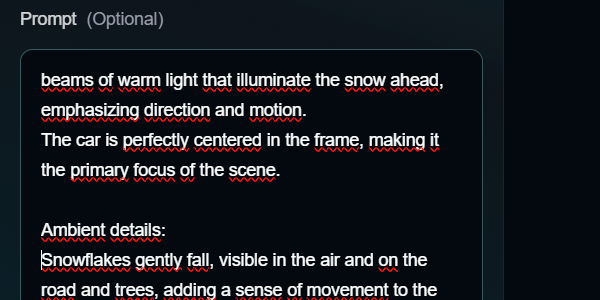
We choose the movement, either of certain objects:
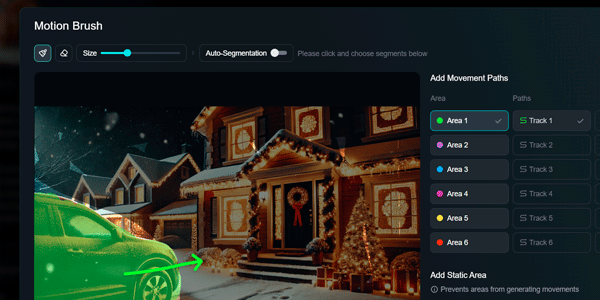
Or of the camera:
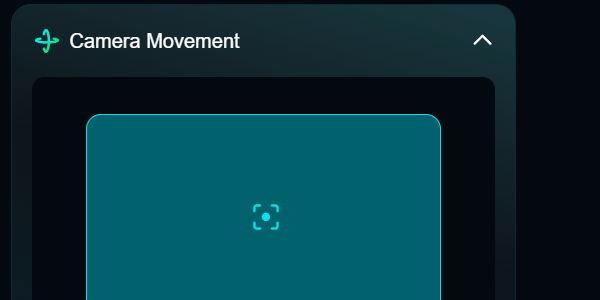
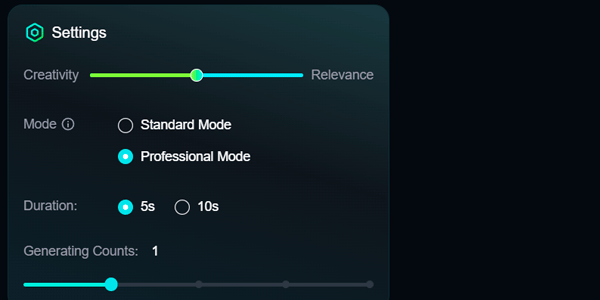
We configure the settings. I left the defaults for this video:
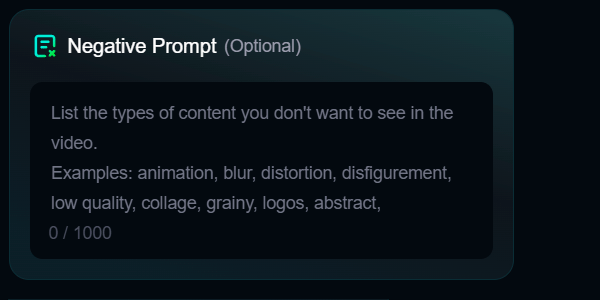
We add negative prompts if we think it is appropriate:
And we start generating the next shot while waiting for the video to be generated. This is important: do not wait for the first clip to be generated before starting the second one, but repeat the process I have just explained for every shot, one after another.
The videos will be generated gradually. That is when you will start editing and retouching whatever you do not like in each one, generating new videos.
Depending on the quality level we are aiming for, this will be the slowest step. Especially if you ignored me and the starting image is not good.
So, if you cannot get it right, redo the storyboard image. Otherwise, no amount of prompting in the video tool will ever remove the snow from inside the house:
#9. Edit the video
In CapCut, Premiere or wherever you like.
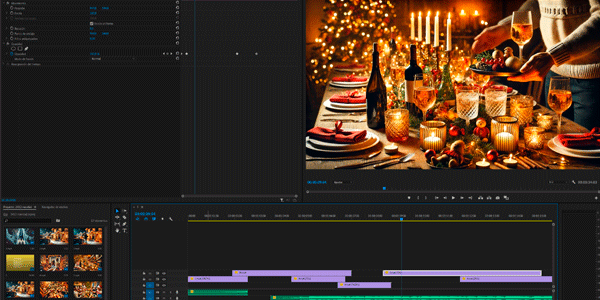
We analyse the rhythm of the shots. We also check whether anything is missing or unnecessary in the visual story before dealing with the audio.
Here are a couple of tips:
- You can follow ChatGPT's script timing for the shots or not, even if only as a guide, but the AI-generated video will also have an influence. Especially because we are talking about timings of seconds or half-seconds.
- You can try placing one shot immediately after the next, or you can try using short fades, as I did in the example video. Obviously, that takes a little more work.
#10. Add the voice-over
Although Freepik can also do it, I chose ElevenLabs.
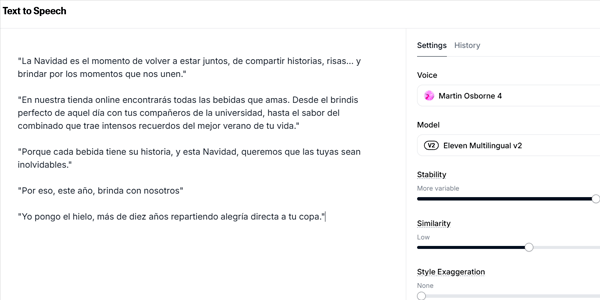
Here you will only need to:
- Copy the lines from the script generated by ChatGPT.
- Choose the voice-over language.
- Choose a voice that conveys what you want.
- Check that the voice-over does not exceed the video's duration. If it does, you need to edit it (the text now, and the audio later when assembling it).
- Export the voice-over.
Now we take the voice-over and put it into the editor, cutting and editing until it fits the images. This is important: voice and images have to go hand in hand, so you will need to extend video shots or space the lines out until everything “fits”.
This is another factor that determines the final quality of the ad.
Right, in some ads, once we reach this point and export, we will already have finished the process.
Optional steps
However, in other videos we may need to take three final steps, depending on what we want to achieve.
This final trio—especially the last step—is therefore completely optional.
#11. Add music (optional)
Although it is not essential, a large proportion of ads include some music, either throughout the whole spot or only at a specific point.
If you want to add it, you have two options:
- Find royalty-free music that fits (which is what I did). For example, on https://pixabay.com/
- Create it with AI. I tried, but it did not work for me. The best solution here is Suno, in case you want to try it.
Whichever route you take, you will have to add it to the video editor and fit it in, just as you did with the voice-over.
One thing: the voice-over is what matters (or should be). Do not let the music overlap it: lower the volume so that it accompanies the piece rather than becoming the star.
#12. Add sound effects (optional)
In the same way as with the music, we can add sound effects.
I added two to the video:
- The sound of the car driving in shot 1.
- The sound of the car stopping in shot 2.
In both cases, I got them from Pixabay's free sounds section.
#13. Add subtitles (optional)
Although I personally do not like them in an advertising spot, I am seeing a clear trend on social media towards subtitling everything, because people often use their phones with the sound off.
If you want to add subtitles, all you need to do is open CapCut and do it:

Once it has generated them, we format them:
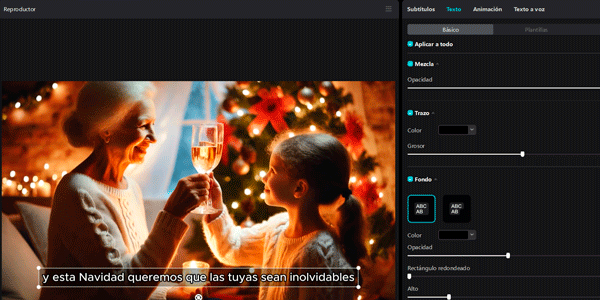
A tip: yes, there are some very “cool?” subtitle effects, but all they do is distract from the ad, which is what matters. That is why I recommend restraint in the style.
We export the creation and now our video is completely finished.
Cost: in money and time
It sounds like a joke, but producing this video cost less than €3 in production.
This cost comes from multiplying the credits spent making it in Kling AI by the price of each credit in the plan we have.
As for time, the entire process took me just under 4 hours.
Considering that I was lightly documenting each step as I went, I think something similar could be achieved in 2–3 hours with a little more practice and repetition.
It is the fastest workflow I have tried
The final result clearly has several areas for improvement. I have identified a couple that I want to test, to see whether I can achieve fully professional results with today's general-purpose AI tools (not trained or custom-built).
But that will have to wait for another article.
Or a course—we will see 😉
Conclusions
As I said, I am clear that the quality level of the video created is not acceptable for many brands right now.
And it probably will not be acceptable for any of them in less than a year.
That is how quickly this is moving.
Even so, I think that today being able to produce a video like this in under 4 hours for a cost of €3, for me—and for the vast majority of SMEs in this country—was science fiction only a few months ago.
And now we have reached the point where achieving it requires a little science and a little fiction, but separately.
I encourage you to try the process.
To create your own audiovisual content.
To learn.
So the AI train does not run you over. Especially if the internet train already caught you out back in the day.
That is why I am leaving you a few more resources that can help you learn:
- Articles on how to do things with Artificial Intelligence.
- Articles about video in digital businesses.
- Subscription to my newsletter so you receive an email every Thursday with that week's new article.

Leave a Reply