
On November 19 and 20, 2024, Málaga hosted Upscale Conf 2024, one of the most powerful AI-related events I can remember anywhere in the world.
That was to be expected, given the speakers and where they came from (Freepik, Google, Microsoft, GitHub, ElevenLabs, Magnific AI, Founderz…).
Besides seeing some familiar faces from Málaga’s technological top tier, the event helped me meet new people. After all, you do not often get the chance to chat with a Business Insider journalist, one of my favorite daily newsletters.
It also helped me with something else: see the current state of AI and understand the global impact it is ALREADY having on the creative industries.
And that is exactly what this post is about: giving you an overview of the event’s talks and clarifying where we already stand. I can tell you now that we are further along than I expected before the conference.
Before getting into the substance, though, I have to say I was pleasantly surprised by the facilities at SOHRLIN Andalucía, very close to another cool event venue, La Térmica, which is older and better known.
You can tell Antonio Banderas is behind the project, because the audiovisual standards and comfort of the facilities were extremely high.
The more than 500 people who attended the event were very comfortable, and I would say we filled only half the venue.
Right, introductions over, let’s get to the good stuff: I am going to go through every talk one by one and tell you what I took away from each of them.
Martin LeBlanc – Freepik
We started strong.
Of all the talks, this was the one I liked most.
I took notes like a maniac and never stopped taking photos and videos.
Why?
Because Martin, Freepik’s head of product, explained just how far AI can go and assembled all the material needed around an imaginary renewable-energy project called Solar Nomad.
When I say everything, I mean:
#1. Web design
Following this workflow:
- Sketch to Image (perfect for getting started when we already have something in mind).
- Reimagine (versions that change a specific element).
- Expand (extend the margins).
- Retouch (touch up specific details, like Photoshop but made easy).
- Scale (increase resolution and fix hands in the process).
Martin showed how to create a landing page—with its hero banner and copy—for the project in minutes.
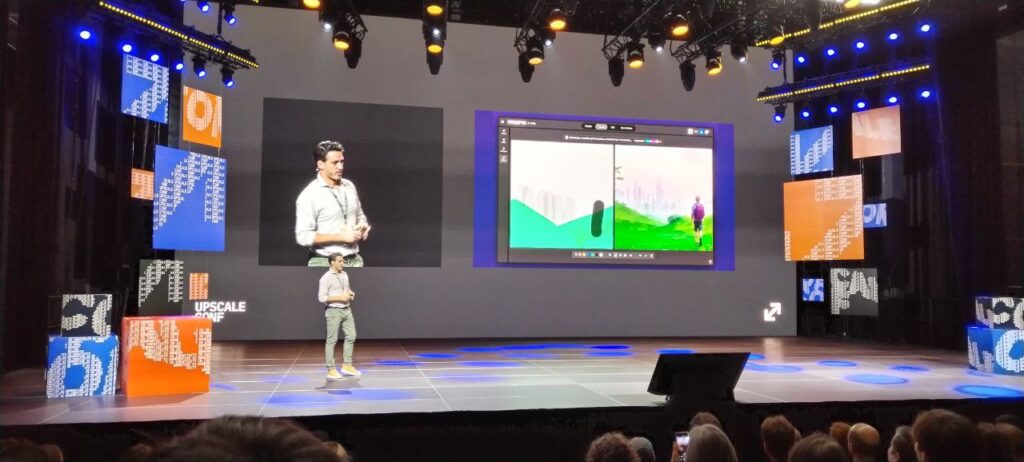
Obviously, all the tools listed above—the ones he used in the demonstration—belong to Freepik, in case you were wondering.
But if you prefer to use other tools, the process would be the same.
That was good, but it was nothing compared with what came next…
#2. Video advertisement
This was the point when the jaws of everyone watching the demo hit the floor. This was the final result, generated entirely with AI:
To get there, Martin followed this workflow:
Storyboard
AI does not do this (at least Freepik’s AI does not… yet).
We provide it ourselves. And yes, you can of course use ChatGPT to help build it.
LoRAs
What Freepik’s AI does do is maintain consistency throughout the different clips you need:
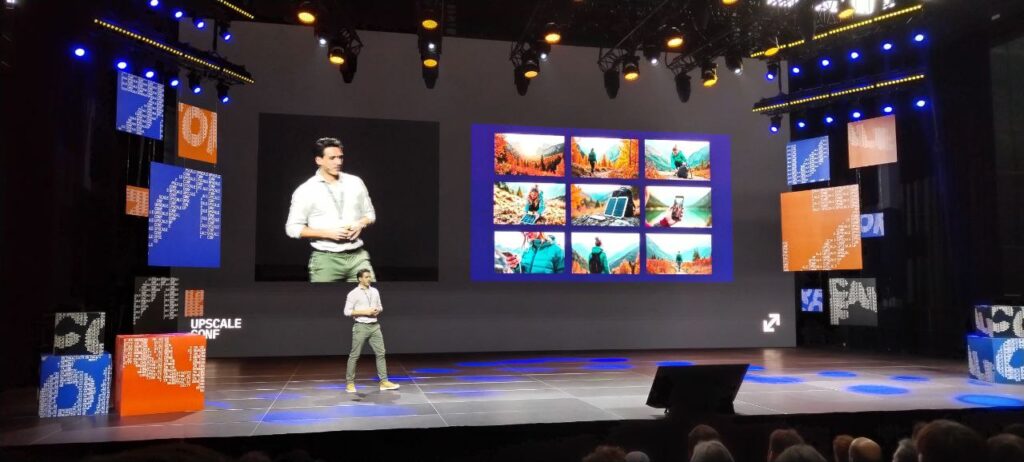
For a video—an advertisement or anything else—to work, keeping the same person or character throughout is essential.
To achieve that, the process is:
- We create or upload different images of the same person
- We write prompts for different situations.
- The result is one image for each clip, all of them consistent.
- Finally, we assemble everything in any video editor. For now, AI does not do this.
Right, there is still one more little tip.
And it is crucial.
Image to Video
Besides helping you enter and improve the tool’s prompts, one of the keys to generating high-quality video is uploading high-quality images.
In other words, images with good resolution.
To do that, we upscale the image before generating the video. That is one of the reasons they bought Magnific.AI back in the day 😉
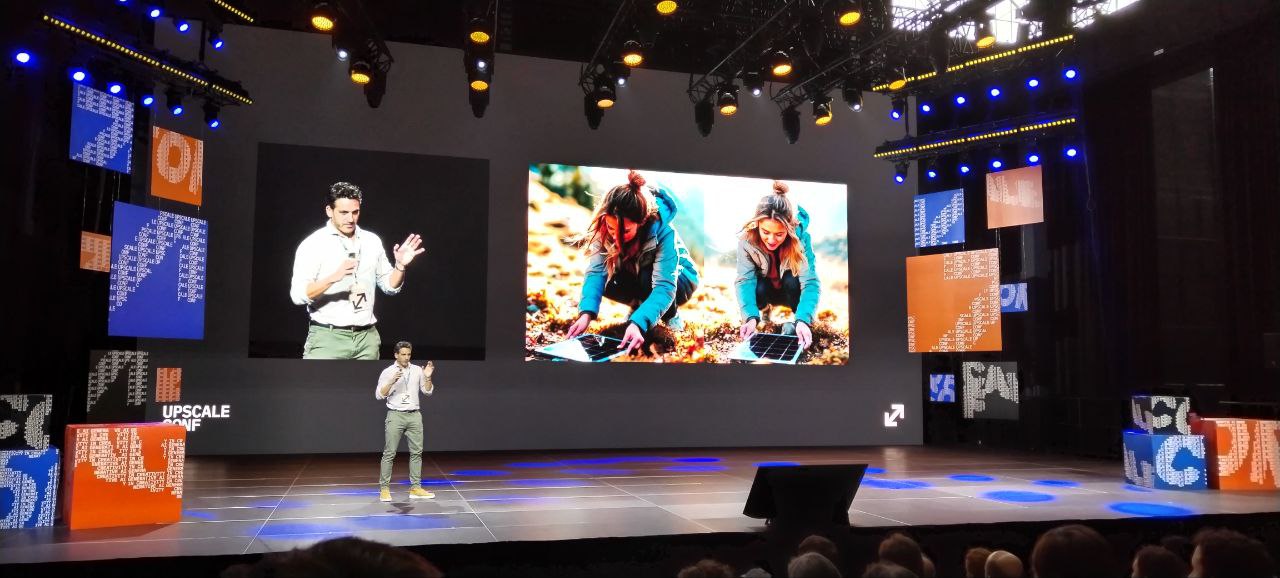
Although you cannot see it in the still image, the difference in quality between the videos generated from one image and the other is obvious.
Audio for the video
At this point there are two parts:
- The voice-over.
- The background music.
Freepik has tools for both:
Freepik Tunes
To generate the voice, all we have to do is upload the text and choose the voice that fits best.
If you have used ElevenLabs, you will know the process.
Video Match
Once the voice-over is ready, it is time to add the background music.
To do that, I upload the video and the tool gives me different options for music and also integrates the voice.
The result is simply spectacular.
Time and resources required
Martin told us the entire advertisement took him 10 hours.
And all of that was done by one person..
I do not know whether you have ever taken part in an outdoor shoot, but I can tell you it is anything but quick, and just setting up and taking down the equipment eats up a fair amount of time.
And that is only the final stage: before it, you have to find and secure locations and cast the actors.
The result is astonishing and gives SMEs the ability to produce advertisements with quality similar to major brands.
I have not estimated the cost in euros of the Freepik tools needed to do all this, but I expect it to be roughly between 100 and 1,000 times lower than shooting an advertisement the “normal” way.
I repeat: between 100 and 1,000 times cheaper than one of the ads you have to sit through before any film on Prime Video.
Now that I have finished summarizing this talk—the one that impressed me most at the conference and therefore the one I wanted to explain in detail—I will summarize the rest of the event by focusing on the key points from each session.
Nick Coronges – R/GA
Nick showed us examples of how technology forces companies to pivot. Just ask Freepik, which had to transform in record time from an image marketplace into an AI platform.
He also focused on how to use AI for brands. We need to rethink our creative pipeline.
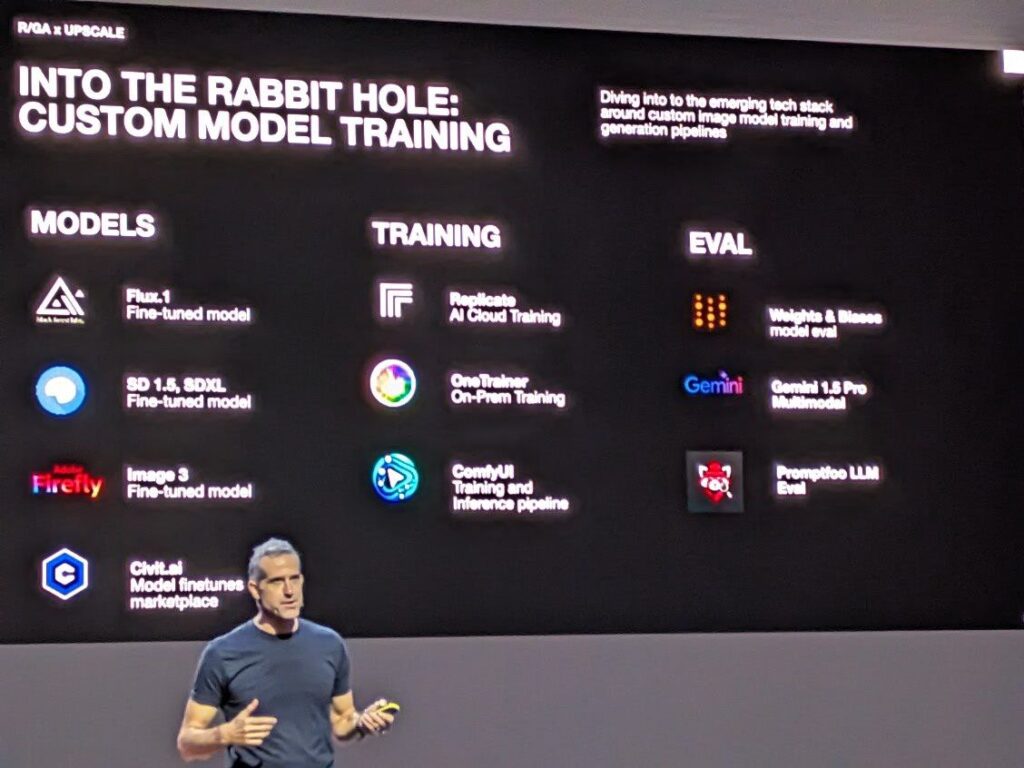
Thanks to AI, we can currently keep doing what we already do, only better.
But Nick suggests turning that approach around and thinking about what AI lets us do that we could not do before.
He used as an example the Android rebranding the agency carried out this year, and how AI helped them build endless variations of the robot after training the model.
This illustrates what he considers a brand agency that is AI-native..
Hugo Barbera – HumAInmade
Hugo is a creative.
You can tell from the very first minute. He tells us about his experience with AI, which did not begin yesterday: he has been working with it for several years. It shows in his creations:
Moreover, in the luxury market—the focus of his agency—his futuristic creations, for want of a better term, always tell a story. That is the key to their success.
Here are a couple of examples:
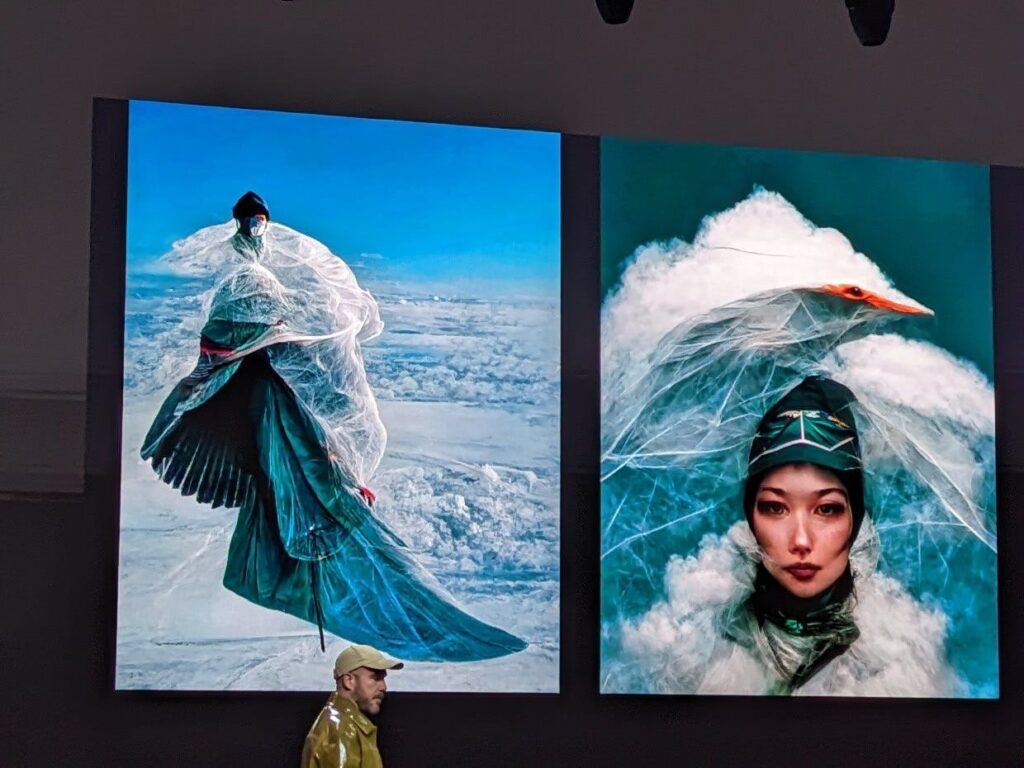
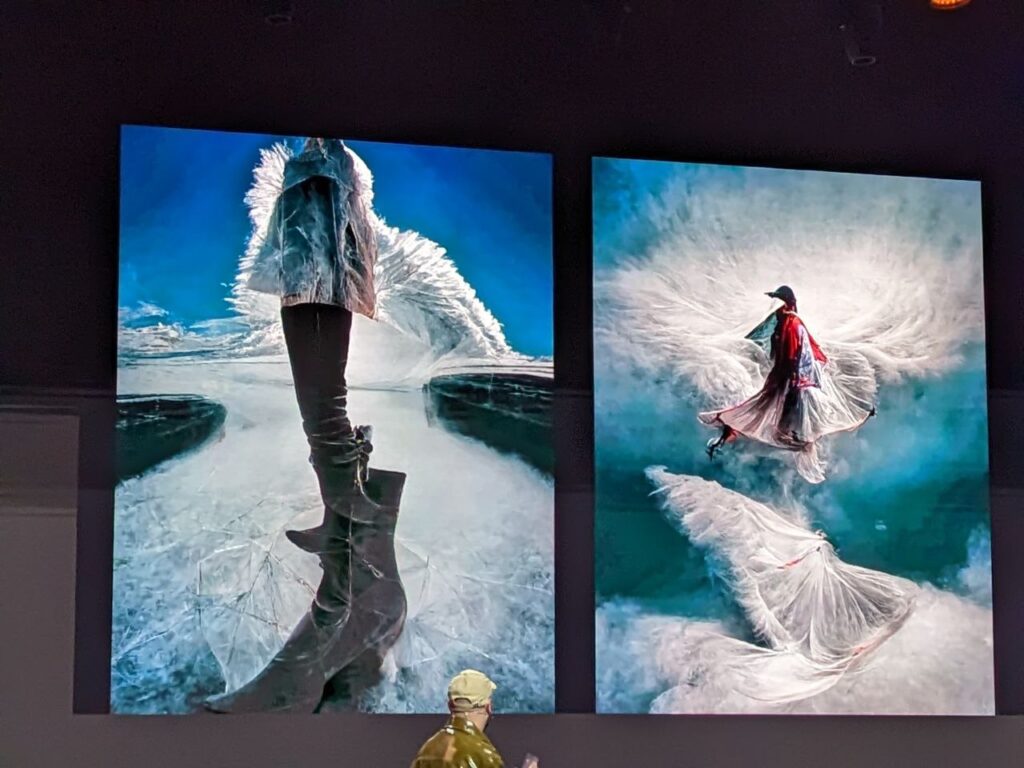
Personally, they strongly reminded me of or evoked the comics in Métal Hurlant that I read almost 30 years ago—and which have fortunately come back to life thanks to Kickstarter, but that is another story.
Laia Grassi
Laia’s talk was packed with substance.
To begin with, she highlighted the huge number of areas affected by the arrival of AI, far more than it may seem at first glance.
Naturally, she brought out figures for the estimated jobs in 2025 connected with AI, in both directions, and they were staggering:
- 97 million new jobs.
- 85 million jobs replaced by AI.
- A positive net balance of 12 million jobs.
And that is in 2025 alone.
Think about which side you want to be on… and act.
Once the context was established, she began explaining the differences between how creativity is managed in the human mind and how AI handles it.
She also showed us a couple of real campaigns that use AI.
The first was designed to recreate a photo shoot in idyllic settings for a company that could not afford the cost of doing it for real:
It is similar to what I told you about the advertisement in the first talk, but applied to a photo session.
Her other example involved advertisements for an e-commerce business, in which the product is mixed with objects generated by artificial intelligence—sorry about the video quality, but I had to zoom in:
And to sign off, she used a great quote that I believe was by Steve Jobs:
“Creativity is the ability to see connections where others do not, to break established patterns and generate new solutions.”
Pau García Mila – Founderz
Pau gave a very entertaining talk, full of constant jokes but also packed with substance.
We got to see live and in person the myth of creating a startup in 15 minutes —timed—with AI.
This was the workflow:
- He asked Copilot to start with the startup’s business plan.
- Then he requested a breakdown of the financial plan in tables.
- The social media copy.
- The videos—perhaps the least successful part, but he had only 15 minutes for everything.
- An investor presentation.
- And a landing page
The point was not to create a startup that worked on the first try, but to help us understand how quickly one can be built.
And to show us that AI lets us fail “faster and cheaper”, which means we can launch many—very many—ideas in almost no time and test them to see which ones might work, then move forward with those.
It is the same methodology used by early-stage startup investors, but applied to creating the startup itself.
If you are restless and curious, the idea is very, very appealing…
Besides giving his talk, Pau also moderated the competition for AI-based startups held at the event.
Four had been selected:
- Journo: AI content for journalists, for SEO, social media…
- Brandfy: create an entire brand with AI.
- ConsistentCharacter: visual storytelling.
- PiktID: create models for photo shoots.
The winner was the last one, in case you feel like taking a look.
George Eid – AREA 17
Getting a little more metaphysical, George used examples to explain why stories work and the rules that successful ones follow.
In the case of AI, we can associate it with power and magic.
Justin Hackney – ElevenLabs
Honestly, as a fan of the tool, I had very high expectations for this talk. But the truth is that it can be summed up in one sentence:
“The stories we tell shape our reality”.
Nerea Luis
Nerea had the difficult job of keeping us awake and alert after lunch. She managed it.
She focused on the four use cases in which AI can help us communicate faster and more intelligently. For her, they are:
- UX personalization.
- Copywriting and sales content.
- Testing conversational interfaces (chatbots and QA).
- Prototyping and conceptualization.
She used the example of Netflix: how algorithms have redefined the way we use video apps, meaning that we barely use search—even though the odd geek like me still does from time to time.
She also recommended giving NotebookLM a chance, because she sees it as the next step after ChatGPT: it offers greater content traceability through “bubbles”, a kind of tooltip that shows more information when you hover over it.
Round table, moderator: Andrés Torrubia – Medbravo
Next came a round table exploring the current state of AI-generated video.
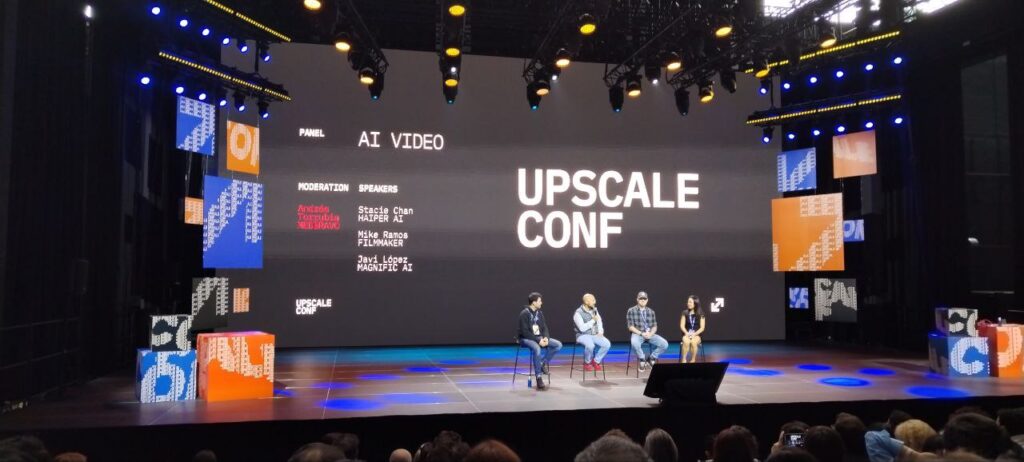
These were the key points contributed by each speaker:
- Stacie Chan: referring to the eight seconds of video her application can create, she said that limitations are good for creativity, because they force us to think things through more carefully. I could not agree more, at least up to a point. You only have to watch the “extended versions” or “director’s cut” of any Ridley Scott film to see how much he benefits from having a producer clip his wings.
- Mike Ramos: this audiovisual producer said that we need to be aware of the limitations and change the way we think and create before using a tool. You may not be able to do the same things as before, but you can explore new possibilities.
- Javi López: finally, the cofounder of Magnific.AI said that when creating video with AI he devotes a great deal of time to research and testing until he produces something decent. He also identified consistency as the key factor in using AI to create videos longer than a few seconds—or even several minutes. Without consistency, it is impossible.
Elizabeth Laraki – Formerly at Google
She began by showing how we can learn prompting:
- Trial and error.
- By examining the feedback the tools provide.
- Prompts shared by other users in forums and portals (“try this…”).
- Reverse prompting: on AI platforms such as image-generation tools, where we can see the prompt that generated an image and use it to replicate the result.
By doing this, she arrived at the order of elements in a prompt for creating professional images, which is:
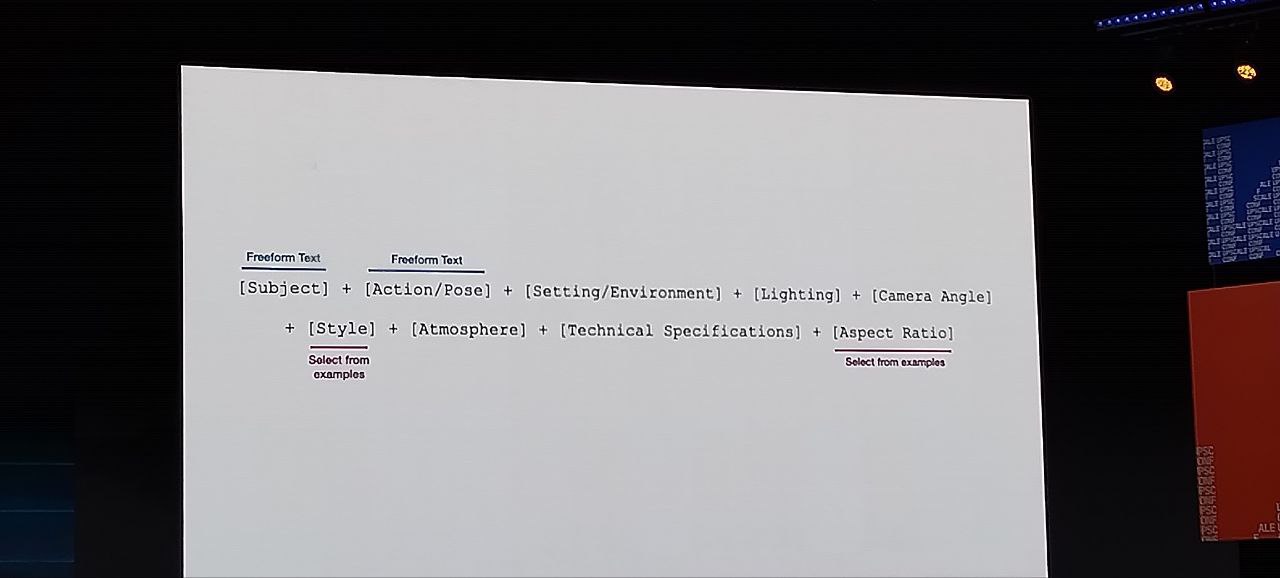
Here it is as text:
[Subject] + [Action/Pose] + [Setting/Environment] + [Lighting] + [Camera Angle] + [Style] + [Atmosphere] + [Technical Specifications] + [Aspect Ratio]I do not know whether you were familiar with this structure—I was not—so I am saving it to try right away.
David Jensenius – GitHub
Finally, I never quite got the point of the talk. There were a few cool examples, but not much that seemed applicable to real projects.
Or perhaps I failed to appreciate it, partly because of what I am about to tell you.
Conclusions
And that was Upscale Conf 2024.
Or rather, that was what I managed to attend before a killer cold sent me home and left me in bed for two full days.
This means that, although I could not attend the second day’s talks, I think the sessions mentioned here give you a very good idea of where we currently stand with AI creation and where things are likely to go next.
As an anecdote—which also serves as a conclusion—I watched the talks with the director of Málaga’s largest communications and advertising agency. He was looking at what was coming with a mixture of delight and concern in his eyes..
A word to the wise is enough.
And understandably so, given what is heading toward all of us.
Now that the article is over, let me ask you: do you like AI? Then here are more articles about Artificial Intelligence.
After reading them, if you want to receive one every Thursday by email—about AI and digital business— subscribe here..

Leave a Reply