
The truth is, I thought so; that I could hold out for a few months until Dell released its 4K monitor for under 1,000 euros but only two weeks later I’ve already realised I can’t.
Let me set the scene: a couple of years ago — almost three, actually — I bought a semi-professional NEC monitor for graphic and web design. A good monitor with 100% sRGB coverage and 75% of the AdobeRGB space for a price that did not even reach 400 euros. The truth is that I noticed the change, as I went from a 21-inch LG LCD with a TN panel to a 23.6-inch NEC IPS with a matte screen.
Since then I have been very happy with it and it has always performed perfectly (0 dead pixels to date), but of course my situation is not the same as it was then. Right now I do not do many print jobs; my work is centred on design and web analytics tasks that in many cases require a multi-screen setup almost imperatively.
Let me give you a fairly typical example: a client sends me by email the text for a section of their website in Spanish, English and Russian so I can replace the current text on their site. The process would then be something like:
- I copy the paragraph from the email
- I run it through here to convert the HTML entities
- I move it to the text editor to insert it into the code, adding links, bold text, classes, etc.
- I preview it in the browser locally
- I upload it to the FTP
- I check that it also displays correctly in production
And I would repeat this process as many times as necessary until finishing the text.
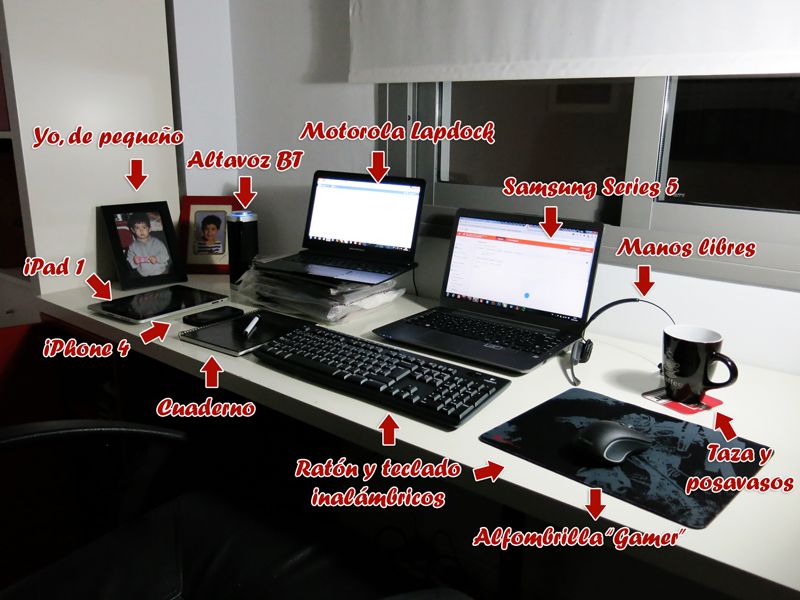
Well then, doing this with a single monitor is quite slow, despite having tools like this one that let you split the screen with keyboard shortcuts, so I started working with two monitors, using the NEC and my old LG as a second screen. This option lasted me a while (about 6 months), but I never quite got used to having a 21 next to a 24; it felt like too much screen width and I found it rather tiring to turn my neck towards the second monitor, so I replaced the LG with a Lapdock from Motorola Atrix (the screen + keyboard that can be added to that company’s Atrix phone), a more restrained option (13.3 inches and 1366 x 768 resolution).
I had been using this option for about a year and was fairly comfortable with it, but between my brother looking for a complete new computer (monitor included), the lapdock screen quality being rather improvable (and on top of that I have not managed to calibrate it with my calibrator) and 4K monitors becoming a real alternative lurking nearby, I started considering changing monitor and looking at new models. And I came across the 21:9 format ones, which I did not know existed as PC monitors, although as TVs they had always caught my attention (I am a huge film lover and this format seems to me the best for enjoying a real home cinema).
As I mentioned at the start of the post, my idea was to wait until an affordable monitor came out (under 1,000 euros) in 21:9 format and with 4K resolution, but after a week working with a single screen — the lapdock’s — I started needing two, so I have been using the laptop by connecting the second screen to it. Obviously, I expected the laptop’s performance not to match that of "the beast" I have as a desktop (the laptop’s dual-core i5 at 1.9 GHz, modest nVidia graphics and 8 GB of RAM versus the other machine’s AMD FX-8150 with 8 cores at 3.6 GHz, nVidia GTX 650 and 16 GB of RAM), but the truth is that the difference is far too noticeable.
And here we get into the question of how much we value our time: is itworth waiting a few months while doing work 20% more slowly and buying a monitor that meets all my expectations and that will — possibly — last me 5 years or is it better to buy this ASUS right now for 450 euros which, although it does not have the resolution I am looking for, is not exactly a low resolution either (2560×1080), and which I will not mind replacing in 2–3 years?
For me the answer was clear… And Amazon will be happy with me ; )

Leave a Reply