
You may have seen something like this in your Analytics lately:
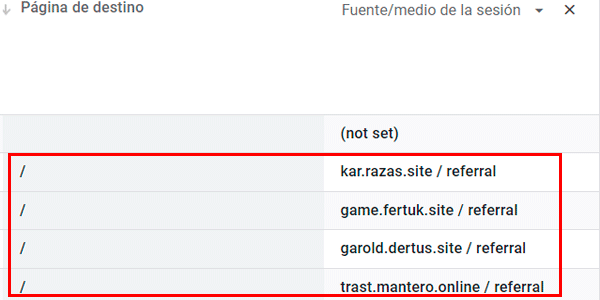
A series of unknown traffic sources accessing your site's homepage.
And their metrics tend to look this miserable:
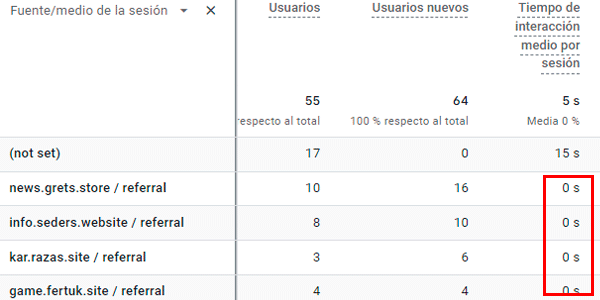
And you may not be quite sure what is causing it.
Well, I’m going to explain it.
What referral spam is
These sources are, quite simply, referral spam making a comeback (if it ever really went away).
Actually, it is a little different from what happened in Universal Analytics, because here this is traffic that DOES enter your website and does not manipulate the measurement protocol. Or at least it fakes it well, firing events such as scroll and using different resolutions (some that belong to bots, admittedly).
But the objective is the same: mess with your data. I guess the hope is that curiosity will make you poke around, so they can drop affiliate cookies on you in the best case and malware in the worst.
The point is, you do not want any of that there. It is data that is not useful to you—quite the opposite. So the best thing is to filter it out.
How to filter referral spam in GA4
Well, the easiest method is the one I’m about to show you:
#1. Add filter
You do that by clicking here:
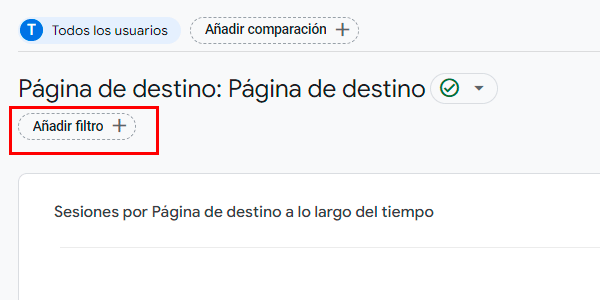
The filter creation menu will open.
#2. Configure the anti-spam filter
We’ll set it up like this:
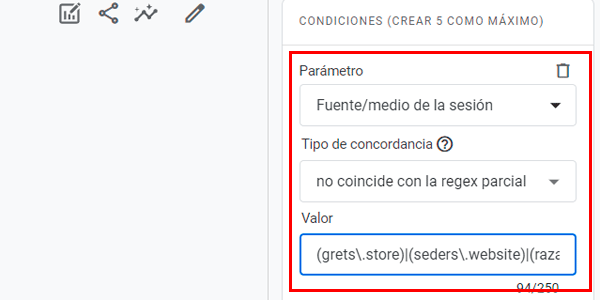
Where:
- Parameter : session source / medium.
- Match : does not match partial regex.
- Value: a regex with the whole list of sources.
This last field is the only slightly complicated part of the process.
To create your regex (if you do not know how), just open a text editor and do this:
- copy each GA4 source you want to filter and paste it, putting it in parentheses.
- Before each dot ".", add this backslash: "".
- Between each source, add this vertical bar: "|".
Like this:
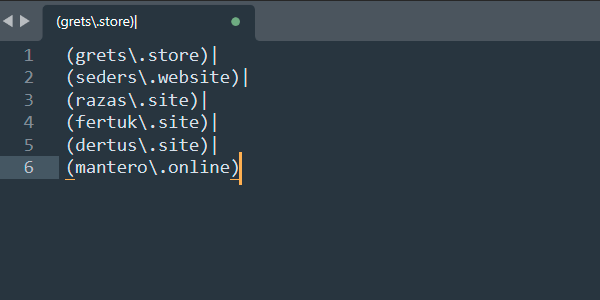
Now join all those values on a single line, copy it and paste it into the Value field of the GA4 filter.
Result
It will look like this:
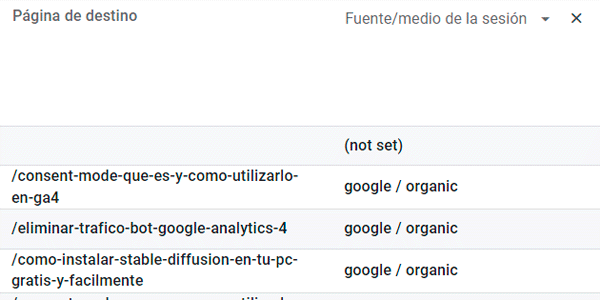
A clean table without bogus data. We could even remove that (not set) if it bothers us.
The first time may take you a little while, but with a tiny bit of practice you’ll be able to do it with your eyes closed.
Conclusion
Yes, even though setting up the filter is easy, having to do it every day is a bit tedious, so do not delete it without first copying it into a document on your PC so you can reuse it whenever you need it.
If you liked this trick and want to learn a few more, on this page I’ve put all the GA4 tricks that I keep publishing.
And if what you want is to be notified with every new post, drop by here and you’ll get a gift too.
I have a feeling it could be useful to you…

Leave a Reply