
March 2025 update:
Since March 3, 2025, Sora can be used in Spain without a VPN. It is still limited to paid accounts. If you have one and want to experiment, I explain in the following article how to work with Sora.
Original article:
You have probably heard that OpenAI, the company behind ChatGPT, has finally launched Sora.
In case you do not know, Sora is a model that can create cinematic-quality videos from text alone.
Yes, by entering a prompt just as you do in ChatGPT, Sora can create a video that looks real.
It is a major advance in the field of AI.
One that, for now, we cannot enjoy in Spain. Or in Europe. At least not yet. Because if we try to access sora.com, we can see the homepage, but we also see this:
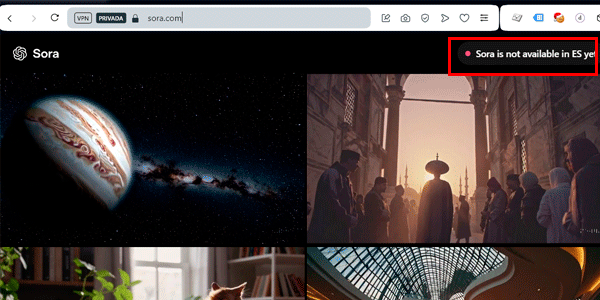
Well, the official explanation is European AI regulation, but as always, trying to put barriers in the way of technology is absurd, so I will explain how you can use it from Madrid, Málaga or Vilanova i la Geltrú.
To do that, we will follow the same steps we used when Google launched Bard (Gemini's now-defunct predecessor) and left Europe without access.
I am copying and pasting the process again below
The easy way: a paid VPN
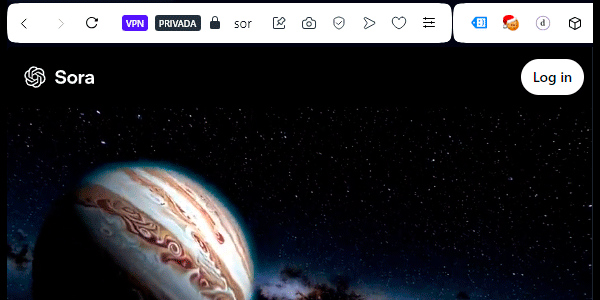
Right, the easiest option, if you use a VPN such as NordVPN for example (the one I use), is to connect to the United States and open this URL:
That is it:
The (slightly) more complicated way: enable Opera's VPN
If you do not have a paid VPN, we will take a small detour and use a free, reliable one.
#1. Install the Opera browser
Download this browser, which is based on Chromium , from its official website.

Install it like any other application.
#2. Enable its VPN
From the menu, go to settings:

Search for “vpn” and turn on the switch:

#3. Connect to the United States
Click the VPN icon next to the URL. A window will open; press the on/off button there:

Then select the United States:

#4. Access Sora
You can now use Sora by opening the same URL as before:
You can do the same thing with the Opera mobile app.
However, you need to consider a couple of things before trying to access the tool.
Requirements for using Sora
There are only two, but they are important.
#1. You need a paid ChatGPT account
Plus ($20) or Pro ($200). Free accounts cannot use it.
#2. Problems creating new accounts
Edited: this happened during the first few days. It no longer does, but I am leaving it in the article in case it happens again.
Sora needs to create a new account to give you access.
This account uses the same credentials you use to log in to ChatGPT. In other words, the first time you log in to Sora with your ChatGPT account—using email or Google login, for example—Sora will create your account.
After that, you will log in to Sora directly without creating another account.
Well, less than 24 hours after launch, this was what appeared when you tried:
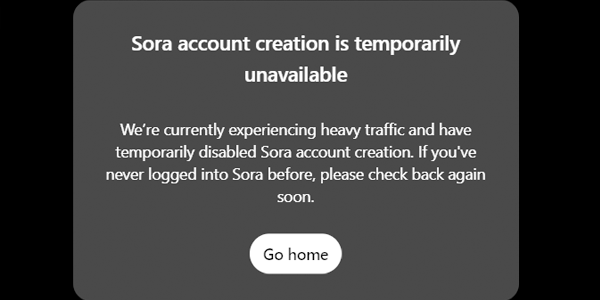
You had no choice but to keep trying from time to time until it worked.
It took me 50 minutes to get in:

Once you are in, I recommend watching the onboarding video:

It lasts no more than a couple of minutes and explains very clearly how to start using the tool.
From there, you can test whether Sora beats Runway, Kling or Freepik…
And if you do not want to waste time, I will test it for you in future articles.
To get started, here is the first music video I created with Sora.
If you do not want to miss the next ones, subscribe here and you will receive them in your inbox every week.

Leave a Reply