
I won’t say it surprised me because I had already read something about it on LinkedIn.
But the day before yesterday, while preparing a client’s monthly reporting, was when I became fully aware of it:
Google has removed the GA4 Conversions report.
I mean this one:
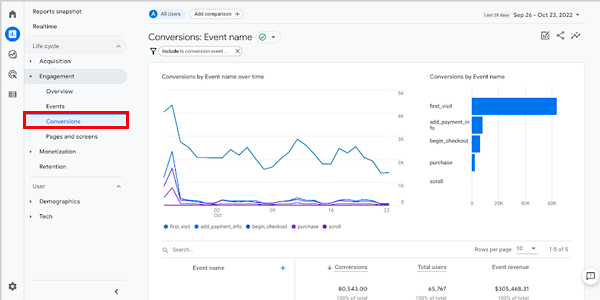
And it was one of the reports I use for this client’s reporting and for a few others.
So, since this information is useful for her business and for mine, there’s no choice but to find an alternative way to get the same information.
And I chose the most obvious one: recreate the report using an exploration.
I’ll explain how below. But first, a note: in GA4, conversions are no longer called conversions, but “key events”.
The reason?
No idea, but habits are habits, so I’ll keep referring to the conversions we’ve always known as “conversions” or as “key events”. Interchangeably, because they are the same thing.
With that cleared up, let’s go through the process of recreating the vanished conversions report.
#1. Create an exploration
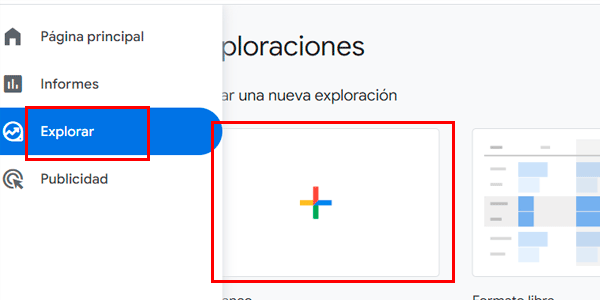
Go to the Explorations section and select a blank one:
#2. Add metrics and dimensions
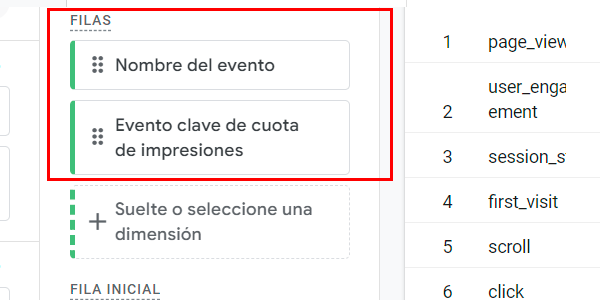
Let’s start with the dimensions and watch out, because there are surprises here. Add these two:
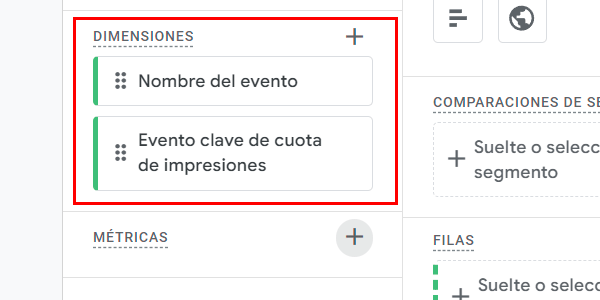
And you’ll say to me: “WTF is ‘Evento clave de cuota de impresiones’?”’?”
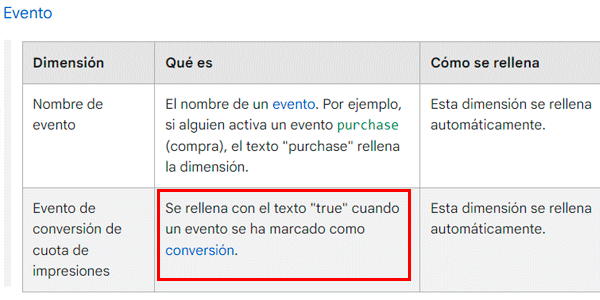
And I’ll answer: the Spanish translation of the original dimension “Is event key”.”.
Where did Google get that name from?
Honestly, out of thin air, but trust me, this is what we’re looking for:
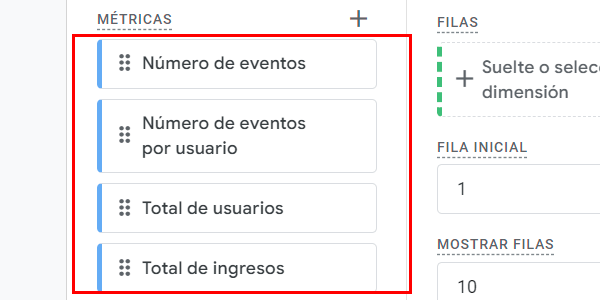
Once you stop trying to understand the name of that event, we move on to the metrics.
Add these:
#3. Place them in the report
This is straightforward. Add the dimensions to rows:
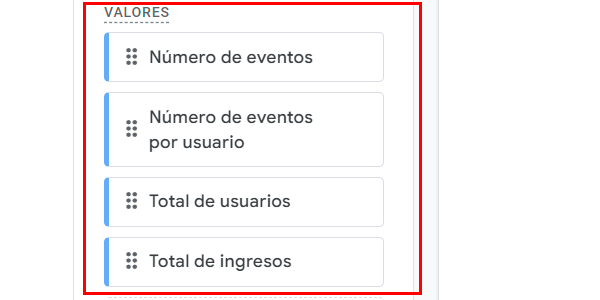
And the metrics in values:
#4. Add the filter
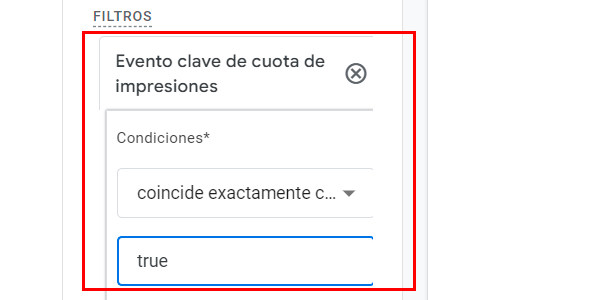
This is, together with the strange name of the second dimension, the other “key” (heh, heh) in the Google Analytics key events report.
Create a filter like this:
Final result
Exactly what we were looking for:
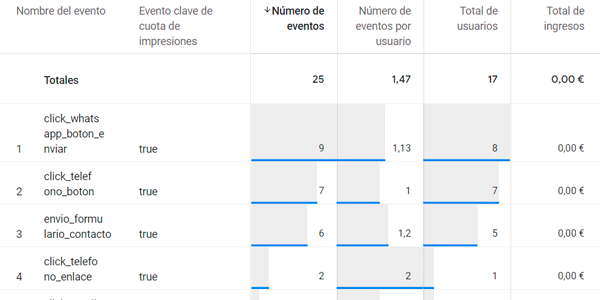
You now have a conversions / key events report similar to the one that went missing in action.
And I can now include it again in my monthly reports.
One last note: if you haven’t assigned value to your key events, revenue will of course be a big fat zero.
If you liked the process, here are a few more GA4 guides.
And if you’re more of an email person and prefer them in your inbox, there’s a new one every Thursday if you sign up here.

Leave a Reply