
Yes, you can use Google Analytics on a website without having to add a cookie banner.
And I’m not talking about tweaking the script as was done with Universal to avoid adding cookies.
Nor about using any version of Consent Mode.
In Spain, since January 2024, it is perfectly legal to add GA4 to your website without displaying a cookie banner.
As long as you meet a series of requirements, which you can see in the Guide on the Use of Cookies for Audience Measurement Tools published by the Spanish Data Protection Agency (AEPD).
The guide is fairly short for this sort of thing, at just 4 pages, and it details all the features and conditions that both you and the measurement tool must meet in order to use a measurement tool without having to request the user’s consent through the banner.
The best part is that you can use GA4 to do it by configuring a number of settings. If you want to know how to implement it, keep reading.
“Bannerless” Google Analytics setup
After reading the guide several times, I have a reasonably clear idea of what we need to do to use GA4 without a banner.
So I’m going to follow the guide step by step, explaining why you need to configure the tool in a certain way if you want to avoid the damned banner and collect as much data as possible.
Use of anonymous data
The AEPD guide says that “This processing must be carried out exclusively on behalf of the publisher and used solely to produce anonymous statistical data.”
And this is what Google says in its general Privacy Policy (it does not have one specifically for Google Analytics):
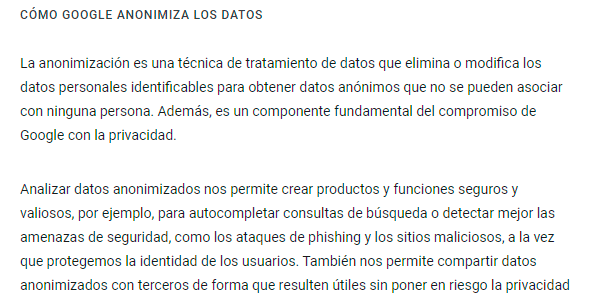
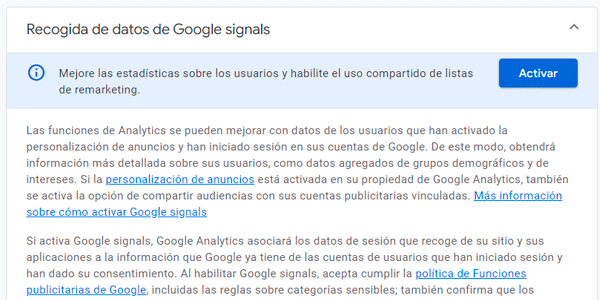
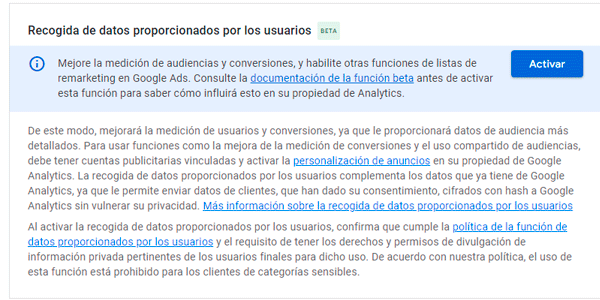
In addition, we will need to keep Google Signal disabled under Admin > Property settings > Data collection and modification > Data collection:
And the collection of user-provided data, which is just below it, must also be disabled:
User ID
The AEPD clarifies that “these cookies or similar technologies must not result in the data being matched with other processing operations or the data being transmitted to third parties”.
In other words, no UserID. Or at least, none coming from your CMS that can be linked back to someone.
In fact, if we followed Google’s instructions to the letter, there would be no problem:
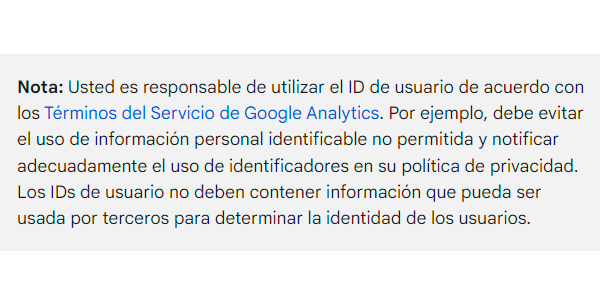
But in my experience, this is almost never done and easily identifiable UserIds are sent.
The guide adds that the tool’s cookies “Must not allow aggregated tracking of the browsing of a person who uses different applications or browses different websites. Therefore, any solution that uses the same identifier across several sites (for example, through cookies placed on a third-party domain loaded by several sites) to cross-reference, deduplicate or measure a unified reach rate for content is excluded.”
So, no cross-domain tracking (in Admin: Data streams > Web stream details > Google tag > Configure your domains):
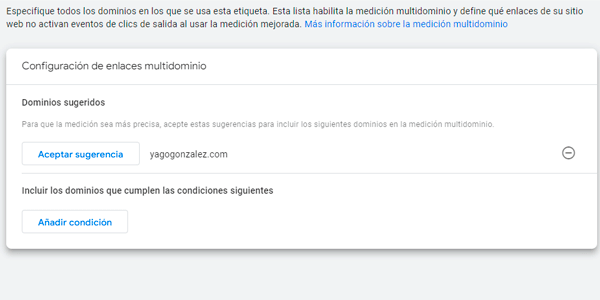
And of course, do not add third-party cookies without a banner either.
Conversions and ecommerce
The AEPD allows the collection of “Statistics on user actions (clicks, selections), by page and aggregated daily”.
Well, as I see it, conversions or “key events” -as they are called now- are indeed covered by this section of the law.
However, I’m not so sure about ecommerce transactions. You could argue both for and against it, so you have to decide for yourself whether to send this data to the tool.
Geographic data
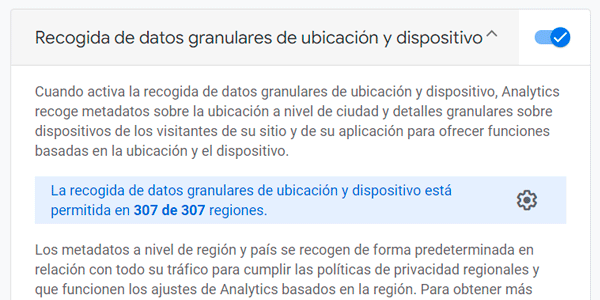
However, another thing the law allows us to store is “Statistics on the geographic area from which requests originate, by page and aggregated daily”.
Since GA4 does not store IPs but does use them for geolocation, we can keep this enabled:
Privacy Policy
“Users will be informed of the use of these cookies or similar technologies considered exempt for audience measurement purposes, for example through the site’s privacy policy or the mobile application.”
So, you need to add a short note on the Privacy Policy or Cookie Policy page explaining that you are using GA4.
Cookie lifetime
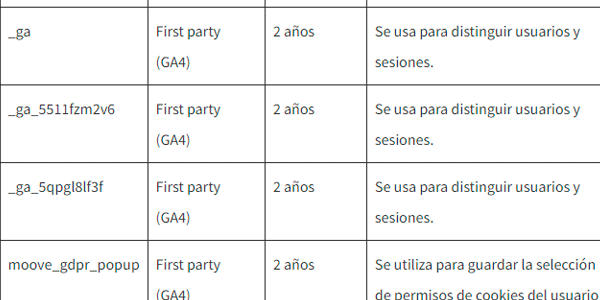
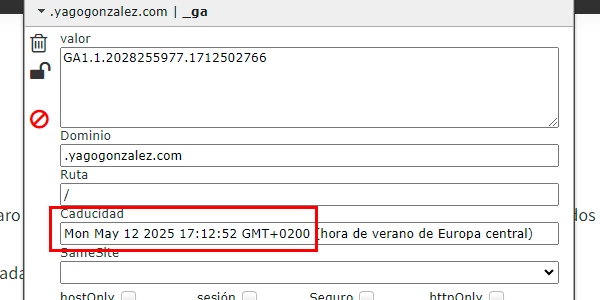
“The lifetime of these cookies or similar technologies will be limited to a period that allows meaningful comparison of audiences over time, such as a duration of thirteen months, and will not be automatically extended on new visits.”
So, with today being April 7, 2024, we can see that the Analytics cookie expires in 13 months and 5 days, so everything is in order:
Data retention
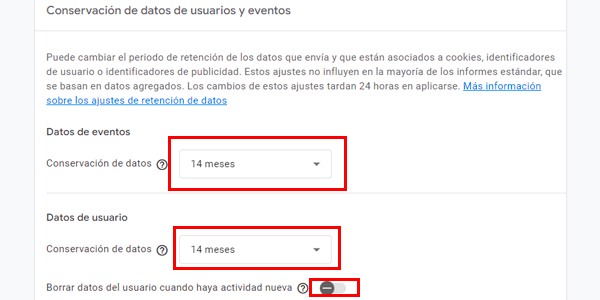
“The information collected through these cookies or similar technologies will be retained for a maximum period of twenty-five months.”
Easy, set it like this:
GA4 properties
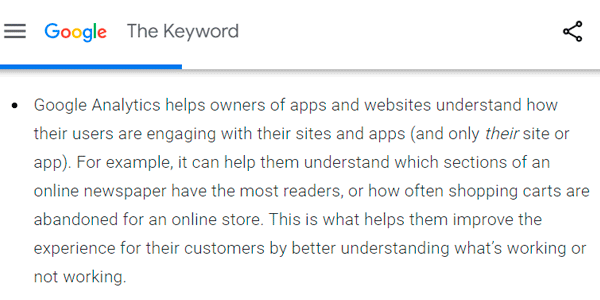
“Data is collected, processed and stored independently for each publisher.”
And
“The cookies or similar technologies used are completely independent of one another and of any other cookie or similar technology.”
Google says this in its documentation:
Linking with other Google platforms
“The obligation not to reuse the data collected under any circumstances within the framework of the contract.”
and
“Restrict data processing to the purposes established above as strictly necessary.“
These mean we CANNOT link GA4 with other Google platforms:

Google’s use of the data
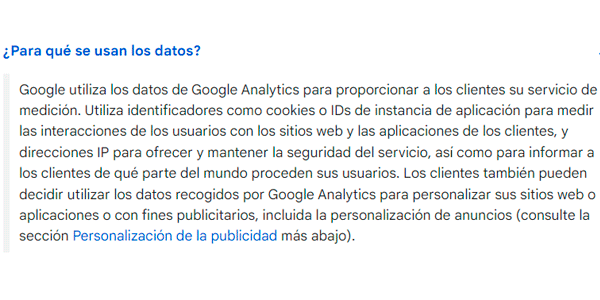
“Restrict data processing to the purposes established above as strictly necessary.”
This is what Google uses the data collected with GA4 for:
Data transfers
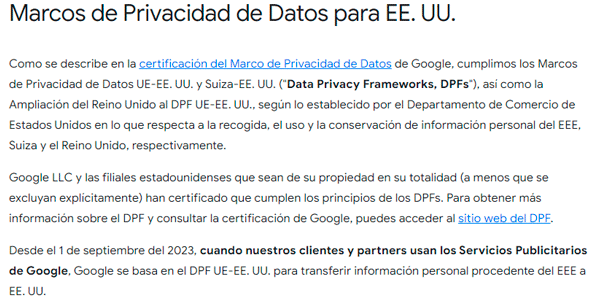
“Any transfer of data outside the European Union complies with the compliance conditions established in the GDPR.”
It seems Analytics handles this correctly:
Conclusion
After the research I’ve done, I think it is entirely possible to use GA4 without adding a cookie banner on websites with moderate analytics needs that do not use Google Ads or other advertising platforms, regardless of the size of the project.
Likewise, if advertising platforms are used, it is possible to always load GA4 while also displaying a banner that asks users to accept advertising cookies.
In fact, that is the dual approach I’m proposing in my latest projects. I’ll tell you more about it later.
Meanwhile, if you want to keep reading about GA4, here are a few more tips.
And if you prefer them in your inbox, you get one every Thursday if you subscribe here.

Leave a Reply