
An amazing week for creating images for our business with generative AI.
Last week I explained how the new Gemini model let you remove watermarks from images with AI Studio. This week, I have another surprise for you.
And a very, very welcome one:
Being able to create realistic lifestyle product images.
You know, the kind that show people enjoying the product.
Until now, this was the responsibility of the brand or supplier. It was hard to find an ecommerce business creating this kind of exclusive content for brands it sold but did not own.
Even large projects stuck to product photos on a white background or with a model, in the case of fashion.
And that was it.
Now we have the power to do it ourselves. And to do it easily, quickly and for free, thanks to AI and ChatGPT in particular.
Here is how to do it in video:
Below, the process is explained in text with screenshots. And it is very simple, as you will now see.
#1. Get the product image
The first thing is to obtain the product image.
By product image I mean the typical white- or grey-background image at the top of the product page:
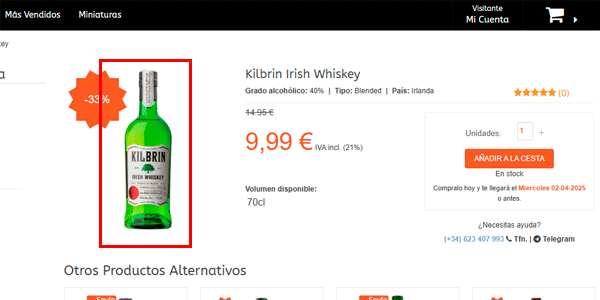
To get it you have several options:
- You already have it saved on your PC.
- Go to the product page in the ecommerce store, right-click and choose “Save as”.
- Take a screenshot of it on the product page.
- Or use the option I chose in the video, when the image is the background of an HTML DIV element: right-click, choose “Inspect”, open it in another tab and save it normally.
Either way, you will end up with an image like this:
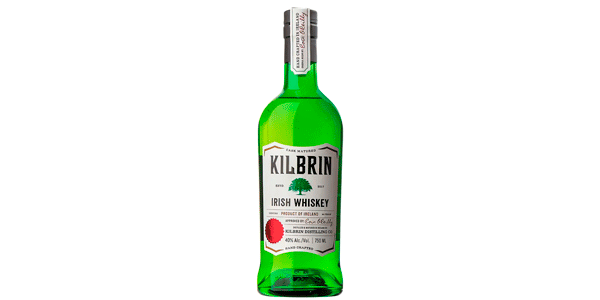
You will see later that I chose this product because its description has no images at all.
#2. Upload it to ChatGPT and choose the prompt
There is no mystery here:
- Open ChatGPT (currently with a paid account, although Sam Altman has said they plan to expand it to everyone).
- Upload it using the icon.
- Make sure you have selected the 4o model.
- Write a prompt describing the final image you want and how the product image should be used.
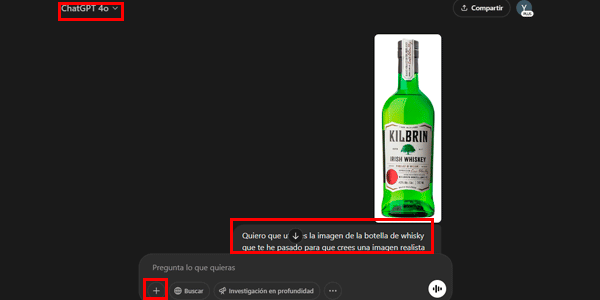
As an example, I used this prompt:
I want you to use the image of the whisky bottle I sent you to create a realistic image of some friends at a wooden table in a natural setting at sunset, with one of them pouring several whisky shots.You may like what ChatGPT gives you on the first try. In that case, you only need to save the image and upload it to the ecommerce product page:
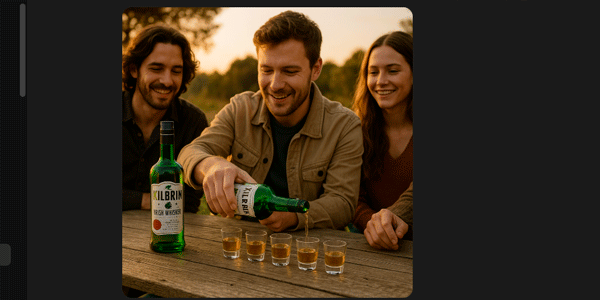
#3. Request changes to the image
However, if you want changes, you only have to ask the tool. In this example, I ask for two things:
- Show only the bottle the man is holding, not the one on the table.
- Return the image in landscape format.
Result:
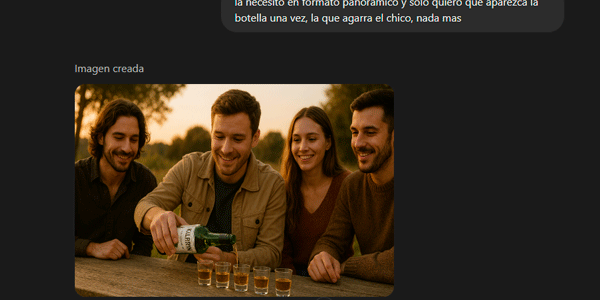
You can even make finer adjustments.
It is not obvious in the image, but ChatGPT changed the two “i” letters in the product label name to two “y” letters. So I ask it to correct them.
Here is the result:
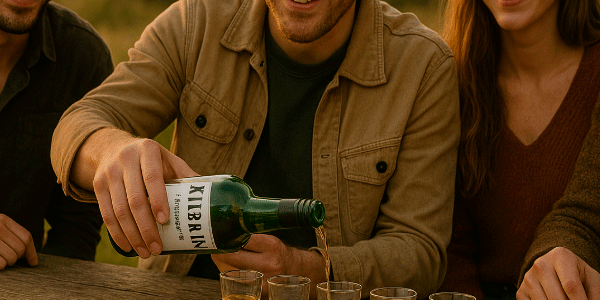
As you can see, it is not bad at all.
And I think going from this ecommerce product page:
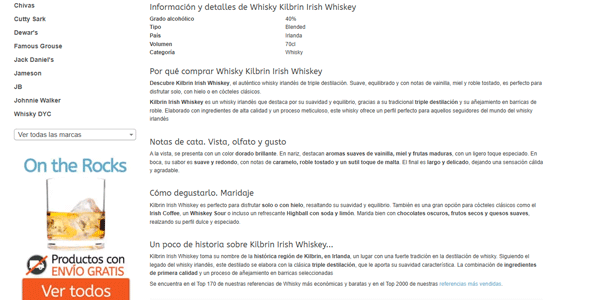
To this one:
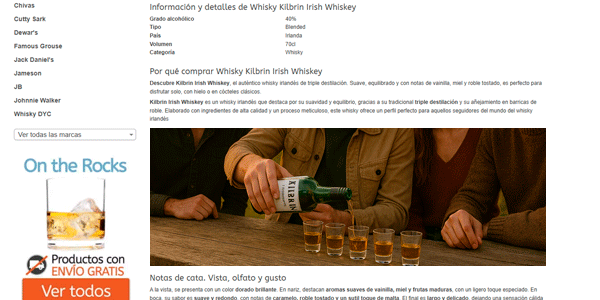
It is a significant improvement when it comes to attracting the user’s attention.
And it takes less than 5 minutes to implement. That includes the fact that you will spend most of that time waiting for ChatGPT to generate the image.
Another example
Here is one more example.
In this case, the first image was vertical and included two bottles:
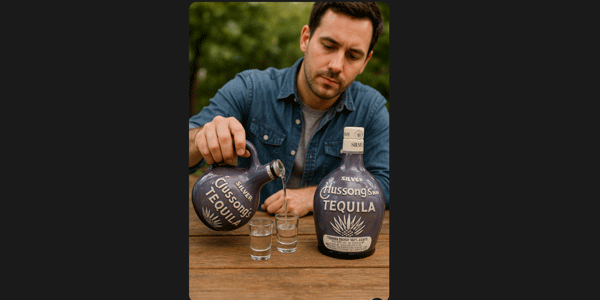
Once again, I ask for a horizontal format and just one bottle. And for the person to be with friends, of course, because drinking alone is very sad:
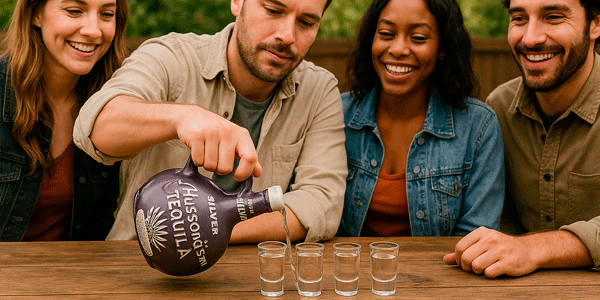
Not bad either, even if it is getting a little carried away and cannot quite get the glass right XD.
Conclusion
For now, the feature is quite surprising, honestly.
It places the product very well in the photo. And it changes the reflections and highlights by adjusting them realistically, which is essential to achieve the photographic realism we want. Doing this in Photoshop would take you quite a while.
Another nice detail is the cap: it removed it from the open bottle without being told, at least in some images, though not all.
I have also tested several images of different products, and it integrates all of them just as well as a single one. A big step forward for more complex compositions.
That said, when you dig a little deeper and test the tool in more difficult situations, you see that it is still somewhat limited.
For now, what it does well is insert product images similar to the one you upload, which will normally be a front-facing view of the product.
What it gives you, then, is an insertion of that same product image in a front-facing view, without fully “understanding” a possible rotation or different product perspective. As you can see in the whisky image, it tries, but the joins still show and it is not ready to produce realistic results for printing on a bus-shelter poster, for example.
For now.
So, when asking it for an attractive image, you need to remember that this limitation currently exists. You should therefore stick to perspectives similar to the original product image, or with only slight variations.
At the moment, you cannot create everything you imagine. But my immediate thought when using it was: what will happen in a few months or weeks as this evolves? Or when we can upload a 3D model of the product and iterate from there…
I think product photographers and 3D render designers have reasons to be concerned.
Because although major brands will keep hiring product photographers and 3D artists—or so I hope, since my cousin makes a living from it—small and medium-sized businesses will often find an AI-generated image is enough.
And the thing is, creating realistic lifestyle images like this was a real pain point for medium and small ecommerce businesses.
Until now.
How quickly things move.
The good thing is that, if you subscribe to my newsletter or to the YouTube channel I will keep telling you about it so it does not catch you off guard.
Right then, time to improve your ecommerce.

Leave a Reply