
Spotify is a wonderful invention.
The thing is, it has two problems:
- With the free plan you need to be connected to the internet to listen to your favorite songs.
- The songs are not yours; they can disappear from the platform without notice.
So, to solve that, you can download your favorite playlists to your mobile or PC and listen to them whenever you feel like it.
And it is ultra simple.
Steps to download a playlist or songs
I explain how to do it in thirty seconds and three steps
#1. Go to Spotisaver
As easy as going here:
#2. Add the song or playlist you want to download from Spotify
You know:
- Open Spotify in the browser, find the song or playlist you want to download, and copy the URL.
- Paste it into the box and press the Load:
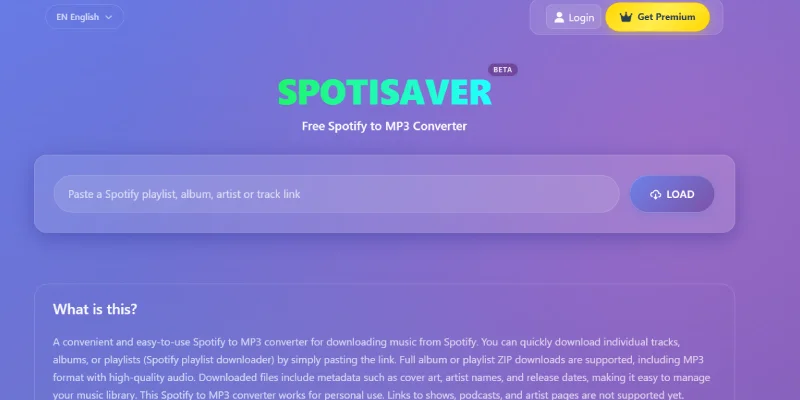
#3. Download the song or playlist
From this same page, you can download each song individually with its own link.
If what you want is the full playlist, click the button below:
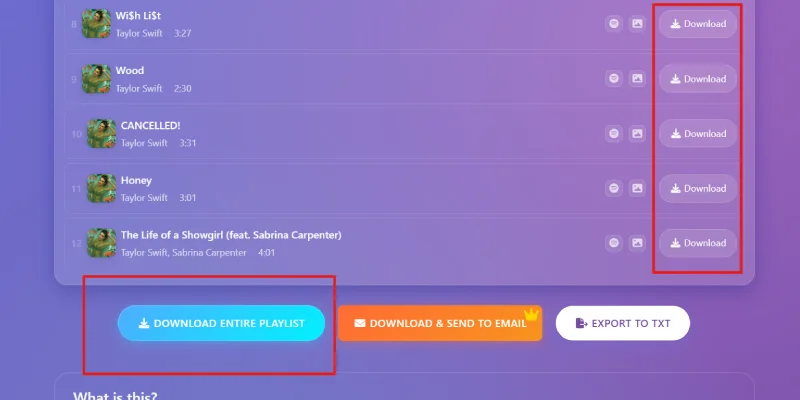
Wait for the platform to process everything and click the button to download the ZIP with all the songs:
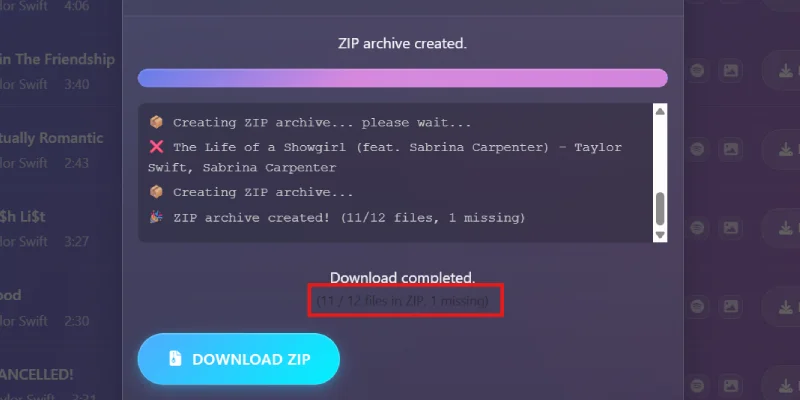
Important, as you can see in the image, sometimes a song fails. Then you can try downloading it individually or doing it from YouTube.
Conclusions
I was not lying when I told you it was very easy, was I?
By the way, before I sign off, and since I mentioned Google’s video platform, if you are like me and prefer it to Spotify for listening to music, here are two good tricks:
- How to watch YouTube without ads for free, even keeping it in the background while you do other things on your phone or with the screen off.
- How to download long YouTube playlists (as MP3 or video). The most reliable method I know.
As you can see, everything is easy and simple. Just the way I like it.
And if you like these tricks, below you have the form to subscribe to my content. Every week, an email with useful tips.
Frequently asked questions
Can you download Spotify music for free in MP3?
Yes, you can download Spotify songs and playlists in MP3 format using an online tool like Spotisaver.
What problem does downloading Spotify music solve?
It lets you listen to your songs or playlists without depending on the internet and keep a copy if a song disappears from Spotify.
What tool can you use to download Spotify music?
You can use Spotisaver, a website where you paste the link to a Spotify song or playlist and the tool processes it so you can download it.
Do you have to install any program?
No. You just need to go to the Spotisaver website from your browser, paste the Spotify URL, and follow the download process.
How do you download a song from Spotify?
Open Spotify, copy the URL of the song you want to download, paste it into Spotisaver, and press the load button. When the tool processes it, you will be able to download it individually.
Can you download an entire Spotify playlist?
Yes. If you paste the link to a playlist, you can process it in full and download a ZIP file with the available songs.
What happens if a song in the playlist fails?
It may happen that a song does not download correctly. In that case, you can try downloading it individually or look for another option, such as downloading it from YouTube.
Are the songs downloaded one by one or all together?
You can do it both ways. If you only want one song, you download it individually. If you want a full playlist, you can download it in a ZIP when the process finishes.
Do you need Spotify Premium to use this method?
No. This method does not depend on Spotify Premium, because it does not use Spotify’s official download feature. It is based on copying the link to a song or playlist and processing it with an external tool.
Does this system go against Spotify’s guidelines?
Yes, you should assume it may go against Spotify’s guidelines or terms of use, because it is not an official download inside its app, but an external conversion to MP3.
Is it complicated to download Spotify music this way?
No. The process is quite simple: you enter the website, paste the link, load the song or playlist, and download the file.
What can you do if you prefer using YouTube to listen to music?
You can also use specific methods for YouTube, such as watching videos without ads or downloading long playlists as MP3 or video.

Leave a Reply