
One of the things we've lost with the move to GA4 is data context.
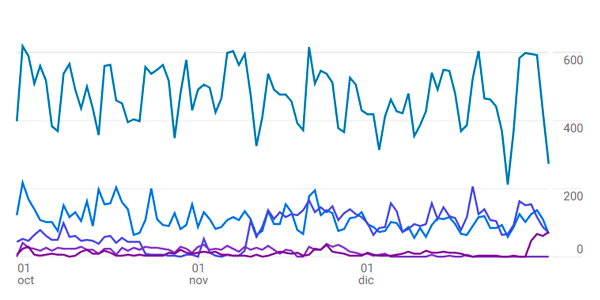
For example, charts that don’t show the total, only the trend for some dimensions (whose sum can be VERY far from 100%):
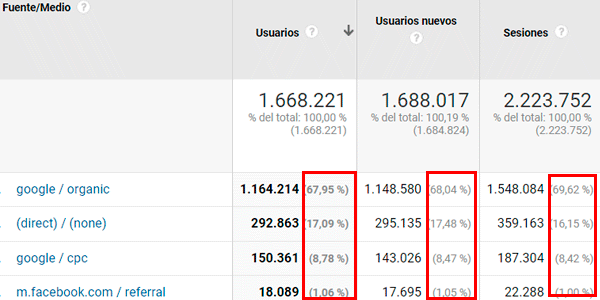
Another important point is the share, measured as a percentage, next to the value of each metric for the dimension.
I mean this, which we did have in Universal:
And which we don't have in GA4:
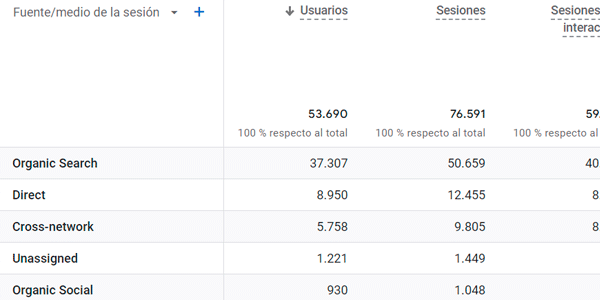
At least, not by default.
That makes it hard, just by looking at the image, to know what percentage of traffic comes from our PMax campaigns in Google Ads.
But now we have a solution.
Has GA4 been updated and brought back what it had before?
Not a chance.
But someone who was aware of the problem did. And created a browser extension that fixes it:
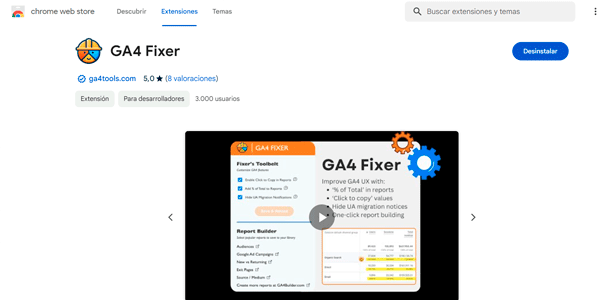
The name is fantastic, to be fair. Although it still has quite a few things left to fix.
It's very easy to use. You install the extension and, once you're inside a GA4 report, click it:
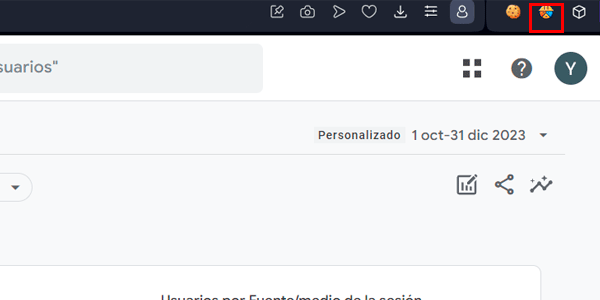
And that's it. You now have percentages in your GA4 report:
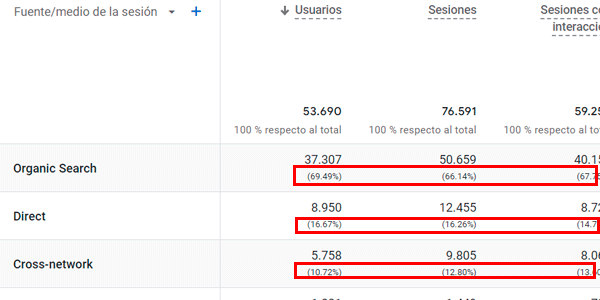
The extension works its magic instantly, with no need to reload the page. And now you know that the PMax campaign accounts for just over 10% of your traffic.
The extension does a few other little things, but for me, this is the most important one.
And that's today's trick. If you liked it and want more, here they are.
And if what you want is to receive one in your inbox every week, all you have to do is subscribe using the form below.

Leave a Reply