
Everyone has their roles within groups of family and friends. In my case, I always end up giving tech advice, mainly about all kinds of devices.
And First Communion season is no exception.
A friend wanted to give his son a tablet, mainly to play Fortnite and similar games, and asked me for help.
Since I keep an eye on both worlds, gaming and tablets, I knew where to start: asking him about budget and operating system, because those are the variables, together with the most common use, that will shape the recommendation.
And the thing is, buying a tablet for gaming can look simple from the outside until you start looking at models. There are iPads, Android tablets, Windows tablets, pure gaming models, handheld consoles with touchscreens and even detachable gadgets that can be used almost like a tablet.
A nice jumble of possibilities.
So I got down to work to see which tablet best suited his case, and in a couple of days the matter was settled.
Since the work was already done, I thought it was a good idea to leave my impressions here, in case you are in a similar dilemma and want to use them.
Let's get into it.
What to look at before buying a tablet for gaming
Before looking at brands and models, pay attention to this.
Because it is very easy to get carried away by the brand, the marketing, the slim design, the big screen, or the number of gigabytes of RAM, and then discover that the tablet makes no sense for the games you actually want to use or that the processor does not keep up.
It happens. Wallapop is full of cases like these.
This is what you need to look at.
Operating system
This is the big decision. Getting this wrong determines whether the tablet does what you are looking for or not. I’ll summarize the main points here, although later I’ll devote a whole section to this topic and go into more detail.
Android
It gives you a wider variety of devices, allows easy emulation and offers good value for money. In general, it is the most mainstream option and the one I would recommend for casual gaming.
iOS / iPadOS
Apple’s system is more closed and has a better catalog for regular apps than Android, but a worse one for games. If you are going to do other things with the tablet besides gaming, I would think about it.
Its “low end” is, at the very least, mid-range in Android, and they are devices that stay updated for years and lose less value over time.
Windows / Linux
It gives you all kinds of PC applications, plus the biggest catalog of triple-A games. Of course, you also get more emulators and total freedom.
It is also generally more expensive for the same performance in the same games, and anything related to gaming is a little less direct.
There is no absolute winner here. It depends on what you want to play, how much you want to tinker with the system and what other uses you want to give the tablet:
- Android: everything is more direct and simple.
- iPad: higher quality (in general), more longevity, more closed system.
- Windows or Linux: AAA games and freedom.
Processor (CPU)
After the operating system, and for gaming, it is the most important thing (remember, we are not talking about PCs, which have dedicated graphics cards).
On Android, I would look especially at the Snapdragonfamily. For serious gaming, Snapdragon 8 Gen 3, Snapdragon 8s Gen 4 or Snapdragon 8 Elite is better. For casual gaming, a Snapdragon 7s Gen 4 can already do quite well.
On iPad, even the A16 runs most gamesfrom the App Store smoothly. With M4 and M5 you have plenty for almost everything iPadOS allows, although there the problem is usually no longer power, but whether the catalog really takes advantage of the hardware.
On Windows, the jump is between a cheap Intel N150 for old games or emulators and a Ryzen Z1 Extreme for current top PC games. The hardware needs of one case and the other have nothing to do with each other.
GPU
The GPU matters a lot if you are going to play demanding 3D titles or emulate heavier systems. For normal Android games you will not always notice a huge difference, but for PS2, GameCube, Wii or Switch emulation, you will.
On Windows, it directly determines whether you can play or not. Tablets with Windows all have an integrated GPU in the processor, but a tablet with Intel N150 can be useful for retro and older games, while the Lenovo Legion Go’s is vastly more powerful.
In general, and speaking of tablets, the better the CPU, the better the GPU that comes with it.
RAM
On Android I would not buy a tablet for gaming with less than 6 GB of RAM, unless the budget were tight and I had to make do with 4 GB.
As a quick rule: 6 GB for casual games, 8 GB as a reasonable point, 12 GB or more for high-end use, multitasking and more demanding emulation.
That is on Android. On Windows, better 16 GB, because of the number of background processes in Windows 11.
Screen
Here the most important thing is not the resolution, because no matter how much of a 3K screen the tablet has, if the processor cannot run games at that resolution, it matters little. In fact, you will almost always end up playing at lower resolutions — such as 1080 or 720 — to gain fluidity.
It is a different matter if you tell me you also want the tablet for work or for watching movies, where higher resolution does make more sense.
That said, what matters is:
- Size and weight: for playing with a controller on the sofa, a big screen is great. For playing while holding the tablet, an 8- or 9-inch model is often better.
- Brightness: more is always better, especially outdoors. You can always turn it down.
- Refresh rate: relatively important if you want to play competitive games. If not, 60 Hz is more than enough.
- Panel type: the quality of an OLED panel is incomparable and saves battery, but, like resolution, it is not the most relevant thing for gaming.
Storage
The last aspect to consider. In my opinion, the minimum is 128 GB. Better, 256 GB. On Windows, 512 GB is where things really start to feel comfortable, although you can manage with less.
Bear in mind that games take up more and more space (it is madness, especially on Windows). And if you add emulators, ROMs, textures, videos, screenshots and some heavy app, or use the tablet for other purposes, storage disappears quickly.
That said, the device may have a slot for micro SD to expand capacity at a fairly affordable cost, in exchange for lower performance in the games you install there.
Which tablet to buy depending on your case
If you want to go fast and not read the article, here is the cheat sheet. That said, I give you the relevant explanations below, so if you are really interested in the topic, I would keep reading…
| If you want… | I would buy… |
| Spend as little as possible and play casually | Redmi Pad 2 Pro |
| Cheap Windows for emulators and relatively old games | CHUWI Hi10 X1 / Hi10 Max N150 |
| A very decent and compact tablet for gaming | Lenovo Legion Tab Gen 3 |
| A cheap iPad for gaming | iPad 11 A16 |
| A powerful Android on offer | Xiaomi Pad 7 Pro |
| The best current Android for value for money | Xiaomi Pad 8 |
| Powerful Android without going crazy on price | Xiaomi Pad 8 Pro |
| PC games in tablet/console format | Lenovo Legion Go |
| Taking a chance on a lesser-known Android brand, but a pure gaming one | REDMAGIC Astra Gaming Tablet |
| A balanced iPad | iPad Air M4 |
| The most beastly thing on iPad | iPad Pro M5 |
So, to summarize it further:
- If you want to spend little, the Redmi.
- If you want powerful Android, Xiaomi Pad 8 or Pad 8 Pro.
- If you want something gaming-oriented and compact, Lenovo Legion Tab.
- If you want iPad, Air M4 unless budget does not matter.
- And if you want AAA PC games, Lenovo Legion Go.
Ranking: the 10+1 recommended tablets, from cheapest to most expensive
The first thing is to understand one thing: the best tablet for gaming is not always the most powerful.
No.
It is the one that fits the games you want to run, your budget and the real use you are going to give it when you are not gaming.
You do not need the same thing to play Roblox, Minecraft or retro emulators as you do to run demanding Android games, play from the cloud with Xbox Cloud Gaming or Amazon Luna, or run PC games on Windows.
That is why this comparison is not just about benchmarks, but about purchases that make sense.
One thing: prices change quite a bit (there are always promotions and offers on some of the models), so take them as a realistic market reference at the time of writing this article, not as a fixed figure carved in stone. With tablets, moreover, one-off deals can change the recommendation quite a lot.
To compare power I used Geekbench 6 Multi-Core as the CPU reference. For GPU, Geekbench Compute when comparable data exists.
On Windows and Android there may be variations depending on cooling, power mode, the specific version and memory, so these numbers are meant as guidance; they are not the tablets of Moses.
These ten are the only models I would consider today.
| Model | OS | CPU | CPU power | GPU power | RAM | Screen | Resolution | Approx. price |
| Redmi Pad 2 Pro | Android / HyperOS | Snapdragon 7s Gen 4 | 3,281 | 4,716 | 6 / 8 GB | 12.1” 120 Hz | 2,560 × 1,600 | from €147–249 |
| CHUWI Hi10 X1 / Hi10 Max N150 | Windows 11 | Intel N150 | 3,010 | N/A | 8 / 12 GB | 10.1” / 12.96” | 1,280 × 800 / 3K | from €290–380 |
| Lenovo Legion Tab Gen 3 | Android | Snapdragon 8 Gen 3 | 6,753 | 15,386 | 12 GB | 8.8” 165 Hz | 2,560 × 1,600 | from €349–600 |
| iPad 11” A16 | iPadOS | Apple A16 | 6,065 | 19,428 | approx. 6 GB | 11” 60 Hz | 2,360 × 1,640 | from €359 |
| Xiaomi Pad 7 Pro | Android / HyperOS | Snapdragon 8s Gen 3 | 5,143 | 9,182 | 8 / 12 GB | 11.2” 144 Hz | 3,200 × 2,136 | from €365–400 |
| Xiaomi Pad 8 | Android / HyperOS | Snapdragon 8s Gen 4 | 6,385 | 18,498 | 8 GB | 11.2” 144 Hz | 3,200 × 2,136 | from €399 |
| Xiaomi Pad 8 Pro | Android / HyperOS | Snapdragon 8 Elite | 9,377 | 24,339 | 8 / 12 GB | 11.2” 144 Hz | 3,200 × 2,136 | from €442–599 |
| Lenovo Legion Go | Windows 11 | AMD Ryzen Z1 Extreme | 10,865 | 35,793 | 16 GB | 8.8” 144 Hz | 2,560 × 1,600 | from €475 used / +€1,100 new |
| REDMAGIC Astra Gaming Tablet | Android / REDMAGIC OS | Snapdragon 8 Elite | 9,377 | 24,339 | 12 / 16 / 24 GB | 9.06” OLED 165 Hz | 2,400 × 1,504 | from €499 |
| iPad Air M4 | iPadOS | Apple M4 | 13,321 | N/A | 12 GB | 11” 60 Hz | 2,360 × 1,640 | from €550–649 |
| iPad Pro M5 | iPadOS | Apple M5 | 15,577 | 75,091 | 12 GB | 11” / 13" OLED 120 Hz | 2,420 × 1,668 | from €1,099 |
Let’s talk about each of them.
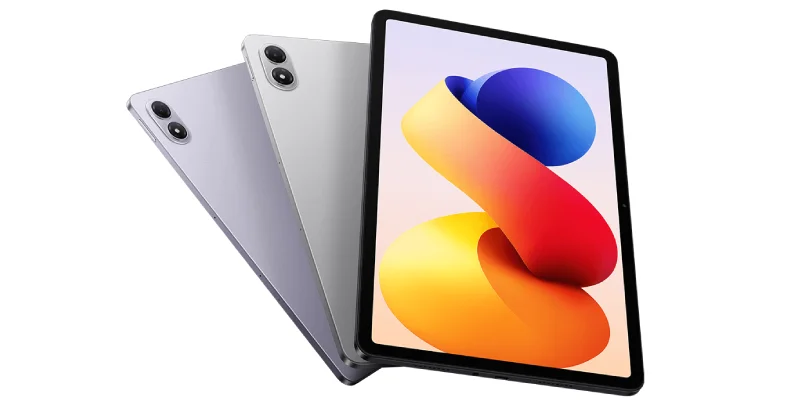
Redmi Pad 2 Pro: best cheap Android tablet for casual gaming
Operating system: Android
CPU: Snapdragon 7s Gen 4
RAM: 6 / 8 GB
CPU performance (Geekbench 6 Multi-Core): 3,281.
GPU performance (Geekbench Compute): 4,716.
Screen: 12.1” 120 Hz.
Resolution: 2,560 × 1,600.
Price: from €147–249
Purchase links:
- Amazon – €235.
- AliExpress – €197. Possibility of reducing it to €147 with coupons.
The Redmi Pad 2 Pro is the tablet I’d add if the budget is very tight.
It is not a gaming tablet and does not pretend to be one, but at this price it makes a lot of sense if you want to play casually, use cloud services or have a large screen for multimedia.
It uses a Snapdragon 7s Gen 4, a 12.1-inchscreen with 2.5K, a 120 Hz refresh rate and a large 12,000 mAhbattery. The combination is fairly logical for anyone who wants an affordable tablet for gaming, watching videos and using at home without constantly worrying about the charger.
What games does it make sense for? Roblox, Minecraft, mid-range Android games, retro emulation, PSP in quite a few cases. Also for using Xbox Cloud Gaming, GeForce Now or Steam Link streaming your PC, where the tablet does not need to run the game locally.
And in Fortnite, which was the star game for my friend’s kid, it holds up fairly decently:
That said, you cannot ask miracles of it. If you want to play demanding Android titles on high settings, emulate PS2 or GameCube smoothly, or use it as a main non-casual gaming machine, it falls short.
But as a cheap tablet for gaming, watching videos and doing a few other things, it is a great buy. Especially if you grab it with coupons for €147. An absolute bargain.
Purchase links:
- Amazon – €235.
- AliExpress – €197. Possibility of reducing it to €147 with coupons.
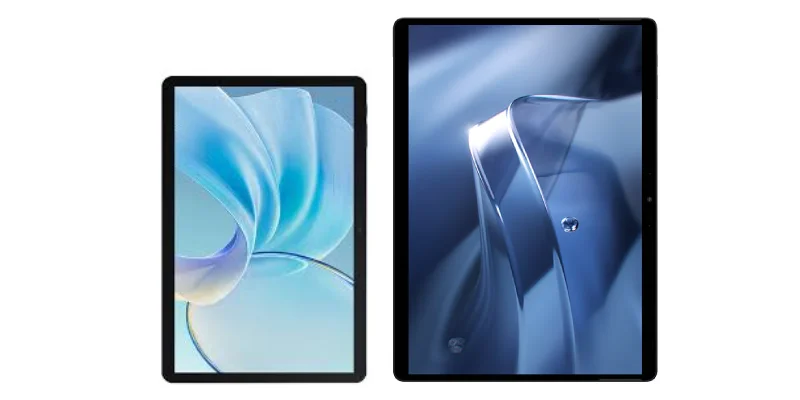
CHUWI Hi10 X1 / Hi10 Max N150: best cheap Windows tablet for emulators and older games
Operating system: Windows.
CPU: Intel N150.
RAM: 8 / 12 GB.
CPU performance (Geekbench 6 Multi-Core): 3,010.
GPU performance (Geekbench Compute): N/A.
Screen: 10.1” / 12.96”.
Resolution: 1,280 × 800 / 3K.
Price: from €290–380.
Purchase links:
- Hi10 X1 (N150): it looks like Chuwi has delisted it to launch the Hi10 X2 with an i3-10100y processor, which, although it may sound better by name, is considerably worse and older. You can also still get the original model with the N100 (only 3% worse than the N150) on Amazon. So here’s my take: the new N100 or the second-hand N150 is much more recommendable than the X2 with the i3.
- Chuwi is also delisting the Max model for some reason I do not know (I do not see a replacement). Again, you can still get the model with the N100 instead of the N150 on Amazon, or go with Wallapop.
Here we enter murky territory.
And the thing is, a cheap Windows tablet can be a very interesting buy… or totally frustrating. It is a matter of expectations.
The best options in the entry-level Windows price range are models with the Intel N150, such as the CHUWI Hi10 X1 or the CHUWI Hi10 Max N150. The first is more compact and cheaper, while the second goes for a larger screen, more RAM and more storage.
Neither is a handheld console, nor are they tablets for playing modern games, but they can make sense for retrogaming and older PC games.
They can work for retro emulators, MAME, Neo Geo (now that it is back in fashion again with the new AES+), PS1, PSP, graphic adventures, classic strategy, 2D indies and undemanding older Steam games.
In this sense, you should know that I played through all of Mass Effect (about twenty hours, more or less) on an older Chuwi than the ones I list here. And hey, it was not ideal, but the problem was more because I played with a rather uncomfortable telescopic controller than because of the performance of the device itself.
That said, in long sessions (two hours is long for me), the tablet got properly hot.
The advantage is clear: Windows (or Linux, if you prefer)
That means you can install emulators, stores, mods and old games with much more freedom than on Android or iPadOS. Besides using it for work on the go, downloading torrents, watching films or series with fewer codec problems (surround sound on Android is a drama).
The disadvantage is also clear: very limited gaming power.
If you buy it thinking it is a cheap Steam Deck, you are going to be disappointed. Better buy the Steam Deck, even second-hand.
Purchase links:
- Hi10 X1 (N150): it looks like Chuwi has delisted it to launch the Hi10 X2 with an i3-10100y processor, which, although it may sound better by name, is considerably worse and older. You can also still get the original model with the N100 (only 3% worse than the N150) on Amazon. So here’s my take: the new N100 or the second-hand N150 is much more recommendable than the X2 with the i3.
- Chuwi is also delisting the Max model for some reason I do not know (I do not see a replacement). Again, you can still get the model with the N100 instead of the N150 on Amazon, or go with Wallapop.
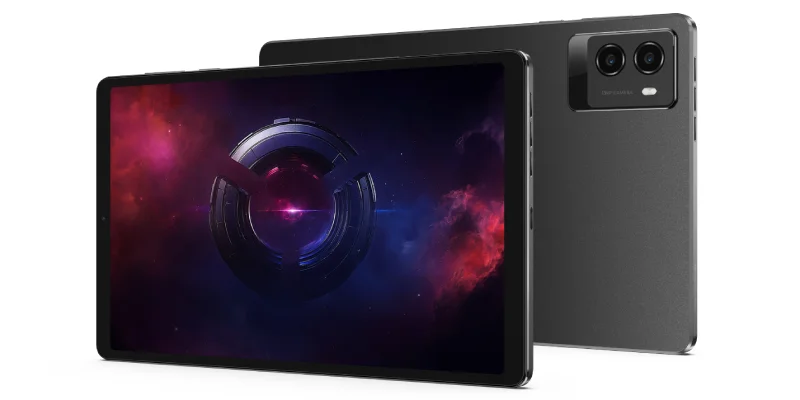
Lenovo Legion Tab Gen 3: best compact tablet for gaming
Operating system: Android.
CPU: Snapdragon 8 Gen 3.
RAM: 12 GB.
CPU performance (Geekbench 6 Multi-Core): 6,753.
GPU performance (Geekbench Compute): 15,386.
Screen: 8.8” 165 Hz.
Resolution: 2,560 × 1,600.
Price: from €349–600.
Purchase links:
- Amazon – €475.
- AliExpress – €320.
- Lenovo website – €549. It was on offer here until very recently for €349 (€200 discount), plus an extra 10% if you registered. In other words, it came down to €315. AN ABSOLUTE BARGAIN!!
Now we start with the serious models.
Straight to the point: the Lenovo Legion Tab Gen 3 is one of the most interesting tablets on the whole list because it has the best size for handheld gaming.
Large tablets are fantastic for video, studying or working, but if you are going to play while holding it in your hands, a 12- or 13-inch screen can end up punishing your wrists and forearms.
This Legion Tab has an 8.8-inch screen, a 2,560 × 1,600, a refresh rate of 165 Hz, 12 GB of LPDDR5X RAM, UFS 4.0 storage and Snapdragon 8 Gen 3. It is not the latest chip available, but it is still a beast for Android.
That is the clever part, because it is very well thought out: it is not the cheapest or the most powerful, but as a whole, and with its form factor, it is highly recommended: more comfortable than a large tablet, more powerful than many general Android tablets, and more focused on gaming than a basic iPad.
If you want Android, strong performance, a compact size, a good screen, to play with the tablet in your hands, and more serious emulation than on cheap tablets, it is for you. That is why I recommended it to my friend, whose son is delighted with it.
That said, I would not buy it if you want to use it for productivity, writing, or content consumption as well as gaming. There are better tablets for that.
Purchase links:
- Amazon – €475.
- AliExpress – €320.
- Lenovo website – €549. Until very recently, it had been on sale here for €349 (€200 off) and with an extra 10% if you registered. In other words, it came down to €315. AN ABSOLUTE STEAL!!
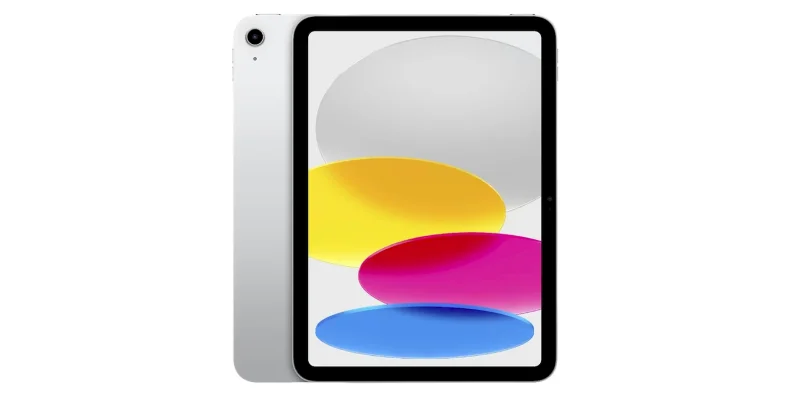
iPad 11 A16: best cheap iPad for casual gaming
Operating system: iPadOS.
CPU: Apple A16.
RAM: 6 GB.
CPU performance (Geekbench 6 Multi-Core): 6,065.
GPU performance (Geekbench Compute): 19,428.
Screen: 11” 60 Hz.
Resolution: 2,360 × 1,640.
Price: from €359.
Purchase links:
- Amazon – €349.
- AliExpress – €349. Discounted to €309 with coupons.
The 11” iPad with A16 chip is not a gaming tablet, but it is the cheap iPad. And that matters when, besides playing games, you want an iPad for browsing, studying, watching videos, using apps, taking notes, or having a family tablet at home that lasts for years.
Is it good for gaming? Yes. For most App Store games, it does well. It does not have a 120 Hz screen, an M4 or M5 CPU, an OLED display, and it is not a beast, but it does not need to be for casual games, Apple Arcade, Minecraft, Roblox, sports games, strategy, platformers, indies, or streaming.
The main drawback is that iPadOS is more closed. For emulation, mods, and experiments, Android or Windows are more convenient. Here you are buying ease of use, comfort, device quality, support, stability, and ecosystem, not absolute freedom.
If you want a reliable tablet, with a good game catalog and good support, the standard iPad still makes sense. If you are sure you need power, within Apple, you have the iPad Air M4 and the brutal iPad Pro M5.
Purchase links:
- Amazon – €349.
- AliExpress – €349. Discounted to €309 with coupons.
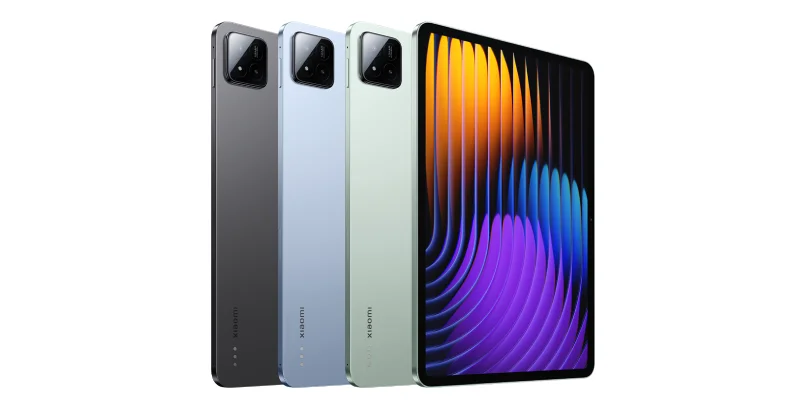
Xiaomi Pad 7 Pro: best value buy if discounted
Operating system: Android.
CPU: Snapdragon 8s Gen 3.
RAM: 8 / 12 GB.
CPU performance (Geekbench 6 Multi-Core): 5,143.
GPU performance (Geekbench Compute): 9,182.
Screen: 11.2” 144 Hz.
Resolution: 3,200 × 2,136.
Price: from €298–400.
Purchase links:
- Amazon – €499.
- AliExpress – €385. It has been at €298 with coupons. At that price it is a huge bargain; at the normal price, DO NOT buy it.
Let’s be clear: only consider it if you find it VERY heavily discounted (which does happen from time to time). Do not pay more than €300 for it; if you see it more expensive, go for the new Xiaomi Pad 8, either the standard or Pro model.
The thing is, the Xiaomi Pad 7 Pro is in a strange position with the arrival of the Xiaomi Pad 8 and Pad 8 Pro, even though it is a very good tablet.
It has Snapdragon 8s Gen 3, an 11.2-inch screen, resolution of 3,200 × 2,136, a refresh rate of 144 Hz and a large battery. It is a powerful tablet, with a good screen and very capable for Android games, streaming, and emulation. It is also an all-rounder for uses beyond gaming.
The problem is that the Xiaomi Pad 8 already exists and comes with Snapdragon 8s Gen 4. That is why I would not buy the Pad 7 Pro at a price similar to the Pad 8. As I said: I would only buy it if it is clearly discounted. If the difference is €30 or €40, I would go for the Pad 8.
Purchase links:
- Amazon – €499.
- AliExpress – €385. It has been at €298 with coupons. At that price it is a huge bargain; at the normal price, DO NOT buy it.
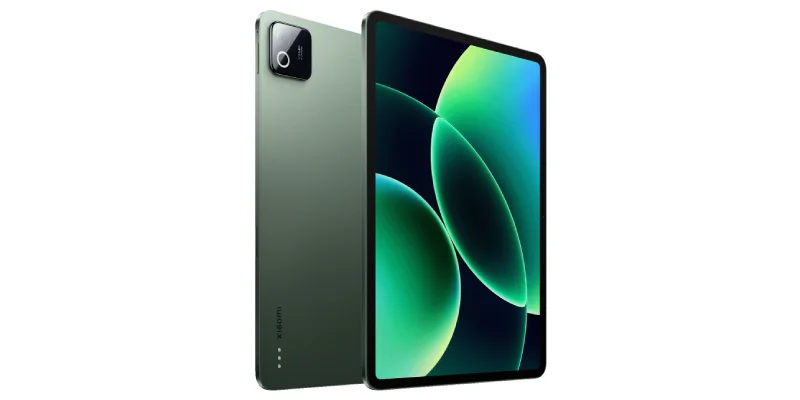
Xiaomi Pad 8: best standard Android value for money
Operating system: Android.
CPU: Snapdragon 8s Gen 4.
RAM: 8 GB.
CPU performance (Geekbench 6 Multi-Core): 6,385.
GPU performance (Geekbench Compute): 18,498.
Screen: 11.2” 144 Hz.
Resolution: 3,200 × 2,136.
Price: from €297.
Purchase links:
- Amazon – €399.
- AliExpress – €359. Although it has temporarily been down to around €297 with a coupon, which is amazing.
The Xiaomi Pad 8 is one of the most balanced options in the article. It has plenty of power, a good screen, a reasonable price, and a comfortable format for gaming, watching videos, and using it as your main tablet for everything.
It has Snapdragon 8s Gen 4, an 11.2-inch screen, 3.2Kresolution, 144 Hzrefresh rate, a 9,200 mAh battery, and fast charging. It is exactly the kind of tablet that fits someone who wants to play well without paying ultra-high-end prices.
Here is the sweet spot.
You are not paying iPad Pro or high-end Android gaming prices, but you get enough power for most Android games, fairly serious emulation, and a quality screen.
For many people, this will be the most sensible purchase, especially if you find it under €300, which is difficult, but not impossible.
I would buy it if you want a modern, powerful Android tablet at a good price. I would not buy it if you want the absolute maximum performance possible on Android. That is what the Pad 8 Pro and other much more expensive models are for.
Purchase links:
- Amazon – €399.
- AliExpress – €359. Although it has temporarily been down to around €297 with a coupon, which is amazing.
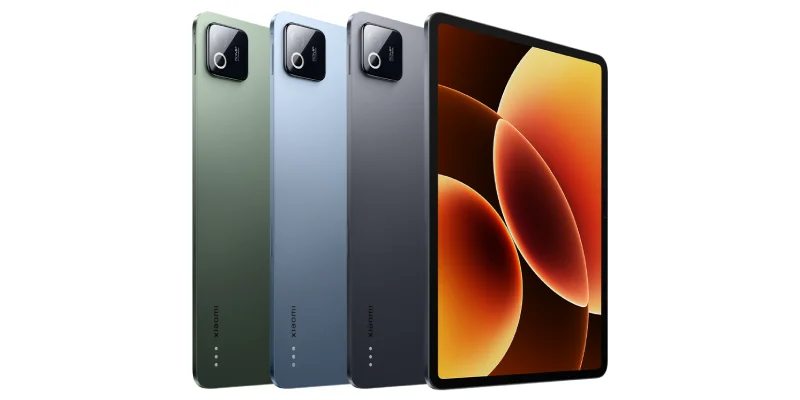
Xiaomi Pad 8 Pro: best powerful Android value for money
Operating system: Android.
CPU: Snapdragon 8 Elite.
RAM: 8 / 12 GB.
CPU performance (Geekbench 6 Multi-Core): 9,377.
GPU performance (Geekbench Compute): 24,339.
Screen: 11.2” 144 Hz.
Resolution: 3,200 × 2,136.
Price: from €440–599.
Purchase links:
- Amazon – €474 Flash Deal.
- AliExpress – €440. Less with coupons.
- Xiaomi website – €549. €467 with 50 points.
The Xiaomi Pad 8 Pro is the tablet I would look at if you want powerful Android without getting into high-end prices. The important jump is the processor: Snapdragon 8 Elite, 33% more powerful than the one in the non-Pro version.
In reality, it is in another league. You can play everything available on Android with some headroom, and it is also a better option for demanding emulation.
Also, if you are one of those who stretch the purchase of these gadgets for years, this CPU will give you more room to grow.
Now, here you have to watch the price. If you see it around €450 (or below), it is very interesting. If it gets too close in price to the iPad Air M4, I would think twice, because Apple devices generally age better.
In short: I would buy it if you want power on Android. It is not the cheapest tablet, but it can be one of the best long-lasting buys if you find a good deal.
Purchase links:
- Amazon – €474 Flash Deal.
- AliExpress – €440. Less with coupons.
- Xiaomi website – €549. €467 with 50 points.
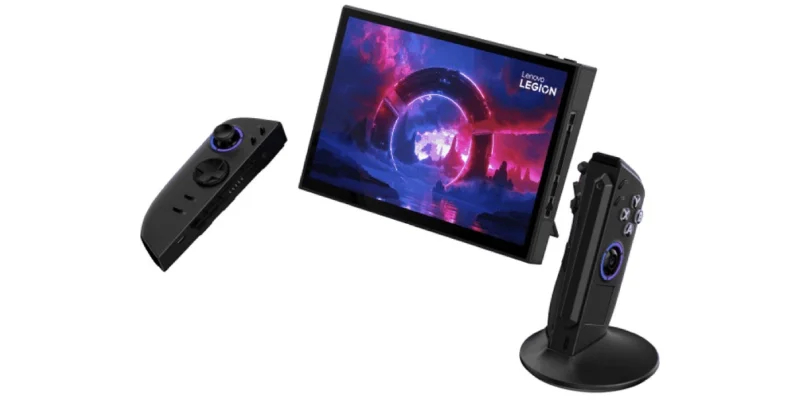
Lenovo Legion Go: best Windows “tablet” for PC games
Operating system: Windows / Linux.
CPU: AMD Ryzen Z1 Extreme.
RAM: 16 GB.
CPU performance (Geekbench 6 Multi-Core): 10,865.
GPU performance (Geekbench Compute): 35,793.
Display: 8.8” 144 Hz.
Resolution: 2,560 × 1,600.
Price: from €475 used / €1,100+ new.
Purchase links:
- Amazon – €680 used.
- AliExpress – €1,187. Can be reduced with coupons.
The Lenovo Legion Go is a special inclusion and there is a lot to say about it.
It is not a traditional tablet, but it has a touch screen, Windows and detachable controllers. So, if we are flexible, it can fit in as a kind of Windows gaming tablet, even though its thickness makes it very clear that it is more of a handheld games console.
Then it has one very obvious advantage: it runs PC games. Not mobile versions, not adapted games, not closed catalogs. PC games, with Steam, Epic Games, GOG, Xbox Game Pass PC, Windows emulators, including triple-A titles.
It comes with AMD Ryzen Z1 Extreme, integrated AMD Radeon 780M graphics based on RDNA, 16 GB of RAM, SSD and an 8.8-inch display with 2,560 × 1,600 resolution at 144 Hz. As I said, it is more handheld console than tablet, but since it has detachable controllers I decided to include it on this list.
The downside is obvious: Windows in tablet format is not always comfortable, it weighs more, the battery drains quickly in demanding games and you have to configure more things.
Also, new it is usually too expensive. I would only buy it new with a very strong deal; used or refurbished, it can make much more sense.
And well, you should know there are “s” models that are worse. I would not go near those. Nor would I go for its successor, the Legion Go 2, with the Z2 Extreme processor. Not for any other reason, but because new it goes over €1,500 and I just do not see it.
So, if what you want is to play everything, you will not be able to do it better with any other “tablet” than with this one, which is an absolute beast. That said, you also pay for it.
Purchase links:
- Amazon – €680 used.
- AliExpress – €1,187. Can be reduced with coupons.
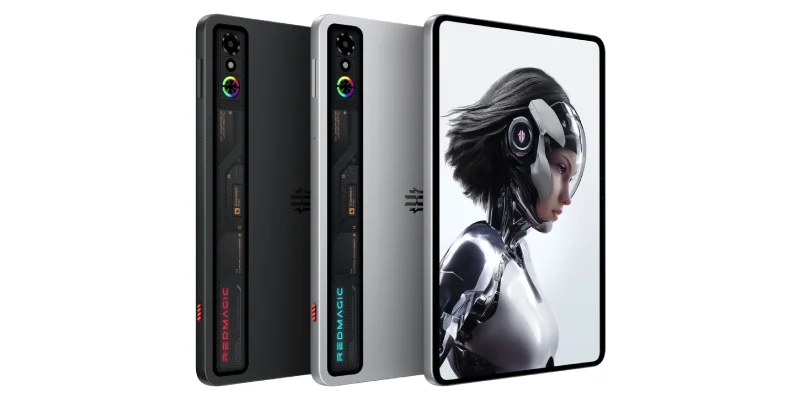
REDMAGIC Astra Gaming Tablet: best pure Android gaming tablet
Operating system: Android.
CPU: Snapdragon 8 Elite.
RAM: 12 / 16 / 24 GB.
CPU performance (Geekbench 6 Multi-Core): 9,377.
GPU performance (Geekbench Compute): 24,339.
Display: 9.06” OLED 165 Hz.
Resolution: 2,400 × 1,504.
Price: from €409.
Purchase links:
- Amazon – €499.
- AliExpress – €409.
Look, I included this tablet because, while doing a bit of research to recommend something to my friend, all the reviews rated it pretty well, but I did not know it beforehand.
The REDMAGIC Astra Gaming Tablet is from Nubia, a brand that is not as well known as Apple, Xiaomi or Lenovo. That does not mean it is bad, but since I have not owned any product from the brand or contacted its technical support (I have had several from all the others), I have more doubts about support, distribution, updates and after-sales service.
That said, as a pure gaming tablet, it is well thought out. It has a Snapdragon 8 Elite, a 9.06-inch OLEDscreen, 2.4Kresolution, a 165 Hzrefresh rate, a large battery, fast charging and a dedicated cooling system.
That last part is very gaming-oriented and avoids the temporary heating issues that Redmi or Xiaomi tablets can have. Also, its compact OLED screen, high refresh rate, cooling and strong Android performance put it, on paper, above my favorite, the Lenovo Legion Tab Gen 3. Also at a higher price, of course.
I would not make it my main recommendation because I have less information about the brand, but as an option for someone looking for something clearly designed for gaming, it fits perfectly.
Purchase links:
- Amazon – €499.
- AliExpress – €409.
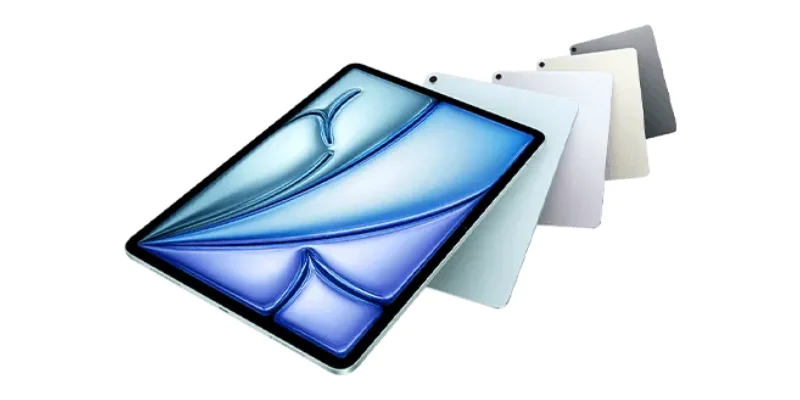
iPad Air M4: best balanced iPad for gaming
Operating system: iPadOS.
CPU: Apple M4.
RAM: 12 GB.
CPU performance (Geekbench 6 Multi-Core): 13,321.
GPU performance (Geekbench Compute): N/A.
Display: 11” 60 Hz.
Resolution: 2,360 × 1,640.
Price: from €550–649.
Purchase links:
- Amazon – €629.
- AliExpress – €677.
The iPad Air M4 is probably the most recommendable iPad, for gaming and for everything else.
It is not cheap, but it does not reach the price of the iPad Pro either, and it has a laptop-class chip that is massively overpowered for everything iPadOS allows.
Maybe purists will think the problem is the screen, not because of its quality, which is beyond doubt, but because the iPad Air still has 60 Hz, while many cheaper Android tablets already offer 120 Hz or 144 Hz. For competitive gaming, that can be a bit annoying (not for me, personally).
Even so, as a balance of power, support, quality, apps and lifespan, it is a purchase that is hard to regret. If you want an iPad and do not want to pay for the Pro, this would be my choice.
So I would recommend this tablet for someone who wants to play games, but also use it for studying, working, light editing, taking notes or integrating it into the Apple ecosystem. If you only want to play, I do not think it makes sense: there are better Android options for the price.
Purchase links:
- Amazon – €629.
- AliExpress – €677.
Operating system: iPadOS.
CPU: Apple M5.
RAM: 12 GB.
CPU performance (Geekbench 6 Multi-Core): 15,577.
GPU performance (Geekbench Compute): 75,091.
Display: 11” / 13" OLED 120 Hz.
Resolution: 2,420 × 1,668.
Price: from €1,036.
Purchase links:
- Amazon – €1,036.
- AliExpress – €2,032. Can be reduced with coupons.
Let’s get to it: this tablet makes no sense if you are only going to play games on it.
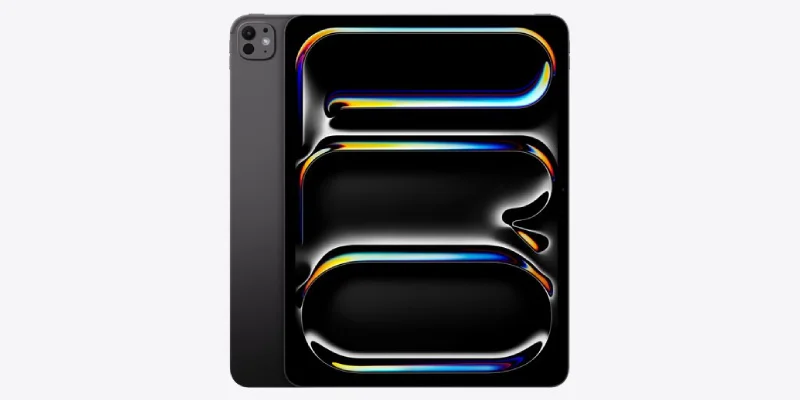
Because the iPad Pro M5 is a beast. OLED screen, 120 Hz, M5 chip, absurd power, premium design and a price to match. If we are talking pure hardware in tablet format, it plays in the top league.
Is it the best tablet on the list? Probably yes.
Is it the one you should buy for gaming? Probably not.
Because its big problem is the same as always: iPadOS does not take advantage of all that hardware in games as much as it could.
You have tremendous power, but you do not have the PC catalog of Windows or the freedom of Android for certain uses. It is ideal if you want the best premium tablet for working, editing, drawing and consuming content, as well as playing games.
And I say this from experience, because my partner has one and uses it for drawing, illustration and teaching. And I have borrowed it to watch movies and read comics. Seriously, it is amazing at everything.
But if you ONLY want to play games, there are more rational purchases. The iPad Pro M5 is outrageous, yes, but its price stretches far and you should be sure you are going to make the most of it.
Purchase links:
- Amazon – €1,036.
- AliExpress – €2,032. Can be reduced with coupons.
Advantages and disadvantages of each operating system
In this section I go deeper into what I was anticipating at the beginning of the article, so you understand exactly what you are getting into in each case.
Advantages and disadvantages of gaming on Android
Android is the most flexible system for gaming tablets if we are talking about price, formats and emulation. You have cheap tablets, compact tablets, large tablets, gaming models and very powerful options without paying Apple prices.
Also, Android is the most comfortable system for emulators if you do not want to get into Windows. You can use Bluetooth controllers, telescopic controllers (the ones that sit on both sides of the tablet, to build “the beefed-up cousin” of the Nintendo Switch), emulators, launchers and cloud services with plenty of freedom.
Advantages:
- A wide range of prices.
- Good emulation.
- Good controller support.
- Quite a lot of freedom to tinker with the system.
- Powerful tablets that are cheaper than Apple.
- Very interesting compact models.
- Ideal for Xbox Cloud Gaming, GeForce Now and Steam Link.
- All-round devices that do a bit of everything.
Disadvantages:
- Less consistent operating system updates depending on the brand.
- Some games are not as well optimized as on iPad.
- Hardware quality and the installed software vary a lot between manufacturers.
- With lesser-known brands, support can raise doubts.
- Sustained performance depends a lot on cooling.
- The devices lose value faster if you plan to sell them to buy another later.
Android is the option I would choose if you want value for money, emulation and freedom.
Advantages and disadvantages of gaming on iOS / iPadOS
iPadOS has one very clear advantage: the experience is usually more polished. You buy an iPad, install games, connect a controller and it works. Without too much messing around, everything works the first time.
Also, Apple chips are very powerful. Even the basic iPad with A16 handles most games well. And with M4 or M5 you have more than enough power, although, today, that power often sits there waiting for the software to really make use of it.
Advantages:
- High quality on every device. There is no basic range.
- A lot of power.
- Very good optimization.
- Good catalog in the App Store.
- Apple Arcade.
- Good screens, especially on the iPad Pro.
- Updates for many years.
- Very solid ecosystem.
- Devices depreciate more slowly.
Disadvantages:
- Less freedom for emulators.
- Less control over files and the system.
- Higher price.
- The iPad Air still has a 60 Hz display.
- The iPad Pro M5 has more power than many games take advantage of.
- You do not have real PC games (almost) like you do on Windows.
iPadOS is the option I would choose if money does not matter and you want quality, support, power and a tablet for consuming content as well as gaming.
And if you have a Mac desktop and an iPhone, the ecosystem is excellent.
Advantages and disadvantages of gaming on Windows
Windows is the option with the most possibilities, but also the most expensive for the same gaming performance.
In other words, if you want Fortnite to run at 120 FPS, you will have to spend more on a Windows tablet than on an Android one.
With Windows you can play PC titles, use Steam, install mods, emulators, launchers, old games, patches, translations and practically anything you want.
The freedom is huge, but so is the management. You have to update, configure, tune performance, fight with launchers and accept that Windows is not always comfortable on a small screen.
Advantages:
- PC catalog, the king of gaming.
- Steam, Epic, GOG, Game Pass PC.
- AAA games.
- Old games.
- Very broad emulation.
- Mods.
- More freedom and usage possibilities.
- Ideal for anyone who likes tinkering.
Disadvantages:
- Windows is not always comfortable on a tablet.
- More configuration.
- Higher power consumption.
- Worse battery life.
- More heat.
- More weight.
- Cheap Windows tablets have limited power.
- Good ones are usually expensive.
Windows makes sense for gaming if you want AAA PC games, advanced emulators or old games. Or if you have bought a large catalog in stores like Steam or Epic.
It also makes sense if you want to do other things with the tablet, such as work, install Photoshop or download torrents.
If you only want the tablet to play mobile titles comfortably on the sofa, Android or iPadOS are usually better.
Best tablets for emulators
For emulators, there is no single answer. It depends a lot on the system you want to emulate, the internal resolution you want to use and how much you are willing to configure.
| System | What you need |
| NES, SNES, Mega Drive, Neo Geo | Almost any current tablet |
| PS1 | Decent low-end |
| N64 / Dreamcast | Mid-range |
| PSP | Mid-range |
| PS2 / GameCube / Wii | Powerful Android or Windows |
| Switch | Very specific high-end Android or powerful Windows |
| Old PC games | Windows |
My selection for this would be simple:
- For basic retro, the Redmi Pad 2 Pro will do.
- For old PC games, a CHUWI with Intel N150.
- For serious Android emulation, I would look at Xiaomi Pad 8, Xiaomi Pad 8 Pro or Lenovo Legion Tab Gen 3.
- And if you want the most complete option for advanced emulation and PC games, then the Lenovo Legion Go is what makes the most sense.
Android wins for simplicity and price, while Windows wins for power (in the high-end ranges), compatibility and possibilities. iPadOS, for this use case, falls behind.
Tablet vs handheld console
Here you have to be clear about one thing: if all you want to do is play, maybe you do not need a tablet, and a handheld console may be more interesting for you.
A Steam Deck, a ROG Ally, a Lenovo Legion Go or a Nintendo Switch may make more sense than a tablet if your absolute priority is gaming. They are designed for that, and it shows in the controls, ergonomics, software and catalog.
That is how it is.
So, when is a tablet worth it? When you want something more versatile. A tablet is also useful for watching videos, reading, studying, video calls, taking notes, browsing, working, using apps, cloud gaming, emulating and using it as a family device.
A handheld console is for gaming. And it does it better. That is why the real decision is: do you want a device for gaming, or do you want a tablet that also games very well?
Because, as I say, for gaming there is nothing better in value for money than a Steam Deck. I have one and I know what I am talking about.
Cloud gaming: when you do not need that much power
Cloud or streaming gaming can change the purchase. If you are going to use Xbox Cloud Gaming, GeForce Now, Steam Link, Moonlight or PS Remote Play, the tablet's power matters less.
You need to meet some minimums, but once those are covered, other things matter:
- Good screen.
- Good WiFi and low latency.
- Good battery.
- Good Bluetooth and controller support.
- Comfortable weight (if you are going to play with it in your hand)
That is why a Redmi Pad 2 Pro can be enough for cloud gaming, even if it is not a very powerful tablet.
If the game runs in the cloud—or on your own gaming PC via streaming—the tablet only receives video and sends your controls, so you do not need anything exceptional.
If that is your case, do not overspend on power; spend on screen quality, WiFi, battery and a good controller.
Which tablets NOT to buy for gaming
I mentioned it before: for gaming, I would not buy a tablet with 4 GB of RAM, unless it is for very basic use. I would not buy models with 32 or 64 GB of storage either if you want to install games of a certain size.
On Windows, I would avoid tablets with eMMC (a worse memory system than SSDs), old Intel Atom or Celeron processors. It does not matter if they are cheap: they are usually slow, get bogged down quickly and turn any mildly demanding use into a penance. Even browsing with 3 or 4 tabs open. Seriously, they are no good.
I would also be careful with very cheap Android tablets with old Android versions or odd brands. I would not risk it if I am thinking about gaming, because they are more than likely to perform badly, break quickly and have support in China.
With Apple, none of this matters. Whatever you buy (from the options discussed here), it is rare for it to fail, disappoint you or give you problems. In that sense, it may not be the most accurate purchase, but it will never be a bad one.
Recommended accessories for gaming on a tablet
A tablet for gaming improves a lot with accessories. In fact, many times the difference between using it for two days and really using it is having a good controller. And a decent stand if you are going to prop it up.
Bluetooth controller
Essential for comfortable gaming, especially in action games, platformers, racing games, emulators and streaming. You can play with a touchscreen, of course, but it is not the same.
If you play with the tablet propped up, my recommendation is the Xbox controller, which works beautifully over Bluetooth. If you have a PlayStation, then the PlayStation controller will also work for you.
Telescopic controller
There are options for placing controllers on the sides in the Nintendo Switch style, such as the Razer V3 Pro or one from Game Sir, which is cheaper.
Two points to consider here:
The first is that you should carefully check the maximum compatible size, because many large tablets (over 10 inches) will not fit.
The second is that, even if they fit, it is not comfortable to play with these controllers on large tablets. They weigh a lot and the viewing distance is too short. I am telling you this because, as I mentioned earlier, I completed Mass Effect 1 on a Chuwi Windows tablet. For me, 8 or 9 inches is ideal, 10 is the maximum.
Desk stand
Tablet propped up with a better viewing angle than with the tablet case, controller in hand and off you go. Much more comfortable than holding it all the time, especially if it is large. And, well, you can even prop it up on the armrest of many sofas.
MicroSD
If the tablet allows it, it is very useful for expanding storage for very little money. You can load emulators with their huge ROMs (such as PS2 and later), videos and music.
For games it will depend on each system and the speed of the card, since it may not be worth it and you may prefer to make room on the SSD.
Fast charger
Some tablets do not include a charger or do not come with a decent one. And when gaming, the battery dies quickly, especially if you play 3D games (2D ones drain less).
Having a decent charger lets you continue the session without any problem.
USB-C hub
Useful for connecting controllers, storage, HDMI, keyboard or mouse.
Especially on Windows, where a good hub can turn the tablet into a small desktop PC when you need it.
Headphones
For competitive games, it is better if they have low latency because otherwise you can notice a delay between image and sound, and that is quite annoying.
For the rest of the games, with some Xiaomi Piston for €3 you are more than fine (no, I am not joking, they sound very good for what they cost). Or these other wireless ones with brutal noise cancellation. I have both headphones and so does my partner, which says it all.
Conclusions
Quite a long article, but there was plenty to cut through.
To make things clear: the first thing to decide is what I am going to do with the tablet and, based on that, choose one operating system or another. And then define the budget.
If I only want to buy a tablet for gaming, I would go for Android, in which case, if I want to spend little and play casually, I would buy the Redmi Pad 2 Pro. But if the gaming is not going to be so casual, but more intense, the Lenovo Legion Tab Gen 3, which is the one I recommended to my friend and he is delighted with it.
If I want Windows because I am going to do more things with the device than play, you have two options: cheap for emulators and old games, a CHUWI with Intel N150, but with very controlled expectations. And if I want to play triple-A games, I have no choice but the Lenovo Legion Go, because of its hybrid format between console and tablet.
If I want the tablet mainly for gaming and consuming content, an iPad. If I am going cheap, I would go for the iPad 11” A16. If I want the best, the iPad Pro M5 is the premium option with a matching price. My partner has it for drawing and it is AMAZING how it looks and sounds when we watch movies while traveling.
I have already committed to my recommendations. Do they convince you?
In any case, I hope they help you and that you are happy with your tablet, whatever you buy.
But first remember: the best tablet for gaming is not the most powerful one, but the one that fits the games you are actually going to play.
Frequently asked questions
What is the best cheap tablet for gaming?
TheRedmi Pad 2 Prois one of the best cheap options if you want to play casually, use cloud gaming and have a large screen for little money. It is not a gaming tablet, but for the price it makes a lot of sense.
Which Android tablet would I buy for gaming?
I would buy theLenovo Legion Tab Gen 3, as long as I found it around €300 (there are quite a few temporary deals). At €500, theXiaomi Pad 8 Pro.Or I would take a chance on theREDMAGIC, who knows.
Which iPad is most worth it for gaming?
TheiPad Air M4is the most balanced. The regular iPad with A16 is fine for casual gaming, but the Air has much more power. The iPad Pro M5 is better, but also quite a bit more expensive.
Is a cheap Windows tablet good for gaming?
Yes, but it depends on the game. A cheap Windows tablet with Intel N150 can work for retro emulators, older PC games, lightweight indies and point-and-click adventures. It is not good for demanding modern games.
Does the Lenovo Legion Go count as a tablet?
It is not a traditional tablet, but it has a touchscreen, Windows and detachable controllers. That is why it can make sense to include it as a kind of Windows gaming tablet, especially if you want to play PC games.
Is Android or iPadOS better for gaming?
For ease of use, support and stability, iPadOS is very good. For emulation, price variety and freedom, Android is usually better. There is no absolute winner.
Is a tablet better than a Steam Deck?
If you only want to play PC games, a Steam Deck or a similar handheld console may make more sense. If you want to play games, watch videos, study, browse and use apps, a tablet is more versatile.
How much RAM does a tablet need for gaming?
Reasonable minimum:6 GB. Recommended:8 GB. Ideal at the high end:12 GB or more. On Windows, better16 GB.
Which tablet should you choose for emulators?
For basic retro, almost any decent current tablet will do. For PSP, Dreamcast or N64, a mid-range model is better. For PS2, GameCube or Wii, a powerful Android tablet like Xiaomi Pad 8 Pro or Lenovo Legion Tab Gen 3 is better. For older PC games and advanced emulation, Windows is better.
Is the REDMAGIC Astra Gaming Tablet worth it?
Yes, if you want an Android tablet very focused on gaming and you do not mind buying from a lesser-known brand. It has power, an OLED screen, 165 Hz and dedicated cooling. For the average buyer, Xiaomi, Lenovo or Apple may offer more peace of mind.

Leave a Reply